Best Games for Seniors on Android in 2026: Shop for the Accommodation, Not the Label
"For seniors" is a label a publisher chooses, not a Play Store category — what it reliably buys is bigger targets, higher contrast and no penalty for undoing a move. We ordered five picks by the accommodation each one actually leads with, and ended with one that carries several of the same accommodations without the label.
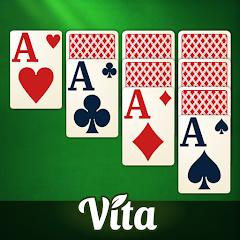
Vita Solitaire for Seniors
Our database's pros record oversized cards with high-contrast, large-font typography and dedicated modes for colorblindness, left-handedness and eye protection, and our database's FAQ adds a two-row layout that splits the cards so they are easier to reach and read. Our database's cons record flashing or blinking ads at the top of the screen that users report as causing visual discomfort, and interstitials that bypass the app's own sound-off setting.
Read review
Solitaire for Seniors Game
Our database's pros record free, unlimited hints and undos, auto-complete once a game is won, and both Klondike and Spider in one app; our database's FAQ counts 21 difficulty tiers. Our database's cons record high ad frequency between games and full-screen ads that lack clear close buttons, sometimes requiring an app restart.
Read review
Mahjong for Seniors
Our database's FAQ describes a setting that highlights the tiles unblocked on their sides and top, so valid moves are quicker to spot; our database's pros add offline play and daily missions. Our database's cons record a high volume of non-skippable ads between puzzles and ad-removal purchases that some players report not carrying to a new device.
Read review
Vita Jigsaw for Seniors
Our database's FAQ scales puzzles from a 36-piece layout with extra-large pieces to a 400-piece grid, and adds a boundary piece isolator that filters the board to just the flat-edged border pieces. Our database's cons record no way to import your own photos and frequent ad transitions between puzzles, though our notes say those can be skipped.
Read our in-depth review
Zen Word® - Relax Puzzle Game
No senior branding, and our database's pros still record a large, clear font and a simple interface they single out as fitting older players, plus over 6,000 levels and a tap-for-definition tool; our database's FAQ confirms there are no timers. Our database's cons record high advertisement frequency and a dictionary that occasionally rejects common words.
Read our in-depth review“For seniors” is not a category Google Play defines — it is a label a publisher chooses. What it buys reliably is a bundle of design decisions: bigger touch targets, higher contrast, no penalty for taking a move back, no clock. Those serve far more people than the label suggests, so we ordered these five by the accommodation each leads with, ending with one that wears no label at all.
One observation cuts across the shelf: on several of these, the advertising works against the very thing the app is built for. Our database’s cons for Vita Solitaire record flashing or blinking ads at the top of the screen that users report as distracting or causing visual discomfort, and interstitials that bypass the app’s own sound-off setting. For Solitaire for Seniors Game, our database’s cons record full-screen ads lacking clear close buttons, sometimes requiring an app restart; for Mahjong for Seniors, a high volume of non-skippable ads.
Best for Adjusting What You See: Vita Solitaire for Seniors
At 4.9 across roughly 290,626 ratings — the most-rated of the four labeled picks — it wins on how much you can change. Our database’s pros record oversized cards with high-contrast, large-font typography, and dedicated modes for colorblindness, left-handedness and eye protection. Our database’s FAQ explains the “Two-Row Layout”: it splits the cards into two rows so they are easier to reach and read. The same FAQ records themes for card backs, faces and backgrounds, so a player can pick what they can see best, plus offline play and a paid VIP option that removes advertising.
The caveats above land on the very sense the app is tuned for, and our database’s cons add one more: cards that sometimes need multiple taps or precise dragging to register a move.
Best for Never Being Stuck: Solitaire for Seniors Game
A different axis: not what the board looks like, but what happens when you cannot find a move. Our database’s pros record free, unlimited hints and undos, so a hard spot can be worked through at your own pace, plus auto-complete once the game is won. Klondike and Spider both ship in one app, and our database’s FAQ counts 21 difficulty tiers. It rates 4.9 across roughly 66,540 ratings. A left-handed layout mirrors the draw pile and foundations, per that FAQ — but so does the pick above, so it is not a differentiator.
Our database’s cons record the cost: beyond the hard-to-dismiss full-screen ads above, high ad frequency between games and heavy battery and processor load from continuous video ads online. Our database’s FAQ notes the one free lever: offline play naturally limits the ads.
Best for Seeing Which Move Is Legal: Mahjong for Seniors
The award is one specific feature, and our database’s FAQ describes it exactly: a setting that highlights the tiles unblocked on their sides and top, so valid moves are quicker to spot. On a crowded board, that is the difference between scanning and playing. Our database’s pros add offline play and daily missions that bring new layouts and rewards every day. It rates 4.7 across roughly 66,896 ratings.
Our database’s cons record more than those non-skippable ads: ad-removal purchases that some players report not carrying to a new device — our database’s FAQ calls this a known licensing sync error and gives the workaround: same Google Play account, launch from the store, force a license check in settings. Running out of moves in a monthly event challenge also charges coins for a reshuffle.
Best for Setting Your Own Difficulty: Vita Jigsaw for Seniors
We’ve reviewed Vita Jigsaw in full. Our database’s FAQ carries the award: puzzles scale from a 36-piece layout with extra-large pieces up to a 400-piece grid. Our database’s pros record those extra-large pieces as easy to tap and place; the same FAQ adds a boundary piece isolator that filters the board to just the flat-edged border pieces, a zoom tool for tricky areas, and progress saved automatically into a “My Puzzles” section. Our database’s pros put the gallery at over 10,000 images, updated daily. At 4.6 across roughly 48,415 ratings, it has the smallest count here.
Our database’s cons: some retro-themed images look blurry at the highest zoom, there is no way to import your own photos as puzzles, and free play carries frequent ad transitions between puzzles, though our notes say those can be skipped.
Best Without the Label: Zen Word
The case for shopping by feature. Zen Word carries no senior branding, and our database’s pros still record a large, clear font and a simple interface, singling out older players as the fit, plus a tap-for-definition tool on any word found, over 6,000 levels and cross-device sync. Our database’s FAQ confirms there are no timers, so levels can be solved at your own pace, and that they cannot be skipped, though a hint reveals a letter. Our database’s pros call the “uncrossed” format a more intense challenge than crossword-style games; our database’s overview notes describe it as a set of letters and word lengths, with no intersecting clues. At 4.8 across roughly 564,020 ratings, it is by far the most-rated pick here.
Our database’s cons record high advertisement frequency, a dictionary that occasionally rejects common words or legitimate technical terms, and crashes that lose daily reward progress. Our database’s pros record offline play as fully functional, though our database’s FAQ notes rare-word definitions may need a sync.
How we chose
Every pick is live on Google Play with at least 3.5 stars, 20,000 ratings and three screenshots; specifics come from Play signals, our app database’s pros, cons and FAQ notes, and our full review of Vita Jigsaw for Seniors.
Be honest about the shelf: the four labeled picks were most of what cleared that bar under the label at all — a small shelf, not a deep one, which is why the fifth pick carries none. “For seniors” is a marketing choice rather than a Play Store category — nothing stops a publisher from using it, and nothing requires one to use it before shipping large type and unlimited undo. Shop for the accommodation you want, not for the word.
The bottom line
Work out which accommodation you actually need, because that, not the word on the listing, is what separates these: a bigger, higher-contrast board; hints and undos with no penalty; a cue for which moves are legal; a difficulty you set yourself.
Then one practical check. All five carry advertising in our notes, so before you settle in, find out what an ad-removal purchase costs where one is offered and whether it carries to another device — our database’s cons record one app, Mahjong for Seniors, where players say it did not. That is also the condition on our top pick. Vita Solitaire offers the widest set of display adjustments here and the sharpest contradiction, since our database’s cons record flashing ads and interstitials that ignore its own mute setting. Our database’s FAQ records a paid VIP option that removes advertising; with it, the recommendation stands.