Amazon Kindle: Reading App
Overview
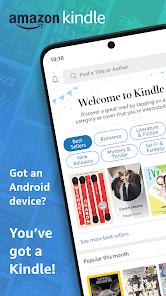
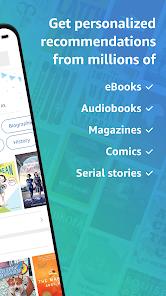
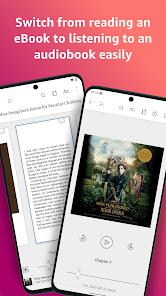
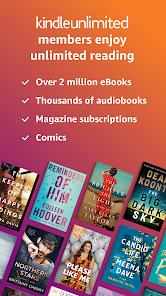
The Amazon Kindle app has transitioned from a simple e-reader to a comprehensive digital library and social platform for bibliophiles. In 2026, the app’s standout feature is the deep integration with Audible and Kindle Scribe. Users can switch between reading a text and listening to the narrated version (Whispersync for Voice) without losing their place. The 2026 version includes 'AI-Insights,' which summarizes long chapters or identifies recurring themes in a novel. Kindle’s primary advantage is the sheer volume of the Amazon Bookstore and the 'Kindle Unlimited' subscription. While it lacks the extreme customization of Moon+ Reader (like complex gesture controls), its simplicity and sync stability across devices remain unrivaled.
Pros & Cons
Seamless syncing between Kindle devices and the mobile app.
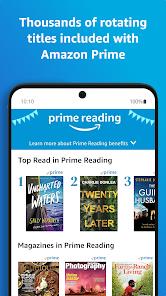
Access to millions of books, including Kindle Unlimited titles.
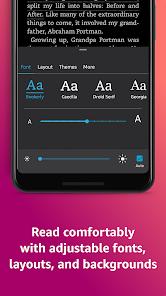
Adjustable fonts, spacing, and 'Dark Mode' for eye comfort.
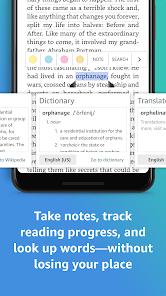
Built-in dictionary, Wikipedia, and X-Ray for character tracking.
- ✕
You cannot purchase books directly in-app on Android due to Google Play billing policies.
- ✕
The UI can feel heavy with recommendations and ads for the store.
- ✕
PDF handling is still inferior to dedicated PDF readers.
Download


FAQs
Can I read books I didn't buy from Amazon?
Yes, you can send personal EPUB or PDF files to your Kindle library via the 'Send to Kindle' service.
Does it work without internet?
Once a book is downloaded, you can read it anywhere without a connection.
How do I buy books?
You must use a web browser to purchase books on Amazon.com, then they sync to the app.
Hot Reviews
I love that I can read on my phone in line at the grocery store and pick up where I left off on my Kindle at home.
The highlight and note-taking features are better than using a physical book.
It's annoying I can't just buy a book with one click in the app like I used to.