
Chat AI: Ask Agent Anything
Chat AI puts several third-party AI engines, a spoken conversation mode and camera tools behind one interface, and our records put the free tier at roughly three queries a day — which makes the approximately $6.99 weekly, or around $69.99 lifetime, pricing the first thing to weigh rather than the last. On the features and frictions our material records, the 4.4 across more than a million ratings looks earned; whether it suits you turns almost entirely on how that billing shape sits with you.
- People who want several AI engines reachable from one interface and are comfortable with the recorded price — our source material records approximately $6.99 per week for unlimited usage, or a one-time lifetime license around $69.99
- Buyers who would rather pay once than subscribe: the lifetime license on record is the route that removes the weekly cycle
- Hands-free users — our records list an integrated speech engine with expressive voice profiles named Luna, Orion, Aurora and Ember for spoken conversations
- Anyone who works from the camera: photographing a math equation, printed text or a landmark to get a step-by-step explanation, plus photo-based translation and text recognition, are all recorded features
- Readers who deal in long material — our FAQ records uploading supported files such as PDFs, or pasting web links, and getting concise bullet points and takeaways back
- Cautious installers who want to try something before handing over an email address, since no account is required to start
- Anyone whose everyday use runs past a few questions a day without paying — the free tier is recorded as capped at roughly three queries before an upgrade prompt, and published user feedback describes that allowance running out quickly
- Readers who will not take on recurring billing and do not want to commit to a lifetime license up front: those are the two routes to unlimited usage our records list
- Anyone who needs an assistant that works without a connection — our FAQ records this as a cloud-based interface that requires a stable internet connection for every request
- People who need response times to hold steady at busy times, since our own con list records occasional brief latency spikes during peak usage hours






Overview
The number that should decide whether you install Chat AI is not the 4.4 on its Play listing. It is three. Our source material records the free tier as capped at roughly three queries a day before the app prompts an upgrade, and every capability described below sits behind that gate. It is why this review leads with money rather than the toolkit.
What it costs, and how quickly you meet it
Our source material is specific about the commercial terms, within the approximations it uses: unregistered users can test basic features immediately. The free tier is capped at roughly three queries per day before prompting an upgrade. Unlimited usage requires an ongoing subscription of approximately $6.99 per week, or a one-time lifetime license around $69.99. Those are approximations on record rather than quoted prices, so treat the live Play listing as authoritative for what you would be charged today.
Two things follow. The first is the billing shape: the recurring route on record is weekly, the alternative a single up-front payment, and choosing between them is the decision the app puts in front of you. The second is the structure of what you are buying: our source material describes the app as an aggregator that routes requests to third-party providers rather than training a model of its own. Set that beside the recorded prices above and draw your own conclusion.
Reading a 4.4 built on 1,082,222 ratings
Over a million ratings against 10M+ downloads is a large body of accumulated use, and it is worth being precise about what it answers. It does not tell us whether any individual recorded flaw is open or fixed. It bears on one directly: the free-tier cap is not a subtle defect a minority stumbles into after weeks of use — it is the first thing nearly every installer meets, three questions in, so whatever share of those raters disliked it, their reaction is already inside the 4.4.
An aggregator rather than a model of its own
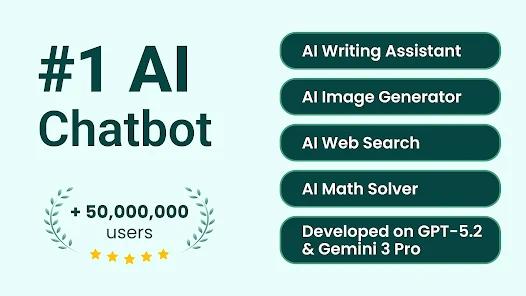
Our source material records that the backend integrates APIs across several third-party providers. It names them, and what the app uses each for: OpenAI’s models, including GPT-4o, for general conversation, structured text generation and photo-based OCR; Anthropic’s Claude series for complex reasoning, long-form creative writing and nuanced document analysis; and Google’s Gemini Flash and xAI’s Grok for fast real-time search queries and structured information synthesis. Our FAQ records the same four engines.
That division of labor is what our records state the app does; it is not our own assessment of the providers or their models, which we neither rank nor evaluate. Chat AI is a third-party client routing to those companies’ APIs as our material describes, and the consequence our records do describe is a single dashboard: one app, several engines behind it, no switching between clients.
Voice, camera and the agent list
Our source material describes a built-in audio engine for hands-free spoken conversations using expressive voice profiles — Luna, Orion, Aurora and Ember are the four named — and one published user review describes the spoken mode as responsive and expressive, making hands-free brainstorming and language practice feel like a genuine dialogue. That is one person’s account of their own use.
The camera tools are the other piece worth calling out. Our records describe photographing a math equation, printed text or a landmark and receiving a step-by-step explanation, and our pro list records photo-based math solving, translation and text recognition as multimodal vision features. For anyone who has tried to type an equation into a chat box, the appeal of pointing a camera at it is immediate.
Around those sit the agents, which are less a separate feature than the organizing idea. Rather than one blank prompt box, our own database records dedicated assistants for creative writing, coding, language learning and professional tasks, and our source material names the categories as programming, language practice, business planning and academic tutoring. A menu instead of an empty page tends to matter most to the people who do not already know how to phrase what they want.
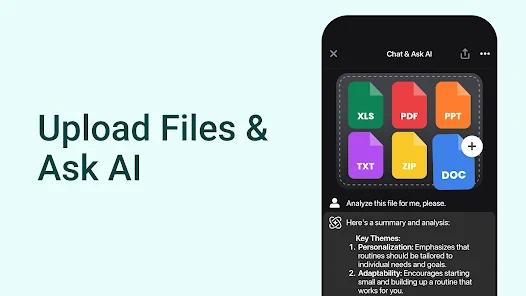
Summarization is recorded as its own module. Our FAQ describes uploading supported files such as PDFs, or pasting a web link, with the engine producing concise bullet points and takeaways; our pro list extends the same treatment to long documents, articles and web links. If your reason for wanting an assistant is a backlog of long reading, that is the recorded capability to look at first.
One further feature sits in our FAQ rather than the pro list: image generation. It records the client integrating diffusion models that turn descriptive text prompts into original images inside the chat interface — picture work in the same place as the text, voice and camera tools.
Starting without an account
One recorded pro deserves separating out because it changes how you can evaluate the app: no account is required. Our FAQ records that users can start submitting basic queries immediately after installation, without providing an email address or creating a profile. Paired with the cap, that gives you a short but frictionless look at the interface before you decide anything, and you can walk away without having left an account behind. Together the two facts describe the acquisition model honestly: very easy in, very quickly limited.
Cloud-only by design
Our FAQ records this as a cloud-based interface requiring a stable internet connection to process all AI-driven requests. There is no working around that on a train with no signal — worth knowing before you come to depend on it in transit.
Latency at busy hours
Our own con list records that relying on third-party API routing can occasionally cause brief latency spikes during peak usage hours. Both qualifiers are in the record and both belong in the reading: occasional, and brief. It is a caveat for anyone who needs an answer to land quickly at a busy hour, not a description of how the app behaves generally.
Two names on the record
The Play listing’s Developer field reads Deep Flow Apps. Our source material describes the app as developed by Codeway Dijital and Deep Flow Apps, and names Codeway as having structured the application as an aggregator. Both are on record, and both are worth having if you go looking for the publisher.
What the published reviews say
Three user reviews sit in our records. One describes the convenience of having several models in one place, making it easy to compare responses without switching between apps. One is the voice-mode account above. The third says the assistant is capable but that the daily prompt allowance on the free plan runs out quickly, steering users toward the recurring subscription — which lines up with what our own con list records. Three reviews cannot establish how common any of this is; they are three people’s experiences, and that is the weight they carry.
Who it’s not for
If your realistic use runs past a few questions a day and you do not intend to pay, this is not your app — the cap arrives fast and the published feedback says as much. If you avoid recurring billing, the only alternative on record is a lifetime license paid up front; decide between those two rather than hoping for a third. If you need an assistant that works offline, the cloud-only requirement rules this out. And if a slow response at a busy hour would be a problem, the recorded latency note belongs in your decision.
Our take
We land at 4.4, level with the store rating, and the reasoning sits in the three frictions our database records — because they are not the same kind of thing.
The cloud-only requirement we do not treat as a defect at all: an assistant built to reach remote models has to reach them, the way a live multiplayer game has to be online. A category premise is not a fault. The latency note is qualified in our own record as occasional and brief, which at the scale of a whole-app score is close to nothing.
That leaves the free tier, and it is the one worth arguing over. Roughly three queries a day is a narrow trial, corroborated by published user feedback rather than by our reading alone, and it defines who this app is for more sharply than the feature list does. But it is a monetization structure rather than a malfunction — the app is working as designed at the moment it stops you — and a cap that arrives three questions in is one essentially every rater met before rating, which is why a 4.4 across 1,082,222 ratings is a number with that wall already priced in. Taking a further tenth off for the same objection would count it twice, so we do not. The friction belongs in the prose and in who this is not for, which is where we have put it.
Install it if you want several engines in one place and either the weekly or the lifetime figure works for your budget. Try it first regardless: the no-account start costs you nothing, and a handful of queries is enough to learn whether the interface and the voice and camera tools are the reason you would pay.
How We Evaluate
We did not hands-on test this app: no install, no subscription, no query, no spoken conversation, no camera use and no document upload. This is a desk assessment built on the Google Play listing for com.codeway.chatapp; the write-up on record in our own source material; the six pros and three cons recorded in our editorial database; the FAQ we maintain for this listing; and three individual user reviews recorded in our database. The store signals we work from are a 4.4 average across 1,082,222 ratings, 10M+ downloads, the Productivity category, eight screenshots, a Play update dated March 10, 2026, and a Developer field reading Deep Flow Apps. Three notes on our vantage point. First, our source material records that the app routes requests through particular third-party engines, and we report that as recorded rather than as something we measured. Second, the prices in this review are the approximations our records carry — roughly three free queries a day, approximately $6.99 per week, a lifetime license around $69.99 — rather than quoted figures. Third, the star labels attached to the three user reviews in our records are inconsistent with what those reviews say, so we attach no star rating to any feedback theme and read the three as individual accounts of their authors' own use. These are disclosures about our position, not deductions.
Pros & Cons
Unifies leading models from OpenAI, Anthropic, Google, and xAI into a single mobile dashboard.
Integrated speech engine features natural, expressive voices for seamless hands-free audio chats.
Multimodal vision features enable instant photo-based math solving, translation, and text recognition.
Provides dedicated AI agents for creative writing, coding, language learning, and professional tasks.
Built-in summarization tools quickly extract core points from long documents, articles, and web links.
Allows users to start asking questions immediately upon installation without requiring an initial account setup.
- ✕
The free tier is quite limited, restricting non-subscribers to only a few daily queries before prompting an upgrade.
- ✕
Recurring weekly subscriptions can be considerably more expensive than accessing native AI platforms directly.
- ✕
Relying on third-party API routing can occasionally cause brief latency spikes during peak usage hours.
Download


FAQs
Can Chat AI be used without creating an account?
Yes, users can start submitting basic queries immediately after installation without providing an email address or creating a profile.
Which AI models are available within the app?
The platform routes requests through several leading engines, including OpenAI's GPT-4o, Anthropic's Claude series, Google's Gemini Flash, and xAI's Grok.
Does the application support AI image generation?
Yes, the client integrates diffusion models that convert descriptive text prompts into original images directly inside the chat interface.
Does it require an internet connection?
Yes, as a cloud-based LLM interface, a stable internet connection is required to process all AI-driven requests.
How does document summarization work?
Users can upload supported files, such as PDFs, or paste web links; the engine processes the text and produces concise bullet points and takeaways.
Hot Reviews
Having access to GPT-4o, Claude, and Gemini in one place makes comparing responses and finding the right tone effortless without switching between separate apps.
The spoken conversation mode feels responsive and expressive, making hands-free brainstorming and language practice feel like a genuine dialogue.
While the assistant is capable, the daily prompt allowance on the free plan runs out quickly, directing users toward high recurring subscription costs.