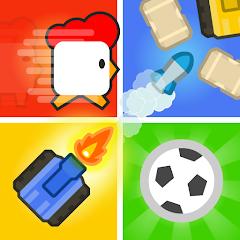
2 3 4 Player Mini Games
One of the easiest ways to get two to four people playing on a single phone or tablet: one button each, about 30 quick micro-games and no internet required. The trade-offs are depth and interruptions — the games are brief and simple by design, and frequent ads appear between rounds whenever the device is online.
- Families who want a shared-tablet game that kids and adults can pick up in seconds, with one button per player
- Friends looking for a quick offline party game for road trips, flights or a table at a gathering
- Owners of budget phones and tablets who need a light game that stays smooth with several people tapping at once
- Anyone wanting online multiplayer — every human opponent has to share the same screen
- Solo players looking for depth, progression or long sessions; each micro-game is brief by design
- Groups that regularly have more than four players, or players who find single-button steering limiting
- Players with little patience for frequent ads between rounds when the device is connected


Overview
If you have two to four people, one phone or tablet and ten spare minutes, 2 3 4 Player Mini Games is one of the most frictionless ways to fill them. Everyone gets a single button, and the roughly 30 micro-games are simple enough that a young child and a grandparent can compete on equal terms. That accessibility is the whole point, and Better World Games has built the app tightly around it.
The trade-offs are just as clear. Each game is deliberately shallow, there is no online multiplayer of any kind, and whenever the device has a connection, ads appear frequently between rounds. For a family on a road trip or friends crowded around a tablet, those are easy compromises to accept. For a solo player looking for something to sink an evening into, this is not the right fit.
How the one-button format works
The design decision everything hangs on is the control scheme. The screen is divided into dedicated input zones, and each player is assigned a button in their own corner. That one button handles every action a game needs — steering a snake, firing a tank, jumping, shoving — so each micro-game comes down to timing rather than dexterity. Nobody has to learn a virtual joystick, and experience with other phone games counts for less than usual.
In practice this works as a leveller: a child who struggles with conventional touch controls competes on the same terms as an adult, because the input is identical for everyone. The divided layout also solves the practical problem of several sets of hands on one screen: each player has their own patch, so you are less likely to block or bump each other. Players report that four-person games work especially well on a tablet. On a phone, the same four zones have to fit on a much smaller screen, which makes four players a tighter squeeze.
The same simplicity is the main source of complaints. In games where the single button has to handle turning, such as Tank Battle, steering can feel clunky at first, and it takes a few rounds before your character reliably goes where you intend. Some players find that frustrating. Others say it is exactly what gives the games their edge, and that learning the timing in the tank mode is genuinely satisfying once it clicks.
What’s in the box
The app bundles approximately 30 micro-games across several genres. The developer highlights a handful as the headline acts:
- Snake Arena — grow your snake by collecting stars while trying to trap your opponents.
- Skateboard Racing — a rapid-tapping race to the finish line.
- Tank Battle — a compact battlefield where you aim, fire and dodge.
- Football Challenge — fast, one-touch soccer.
- Sumo Wrestling — a physics-based shoving match to push rivals out of the ring.
That spread is the app’s second strength after the controls. Moving between a reflex race, a physics brawl and a positional game like Snake Arena keeps a session from feeling repetitive, and because each round is short, a losing streak doesn’t last long. Players frequently single out the variety, along with the charming, stylised graphics, as the reasons the app keeps a group’s attention.
What you should not expect is depth within any single game. These are micro-games in the true sense: one mechanic, one goal, and a round that is over quickly. The appeal rests on the energy in the room — the shouting, the rematches, the rivalries — rather than on any one game holding up to hours of play.
Cups, solo play and AI opponents
For groups who want more structure than picking games at random, the Tournament or Cup mode strings several micro-games together into a single competition. Cups are customisable, which makes it easy to run a short bracket at a party.
Solo play is supported too: any of the mini-games can be played against adjustable AI opponents. That is handy for a child practising before a group session or for filling a few minutes alone, but it is clearly the secondary mode. The app is built for shared play, and against bots the brevity of each game becomes much more noticeable.
Offline play, performance and privacy
The app runs completely offline, and this is one of its most practical selling points. Players repeatedly describe it as a go-to for long road trips and other travel where connectivity is patchy or absent, and they describe the offline experience as smooth and lag-free. The developer states that the game is optimised for budget hardware, with a light install size and a consistent frame rate even during busy multi-touch rounds.
On privacy, data is encrypted in transit and the app collects standard usage telemetry, but there is no option to request deletion of that data — something parents in particular may want to weigh before installing it on a child’s device.
Where it frustrates
The ads are the most significant caveat. The app is free to download and ad-supported, and when the device is online, ads appear frequently between games. In a format built around rounds that last moments, transitions come around often, so the interruptions add up — and with a group waiting, every ad pause is felt by everyone at once. Because the ads appear when the device is connected, offline sessions are the least interrupted way to play.
The lack of online multiplayer follows from the app’s focus on local play, but it does define the audience. If your friends are in another city, this app cannot connect you; every human opponent has to be within reach of the same screen.
Finally, the player cap is four. Larger groups will need to rotate people in and out, so some of the group is always watching rather than playing.
Why groups keep coming back
The praise is consistent. Players widely recommend it as a family-and-friends game, most often citing the range of micro-games and controls that anyone can pick up. The split-screen layout gets specific credit for letting four people share a tablet without getting in each other’s way, and the inputs are described as responsive. Offline reliability comes up repeatedly, usually around keeping kids entertained on long trips.
The reservations are just as consistent. The one-button steering has a learning curve that some players find awkward and others come to enjoy as the main challenge, and ad frequency when connected is the other recurring criticism.
How it compares to alternatives
Same-screen party compilations are a crowded genre on Android, with Stickman Party and a range of “2 Player Games” collections built on the same premise of several people sharing one device. 2 3 4 Player Mini Games stands out for its reach and for how strictly it commits to one-button play, which makes it one of the more approachable options for mixed-age groups.
If you want more depth for a living-room session, console party games such as Mario Party offer far richer games, at the cost of a console and a full-price title. Jackbox Games takes a different approach, using each player’s own phone as a controller for games shown on a shared screen; it suits larger groups and word or drawing games, but it is paid and needs a connection. For a free, offline, pick-up-and-play option on a single device, this app covers the brief well.
Track record and recency
More than 100 million downloads and a 4.3 average across roughly 1.19 million ratings show that the app’s appeal holds up well beyond a small fan base. The most recent update arrived in June 2026, a sign that the app is still being maintained.
Who it’s not for
This is not the right app if you want to play with friends online, if you mostly play alone and want progression or long sessions, or if your group regularly has more than four people. Players who prefer precise control may find the single-button steering limiting, and anyone with little tolerance for ads between rounds should plan on playing offline.
The verdict
2 3 4 Player Mini Games does one job very well: it turns a single phone or tablet into a party game that anyone can join in seconds. The one-button controls level the field across ages and skill levels, the 30-odd micro-games keep a session varied, and full offline support makes it a dependable pick for travel. Go in expecting brief, simple games rather than depth, a short learning curve on the steering-based modes, and frequent ads whenever you are connected. For families and friend groups sharing one screen, it is easy to recommend; if you mostly play alone or online, other games will suit you better.
How We Evaluate
We assess every app against the same questions: what it promises, how well it delivers, where users run into friction, and which audience it genuinely serves. This review draws on the Play Store listing and documented feature set, rating and download figures, the developer's update history, recurring themes in Google Play reviews and community discussions, and how the app compares with other same-screen party games. We have not tested it hands-on, so performance points reflect the developer's stated specifications and what players commonly report.
Pros & Cons
Superb Local Same-Screen Play: Allows up to four players to play together on a single device, creating great party fun.
Simple One-Touch Controls: The single-button control scheme makes the games accessible to players of all ages and skills.
Great Variety of Games: Includes around 30 distinct mini-games, keeping the gameplay diverse and engaging.
Fully Offline Ready: Does not require any internet connection, serving as reliable entertainment during travel.
Competitive Tournament Modes: The built-in Cup modes make it easy to set up fun multiplayer brackets.
Highly Optimized Performance: Light file size and smooth performance prevent lag, even on budget devices.
- ✕
No Option for Data Deletion: The application collects standard telemetry data but does not offer an option for data deletion.
- ✕
Simplified Control Frustrations: The single-button turn mechanics can occasionally feel clunky and take time to get used to.
- ✕
No Online Matchmaking: The multiplayer modes are strictly local same-screen or against AI, with no online play options.
- ✕
Frequent Transition Ads: When played online, the app displays frequent ads between game transitions.
Download


FAQs
How many active players can participate on a single physical screen?
The app supports up to four players simultaneously on a single phone or tablet screen.
How are the controls simplified for multiple players?
Each player has a dedicated corner button on the screen to control all their actions, such as turning or jumping.
Does this party game support online matchmaking over the internet?
No, the game is designed exclusively for offline local play on a single device or against bots.
Can a single player play this game?
Yes, solo players can play any of the mini-games against adjustable AI opponents.
Is there a tournament option available in the game?
Yes, players can set up customizable Cups to compete across several mini-games.
Hot Reviews
Summarized from Google Play reviews and community discussions.
This game is a fantastic local party app. The stylized graphics are highly charming, the mini-game variety is excellent, and the simple controls make it easy for everyone to join the fun.
The divided screen layout works beautifully. It is easy for up to four people to play on a tablet without blocking each other, and inputs are highly responsive.
The one-button controls can be tricky at first, but they add a fun level of challenge. It takes a little practice, but mastering the timing of games like the tanks mode is highly satisfying.
The game runs flawlessly offline. It is the perfect app to keep kids and friends entertained during long road trips without worrying about internet access.