
Brightspace Pulse
A clean, free planning companion that does one job well: turning your Brightspace deadlines, grades, and announcements into a single at-a-glance timeline with fast push alerts. The honest caveats are that it helps only if your school already runs D2L Brightspace, that core tasks like submitting files and taking exams hand off to a browser rather than happening in the app, and that an occasional dashboard-sync hiccup means big deadlines are still worth confirming on the desktop portal.
- Students at a school, college, or training program that already runs D2L Brightspace who want a clean, lightweight planner — one timeline for every class's deadlines, grades, and announcements, with instant push alerts the moment a grade posts
- Busy, returning, or non-traditional students who value a simple, accessible layout and offline reading of downloaded course PDFs, documents, and media over a dense, do-everything interface
- Students whose institution runs a different learning platform — Pulse is a companion to Brightspace specifically and has no other LMS to connect to
- Anyone expecting to submit assignments, take quizzes, or write forum posts inside the app, since those tasks open a browser window rather than completing natively in Pulse
- Students enrolled at multiple schools who want seamless account switching, because Pulse has no in-app profile switcher and requires logging out and back in
Overview
The verdict
Brightspace Pulse is the rare companion app that succeeds by refusing to do too much. Rather than cram an entire learning management system onto a phone, D2L’s free student app picks one job — helping you see what’s due and when — and does it cleanly. We didn’t test it hands-on, but the store material and its 4.7 average across roughly 24,608 ratings point to an app students genuinely lean on to stay ahead of coursework. The important context, and the thing to settle before you install: Pulse is a planner that rides on top of Brightspace, not the Brightspace platform itself, and a few of the tasks you’d most want to do on a phone still hand off to a browser.
What it actually is: a companion, not the whole classroom
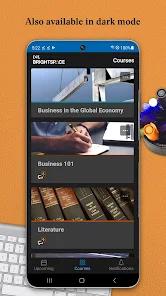
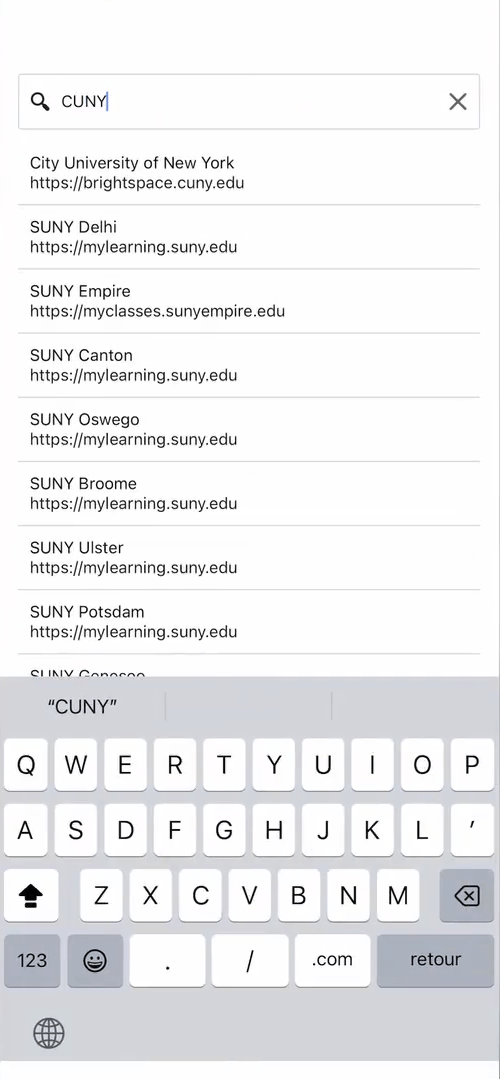
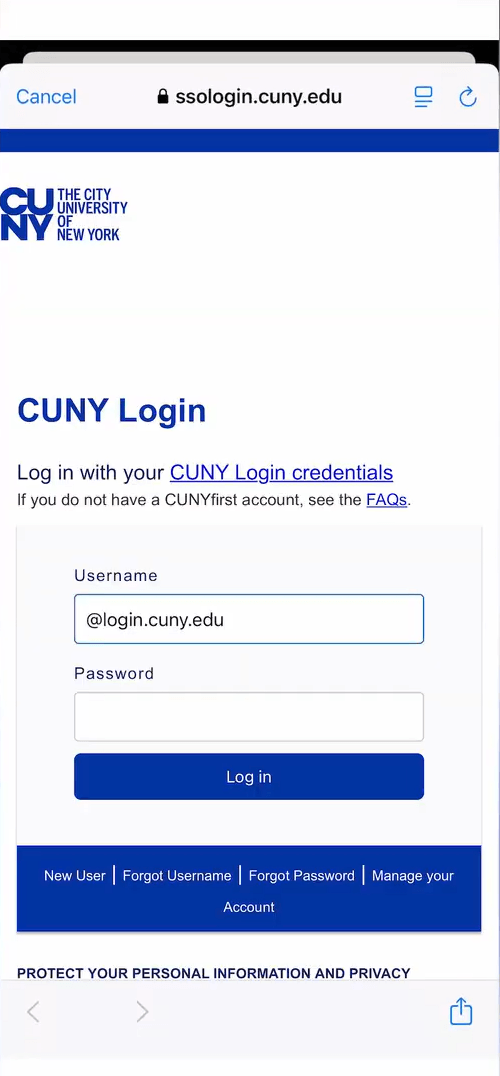
This is the single framing that decides whether Pulse is useful to you, so we’ll put it first. Brightspace Pulse only works if your school, college, or training program runs D2L’s Brightspace learning management system. It signs into that existing system through your institution’s single sign-on and surfaces the pieces that matter day to day — upcoming assignments, quiz dates, grades, and announcements — in a mobile-friendly dashboard. If your school uses a different platform, the app simply has nothing to connect to; that’s less a knock on the software than a compatibility fact worth checking first.
Within that boundary, the design choice is deliberate. Pulse doesn’t try to replicate the full web interface. It aggregates milestones and timelines into one view so you can plan, and it leans on the browser for the heavier interactive work. Whether that split feels smart or frustrating depends entirely on what you need a mobile app to do, which brings us to the app’s defining trade-off.
The browser hand-off, stated plainly
Here is the caveat that belongs high in any honest review: the tasks students most often want to finish on a phone — submitting a file, taking an exam or interactive quiz, writing a discussion-forum post — are not completed inside Pulse. Tapping into them launches a browser web view of your course site. D2L’s own FAQ is direct about this: anything involving file submission or interactive testing has to be done by opening the course website.
The rationale is reasonable. Schools configure Brightspace in very different ways, and routing complex actions through the web view keeps the app compatible across all those setups. But the practical experience can feel disjointed — you’re moving between a polished native dashboard and a browser window mid-task, and the two don’t quite read as one continuous app. If your mental model of a “class app” is one where you tap, attach a document, and submit without ever leaving it, reset that expectation now. Pulse is built for seeing and planning your work, not for turning it in.
Where it earns its rating: the planning layer
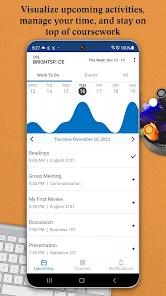
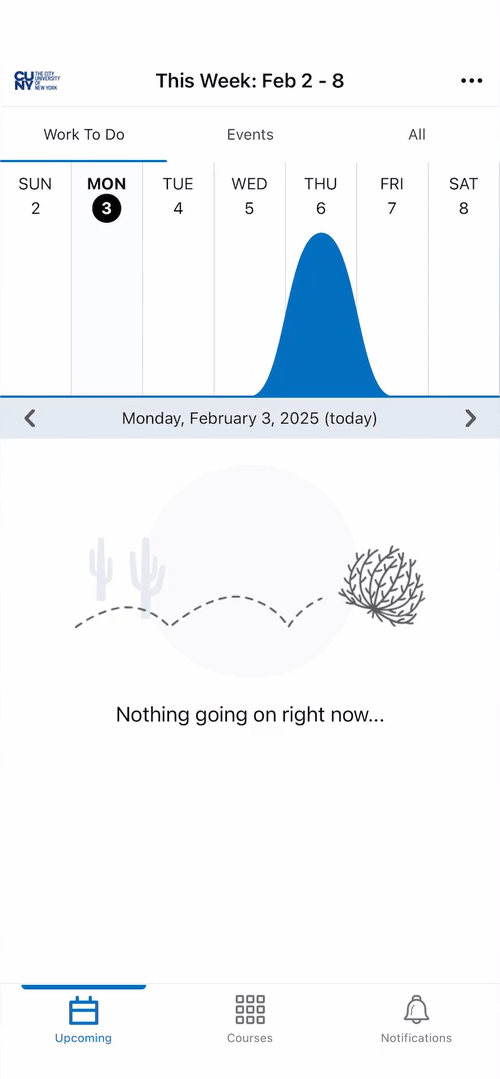
Set the browser hand-off aside and the core planner is genuinely good. The centerpiece is a workload-visualization graph on the home screen — a multi-colored timeline that plots upcoming assignments, quizzes, and projects so you can spot the weeks that are about to get heavy at a glance. It’s a smart piece of design for anyone juggling several courses, because it answers the question students actually ask (“when am I slammed?”) faster than a flat list of due dates ever does.
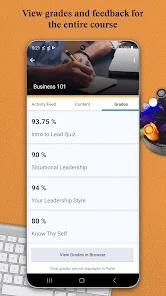
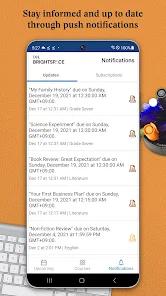
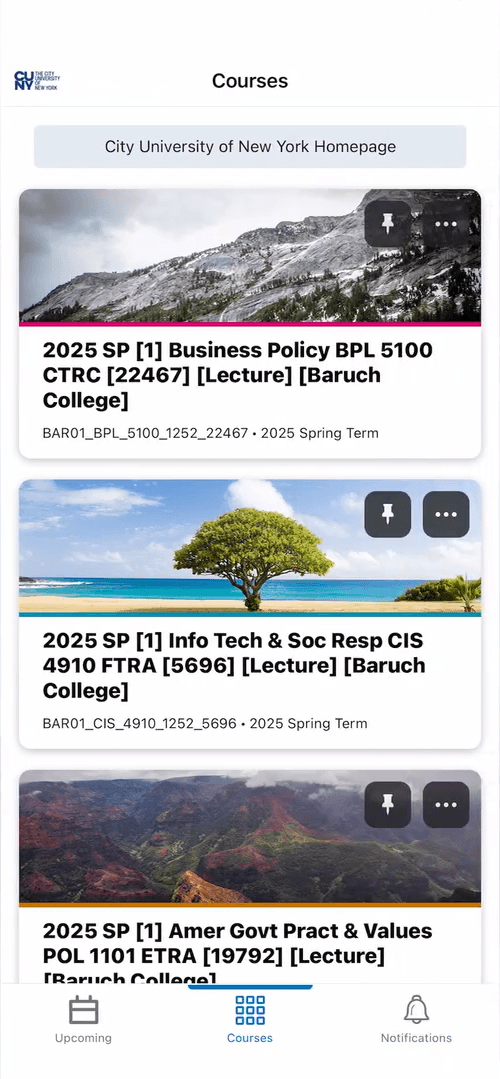
The notification engine is the feature reviewers single out most warmly. Pulse pushes real-time alerts when instructors post grades, publish announcements, or update coursework, and the grade alerts in particular come up again and again in user feedback as a standout — refreshing a portal to check whether a grade has dropped is a small, recurring anxiety the app quietly removes. Paired with that is the unified timeline: one feed pulling deadlines and announcements from every class, which several reviewers describe as a real time-saver over checking each course one by one.
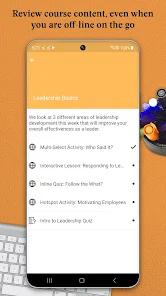
A few more things round out the value, and they earn concrete credit. You can download course PDFs, documents, and multimedia for offline reading, so a commute without signal isn’t dead time. You can add your own personal milestones and study goals alongside the school-set deadlines, which turns the dashboard into an actual planner rather than a read-only feed. Sign-in runs through your institution’s official SSO portal, so your login is handled by the school rather than stored by the app. And the whole thing is light, both in storage footprint and in interface: a recurring theme in reviews is how approachable the layout is for older, returning, or less tech-comfortable students, who report tracking schedules and grades from day one without a learning curve. For an education tool with a broad, non-technical audience, that accessibility is not a small achievement.
The rough edges
Two caveats beyond the browser hand-off deserve an honest airing. The first is synchronization. A recurring theme in user reviews is that the dashboard timeline can occasionally fall out of sync, so an assignment doesn’t surface when it should — and the consequence there is real, because a deadline you can’t see is a deadline you can miss. It’s worth being precise about scale: this is described as occasional rather than constant, and the app remains well-liked despite it. The community’s own workaround is sensible and worth adopting — treat Pulse as your at-a-glance layer but verify important due dates against the main desktop portal, especially around high-stakes submissions. We’d pass that advice straight to any new user rather than treat the app as an infallible single source of truth.
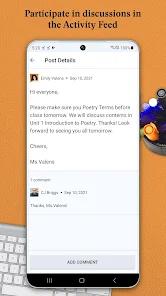
The second set is smaller. Students enrolled at more than one institution can’t switch between accounts inside the app; there’s no profile switcher, so moving between schools means logging out and back in. And the mobile discussion feed offers limited formatting, so composing a substantive forum reply is a task better handled on a computer. Neither is a dealbreaker, but both are the kind of friction a heavy user will feel.
How it compares
The most useful comparison is to the Brightspace web experience itself. The desktop portal remains the complete, authoritative environment — everything Pulse hands off to a browser lives there natively — so the app is best understood as a fast companion to that portal, not a replacement for it. Set against companion apps built for other learning platforms, the honest note is that some rival LMS apps fold more coursework directly into the app, so a student comparing platforms may find Pulse’s planning-first, browser-for-the-rest approach either refreshingly focused or a step short, depending on temperament. What Pulse doesn’t carry is a subscription or an ad model to weigh against: it’s a free, first-party app from D2L Corporation, the company behind Brightspace, which removes a whole category of concerns that dog other education apps.
A note on recency
This is an actively maintained app. Google Play lists it as updated February 4, 2026, with 1M+ installs and a 4.7 average across roughly 24,608 ratings, presented with six screenshots from developer D2L Corporation. A score that high across that many votes signals broad, durable satisfaction — the sync grumbles and the browser hand-off are real, but they clearly haven’t stopped a large user base from rating the app highly.
Who it’s not for
Skip Pulse if your institution runs a different learning platform, because it’s a companion to Brightspace specifically and has nothing else to connect to. It’s also the wrong pick if you expect to submit assignments, sit exams, or write forum posts inside the app — those tasks open a browser rather than completing natively. And if you’re enrolled at multiple schools and want to hop between them without logging out each time, the missing in-app account switcher will grate.
Our take
We land at 4.4, and the gap between that and a perfect score is the honest one. Pulse does its actual job — turning a scattered set of deadlines, grades, and announcements into a single, clean, at-a-glance timeline with fast push alerts and offline reading — well enough that students clearly depend on it, and it does so for free, through secure school sign-on, in a layout even non-technical users find easy. We hold back half a point for reasons worth knowing going in: the tasks you’d most want to finish on a phone still route out to a browser, and the occasional dashboard-sync issue means the smart move is to confirm big deadlines on the desktop portal. For a student whose school runs Brightspace and who wants a lightweight planner rather than a pocket-sized version of the whole LMS, it’s an easy app to keep on the home screen.
How We Evaluate
We did not conduct hands-on device testing of this app. This review is grounded in D2L's own Google Play listing and description, its stated feature set (the workload-visualization graph, real-time grade and announcement notifications, offline content download, secure single sign-on, custom personal milestones, and the browser hand-off for submissions and exams), its listed FAQ, its store signals (a 4.7 average across roughly 24,608 ratings and 1M+ installs, updated February 2026), the recurring themes in published user reviews, and the app's public reputation as D2L Corporation's official student companion to the Brightspace learning management system. Where we cite user sentiment — the praise for grade alerts and the accessible layout, and the concerns about occasional dashboard sync — we're reflecting documented recurring feedback in the store material rather than personal sessions.
Pros & Cons
At-a-Glance Workload Visualizations: Graphical timeline indicators help students spot dense study weeks and plan around upcoming assignments.
Real-Time Grading Updates: Push notifications provide instant alerts when grades or comments are posted in the LMS.
Offline Content Viewing: Students can download and read course documents, PDFs, and multimedia files without a data connection.
Secure Single Sign-On (SSO): Links with school authentication portals to protect user data security.
Custom Event Inputs: Students can add their own milestones and deadlines to customize their weekly planner.
Accessible Interface Design: The simplified layout is designed to be accessible to users who are less comfortable with technology.
Lightweight Storage Footprint: Maintains a lean installation profile, preserving device memory.
- ✕
Requires External Browser to Complete Tasks: Core features like quizzes and assignment uploads cannot be completed natively inside the app.
- ✕
Occasional Dashboard Sync Issues: Course timelines can sometimes fall out of sync, leading to missing deadlines on the dashboard.
- ✕
Limited Thread Discussion Formatting: The mobile discussion feed lacks formatting options, making it hard to write structured replies.
- ✕
Lacks Centralized Account Switching: Students enrolled at multiple schools must log out and back in to switch institutional profiles.
Download
 Get it on Google Play
  Get it on App Store
 FAQs
Can students take tests or upload assignments inside the Pulse application?
No, tasks that require file submissions or interactive testing must be completed by opening the course website in a web browser.
How does the workload graph calculate the academic effort index?
The visual timeline displays upcoming deadlines based on dates set by instructors, allowing students to see their busiest weeks at a glance.
Can students add personal study goals or deadlines to the calendar?
Yes, the application allows students to create custom, personal milestones to help manage their study schedule alongside school-wide deadlines.
Why are some courses missing from the dashboard?
This typically happens when instructors have not yet activated the course in the LMS, or if the school's D2L configuration has access restrictions.
Does the app protect student privacy and secure user credentials?
Yes, the app uses secure Single Sign-On (SSO) frameworks, meaning school login details are processed through the institution's official portal.
Hot Reviews
The layout is clean and intuitive. It is simple enough for older, non-traditional, or less tech-savvy students to start tracking schedules and grades on day one.
While the scheduling features are highly useful, users should verify deadlines on the main desktop portal. Occasionally, course sync issues can cause some assignments to be missed on the calendar.
The push notification system is a standout feature. Getting immediate notifications when grades are published makes tracking academic performance much easier.
Having a single feed for deadlines and announcements across multiple classes saves time and helps keep course schedules organized.