AR Easy Draw - Trace Sketch
Overview
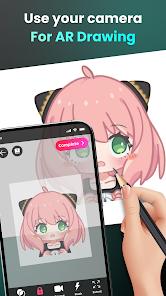
The AR Easy Draw - Trace Sketch app represents a significant leap in creative learning technology. By leveraging Augmented Reality (AR), the app transforms a user’s smartphone into a digital "camera lucida." Its functional core allows users to project an image from their screen onto a physical piece of paper via the camera lens, providing a real-time "trace" that the user follows with a physical pencil.
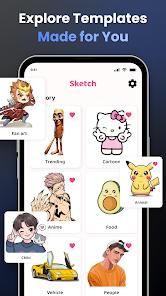
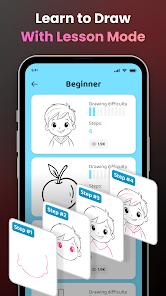
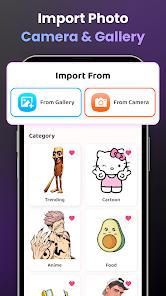
A deep dive into the platform's utility reveals that it is designed as an "educational bridge." For users who feel they lack artistic talent, the app provides a scaffolding that enables them to produce high-quality physical drawings of complex subjects like "Hello Kitty," "Pikachu," or "Jujutsu Kaisen". The app includes a sophisticated "Photo to Sketch" AI that converts personal gallery photos into clean, traceable line-art outlines, effectively allowing users to "draw anything" from their own lives.
Insights into the user experience in 2026 highlight a "monetization friction." While the app is free to download, several high-utility features—most notably the "Draw from Gallery" function—have been moved behind a premium paywall or mandatory ad-locks. Furthermore, the app's success is highly dependent on the user's physical environment. Reviews emphasize that without a "steady tripod" or a glass stand, the phone's inevitable movements will "ruin the trace," leading to significant frustration during long drawing sessions.
Pros & Cons
Revolutionary AR technology that allows even "non-artists" to create professional-looking physical drawings.
Extensive library of trending templates, including specific categories for Anime, Cute, and Chibi characters.
Powerful "Photo to Sketch" AI that converts real-world photos into high-fidelity tracing outlines.
Integrated time-lapse recording feature that captures the entire creative process for social media sharing.
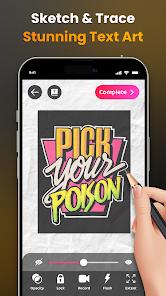
Advanced drawing controls, including opacity adjustment, zoom, and a flashlight for low-light tracing.
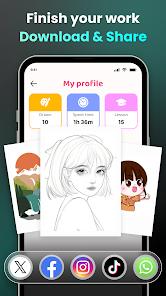
Personalized "Drawing Profile" that tracks the user's progress, time spent, and lessons completed.
- ✕
Highly intrusive ad-design that often triggers during the tracing process, causing the user to accidentally move the phone.
- ✕
Critical features like "Gallery Import" are increasingly locked behind a paid/premium model.
- ✕
Requires a physical stand or tripod to be truly effective; hand-holding the phone results in a poor tracing experience.
- ✕
Some users report that the image scaling is limited, leading to "miniature" drawings if not properly adjusted.
Download


FAQs
How do I keep the image from moving?
You must place your phone on a stable tripod or a steady object like a cup that is parallel to the table.
Can I draw photos from my own camera?
Yes, you can import images from your gallery and the app will automatically convert them into traceable line-art.
Is there a free version of the app?
The app is free to download and use with basic templates, but premium features and some "hot" templates require watching ads or a subscription.
What should I do if the image is too faint on the paper?
Use the "Opacity" slider in the app to increase the visibility of the overlay and turn on the built-in flashlight.
Can I share my drawing video on TikTok?
Yes, the app saves your time-lapse video directly to your phone, which you can then edit and upload to any social platform.
Hot Reviews
Bettors report that the "forced ads" mid-drawing are a nightmare; closing the ad often nudges the phone slightly, making it impossible to re-align the trace.
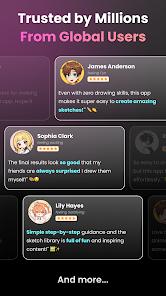
Users who previously felt "artistically challenged" describe the app as a "miracle," noting that for the first time in their lives, they can produce drawings they are proud to show others.
Long-term users have left negative feedback regarding recent updates that started charging for gallery access, which they claim was the app's best feature.
Feedback suggests that the app is "useless" if you don't have a way to mount the phone, as any hand-shaking makes the tracing process incredibly difficult.