TV Garden World Video Player
Overview
In the contemporary landscape of digital media consumption, TV Garden: Seamless TV viewing represents a highly specialized category of "BYOC" (Bring Your Own Content) media players. The application is fundamentally a shell designed to render high-definition live streams through user-provided HLS, DASH, and MP4 links. This structural choice is a strategic response to the fragmentation of global media; rather than hosting content—which involves immense licensing hurdles—TV Garden empowers the end-user to aggregate their own international news, sports, and cultural channels into a single, unified interface.
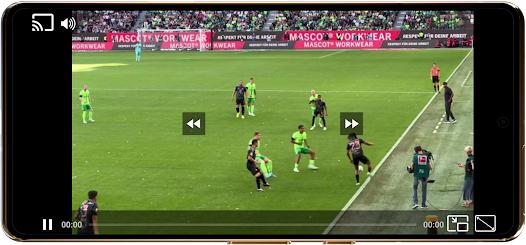
Functional disassembly of the application reveals a focus on high-performance playback management. The player supports adaptive bitrate streaming, ensuring that video quality dynamically adjusts to the user's connection speed, which is critical for maintaining "lag-free" live sports or breaking news. Key features include a sophisticated Picture-in-Picture (PiP) mode that utilizes Android's native multi-window capabilities, allowing users to monitor a live broadcast while engaged in other tasks. Additionally, the application includes a Chromecast integration layer, facilitating the transition from handheld viewing to a large-screen home theater experience with a single tap.
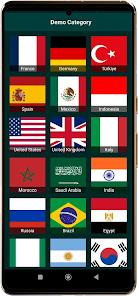
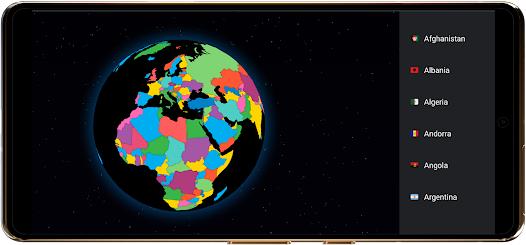
Deep insights into the app's utility suggest it is a tool for the "technical consumer." Because the app does not provide its own content, the user's satisfaction is directly tied to their ability to source legitimate and high-quality streaming URLs. The developer has prioritized a lightweight footprint, ensuring the app remains battery-efficient even during extended 1080p playback sessions. While the interface is minimalist, the inclusion of a "Favorites" list allows for the creation of a personalized global TV directory, making it an essential utility for expatriates or news enthusiasts who track diverse geographic sources.
Pros & Cons
Extensive format support including HLS (m3u8), DASH, and MP4 allows for the playback of almost any modern internet stream.
The Picture-in-Picture (PiP) functionality is highly stable, enabling seamless multitasking without the audio or video dropping out in the background.
Chromecast support is natively integrated, providing a reliable way to cast mobile-sourced streams to smart TVs and casting devices.
The application architecture is optimized for low resource consumption, making it one of the most battery-efficient players for long-form streaming.
The "Favorites" management system allows users to categorize and quickly access their private media links without re-entering URLs.
- ✕
The app does not come with any pre-loaded channels, which may be confusing for non-technical users expecting a standard TV service.
- ✕
Playback stability is entirely dependent on the quality of the user's provided link; the app cannot fix server-side issues of external streams.
- ✕
The data safety profile indicates that device IDs may be shared with third parties for analytics or advertising purposes.
Download
 Get it on Google Play
  Get it on App Store
 FAQs
Where can I find the TV channels to watch in the app?
TV Garden is a media player only and does not host content. You must search for and add your own legal HLS, DASH, or MP4 links.
Does the app support background audio playback?
Yes, the app allows you to keep the audio running even when the screen is turned off or minimized, which is ideal for music or news channels.
Is it legal to use TV Garden?
The app itself is a legal tool. However, users are responsible for ensuring that the links they import are legal and comply with local broadcasting rights.
Does TV Garden collect my personal data?
According to the developer's declaration, no personal data is collected, though device IDs may be shared with third parties for operational reasons.
Can I use this app on my Windows PC?
Yes, TV Garden is available for both Android and Windows through the respective app stores, offering a consistent experience across devices.
Hot Reviews
Users who track global events appreciate the app's ability to handle custom m3u8 links from various national broadcasters. It acts as a perfect central hub for someone who wants to switch between news from different countries effortlessly.
The player's ability to maintain high-quality streams without crashing is a common point of praise. Reviewers note that compared to standard web browsers, this dedicated player provides a much more stable environment for long-duration viewing.
Many users highlight that the lack of "bloat" is the app's greatest strength. By focusing solely on being a high-quality player rather than a content platform, it remains fast and easy to navigate for those who already have their links ready.