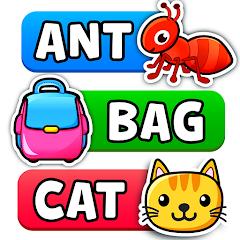
Spelling & Phonics: Kids Games


Overview
Spelling & Phonics: Kids Games is an educational application created by RV AppStudios that targets spelling and phonics development in toddlers, preschoolers, and kindergartners. Within early childhood education, this application is a notable example of a fully open-access, non-monetized developmental tool. It operates without third-party advertisements, in-app purchases, or subscription fees.
This design choice aims to minimize external cognitive distractions and remove economic barriers, allowing children in various learning environments to access the software. The game uses the studio's "Lucas & Friends" characters to provide a friendly, familiar context that helps lower the anxiety often associated with early literacy assessments.
The visual and educational structure of the application is built on three progressive spelling modes and a specialized phonics module, establishing a clear developmental pathway. The first mode, Spelling, displays an illustration on screen with dotted letter outlines directly above it. The child must select the correct letter tiles from a randomized pool at the bottom of the screen and drag them to the matching outlines. This activity focuses on visual-spatial matching, letter recognition, and hand-eye coordination.
The second level, Fill in Blank, increases the cognitive demand. The letter outlines are removed, and the letters in the selection pool are jumbled, requiring the child to independently recall the spelling sequence of the illustrated object.
The third level, Blank Spelling, offers the highest level of difficulty by removing all structural and orthographic hints, challenging children to spell the target word purely from memory.
To support these stages, the application includes a dedicated Consonant-Vowel-Consonant (CVC) mode with five sub-modes. This module helps children learn to isolate, blend, and manipulate individual phonemes within simple word structures.
Rather than relying on rote letter-name recall, the application emphasizes phonetic sound-out mechanics, where tiles vocalize their phoneme during interaction. This approach aligns with the science of reading by helping children establish phoneme-grapheme correspondences.
Additionally, the system includes a parental dashboard with detailed progress report cards, allowing parents and educators to track developmental milestones, identify specific sound-spelling challenges, and customize the difficulty settings to meet individual learning needs.
Pros & Cons
Fully Unrestricted Access: The app has no purchase requirements, hidden paywalls, or active subscriptions, making it accessible to all families.
Ad-Free Learning Space: The lack of third-party advertisements ensures that children can learn without commercial interruptions or accidental clicks.
Vetted Phonics Pedagogy: Focusing on phonemic sounds during tile interaction helps build strong reading-readiness foundations.
Comprehensive Progress Tracking: The parent-facing dashboard provides diagnostic data on a child's spelling errors and accuracy trends.
Customizable Settings: Caregivers can adjust the difficulty level, limit word lengths, or toggle specific letter sets to match the child's learning goals.
- ✕
General American English Default: The speech models default to General American English, which can pose minor challenges for learners in regions with different accents.
- ✕
Landscape Orientation Lock: The interface is locked in landscape mode, making it less convenient when using smaller handheld devices on the go.
- ✕
Complex Menu Navigation: The administrative and adjustment panels can feel overly detailed and complex for some users.
- ✕
Relatively High Storage Footprint: The high-resolution graphic assets and audio pronunciation libraries require significant storage space on older device models.
Download


FAQs
Does this spelling application require a continuous internet connection to work?
No, the application runs entirely offline, allowing children to engage with all spelling modes, phonic animations, and diagnostic settings without WiFi or cellular data.
How do the parent report cards track learning progress?
The parent-facing report cards log completed words, identify persistent letter errors, measure time-on-task, and help parents pinpoint which phoneme blends need extra practice.
Can parents customize the game to target specific letters?
Yes, the advanced configuration panel allows caregivers to select specific letters, toggle the spelling modes, adjust word lengths, or focus on CVC blending.
Are there any hidden in-app purchases for additional reward packages?
No, the built-in sticker rewards and progression certificates are earned entirely through gameplay achievements, with no digital transactions allowed.
Hot Reviews
The phonetic feedback during tile selection makes a real difference. Children can hear the phonic sound as they move the letters, which helps them learn to blend sounds naturally.
The lack of ads and pop-up windows is a huge benefit. Children can stay focused on learning to spell without the risk of accidental app store purchases.
The progress reports and custom setting options make this app a valuable tool for early childhood classrooms, allowing teachers to easily tailor the activities to different student groups.