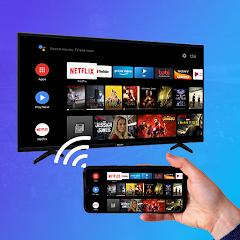
Cast to Tv: Screen Mirroring


Overview
Wireless display transmission technology allows handheld devices to project video signals, audio streams, and user interface frames to external displays. Cast to Tv: Screen Mirroring, distributed under the name Cast to TV Screen Mirroring, serves as an Android screen casting utility. The software leverages Wi-Fi Direct, Miracast display standards, and UPnP/DLNA protocols to establish real-time screen reflection between mobile hardware and smart televisions or wireless display receivers.
It relies on local network synchronization. Upon launch, the app scans the local 2.4GHz or 5GHz Wi-Fi sub-network to discover compatible smart receivers supporting wireless display standards. Once paired, the Android device's hardware media encoder captures frame-buffer outputs, encodes them into high-definition video streams (typically H.264), and transmits the payload packet stream to the target display receiver. The application integrates a dedicated Low Latency Mode designed to reduce transmission lag during mobile gaming, presentation scrolling, and live media playback.
Beyond continuous screen mirroring, Cast to Tv: Screen Mirroring provides targeted media casting modes. Users can stream local gallery items—such as photo albums, home recorded videos, and audio files—directly to external receivers without projecting the entire phone desktop UI. Furthermore, the app includes a web video browser module that detects HTML5 video tags on web pages and passes video URLs directly to the smart TV's native media player for hardware-accelerated playback.
A critical technical constraint inherent to third-party screen mirroring tools involves Digital Rights Management (DRM) protocols. Due to High-bandwidth Digital Content Protection (HDCP) restrictions enforced at the operating system layer, attempting to mirror DRM-protected video streams from premium platforms (such as Netflix, Hulu, or Disney+) over generic Miracast channels frequently results in a black video output with audio only. Additionally, user experience can be impacted by local Wi-Fi channel congestion, where RF interference on 2.4GHz bands manifests as frame dropping, audio-video desynchronization, or connection termination.
Pros & Cons
Establishes rapid single-tap Wi-Fi pairing across diverse smart television brands.
Features a Low Latency Mode designed to reduce transmission lag during gaming and presentations.
Supports both full desktop screen mirroring and targeted local media file streaming.
Integrates a web browser casting module that detects embedded HTML5 videos for TV playback.
Operates wirelessly without physical cabling, HDMI adapters, or proprietary receiving hardware.
- ✕
Audio routing during screen mirroring can be restricted depending on specific Android hardware builds.
- ✕
Stream stability is highly dependent on local Wi-Fi bandwidth and susceptible to 2.4GHz network interference.
- ✕
Free version features interstitial ad overlays that trigger during initial connection attempts.
Download
 Get it on Google Play
  Get it on App Store
 FAQs
Why does the display turn black when attempting to mirror streaming services?
This occurs due to High-bandwidth Digital Content Protection (HDCP) enforced by copyright-protected apps. Standard Miracast mirroring apps are blocked by the OS from capturing protected video pipelines.
Must the mobile phone and television share the same Wi-Fi connection?
Yes, the application relies on local Wi-Fi sub-network protocols to discover devices and establish high-speed frame data transfers between the phone and the television.
How can transmission latency be minimized during gaming?
Switching your phone and TV to a 5GHz Wi-Fi band, enabling the app's Low Latency Mode, and closing background bandwidth-heavy applications significantly reduces latency.
Why does audio play from the phone speaker instead of the television?
Certain Android operating system builds restrict real-time system audio routing over generic Miracast connections. Checking TV audio output settings or using DLNA mode for local media can resolve audio routing issues.
Can this application mirror to non-smart televisions without built-in Wi-Fi?
Older displays require an external wireless display dongle or streaming media device connected via HDMI to receive wireless signals.
Hot Reviews
The application connects reliably to smart TVs, providing clear visual transmission for sharing photo libraries and home videos on a larger screen.
The automated wireless scanning routine quickly identifies compatible TVs on the local network, enabling fast setup without manual IP entry.
When operating on crowded wireless networks, the stream can experience occasional frame drops or pixelation during dynamic video movement.
User interface navigation involves encountering full-screen ads before casting sessions initiate, requiring care when setting up quick connections.