Sling: Live TV + Freestream
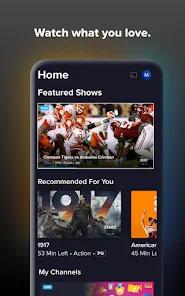
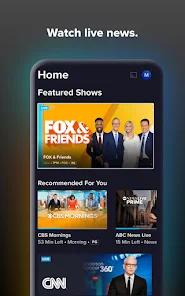
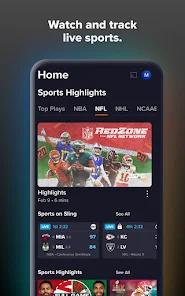
Overview
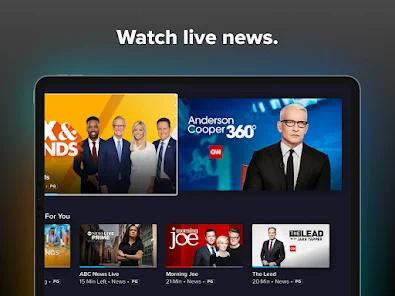
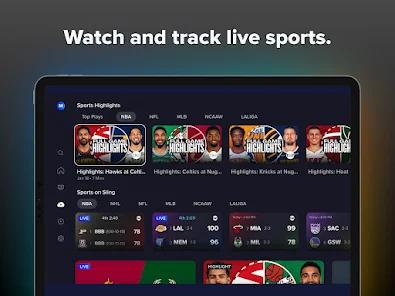
Sling TV, managed by Sling TV L.L.C., stands as the premier "skinny bundle" live television service, offering a modular alternative to traditional cable. Its architecture is built around two primary base packages—Sling Orange and Sling Blue—each priced at approximately $46 per month. This bifurcated strategy allows users to choose a plan based on their genre preferences: Orange is tailored for sports and families (including ESPN, Disney), while Blue is optimized for news and entertainment (including Fox, Bravo, and Discovery). The service has recently introduced even more flexibility with 1-day, 3-day, and 7-day passes, catering to a "transient" viewing audience that may only want access for a specific event like a championship game.
An insightful differentiator for Sling TV is its integration with hardware solutions like the AirTV 2. Because Sling does not offer a full slate of local channels (like CBS) in all markets, it allows users to connect an over-the-air (OTA) antenna to an AirTV device, which then streams those local signals directly into the Sling app interface. This creates a seamless "hybrid" guide where local broadcast news sits alongside premium cable networks like CNN or TNT. From a technical standpoint, the service requires a minimum connection of 3 Mbps for mobile devices and 25 Mbps for multi-stream households.
Sling prioritizes "Extras"—thematic add-on packages such as "Sports Extra" or "Kids Extra" for $6 to $11 monthly. This "a la carte" approach allows users to build a custom lineup that often remains under the $60 price point, which is considered the "value threshold" by industry analysts. However, this modularity comes with trade-offs; the Sling Orange plan, for instance, is limited to a single stream at a time, which can be a significant hurdle for families.
Pros & Cons
The service offers one of the lowest entry prices in the live-streaming market, making it an ideal choice for budget-conscious cord-cutters.
Modular "Extras" allow users to pay only for the categories of channels they actually watch, avoiding the "bloat" of traditional cable.
The absence of annual contracts and the introduction of "Day Passes" provides unparalleled flexibility in a market known for rigid subscription models.
Unique hardware integration with AirTV allows users to pull in local channels like CBS and ABC directly into the app guide for a comprehensive experience.
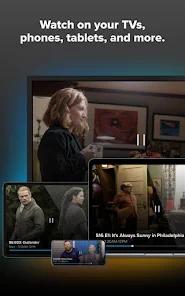
The service supports a massive range of devices, including Roku, Amazon Fire TV, smart TVs, and mobile platforms, with consistent UI across all.
Sling Blue allows for three simultaneous streams, which is excellent for shared households on a budget.
High-bitrate 1080p and 4K upscaling options ensure that picture quality remains competitive with "flagship" services.
- ✕
The lack of built-in local channels (ABC, CBS, NBC) in many markets requires the additional purchase and setup of an OTA antenna and AirTV hardware.
- ✕
Sling Orange is limited to only one stream at a time, which can cause viewing conflicts in multi-person households.
- ✕
Customer support is largely handled by bots, and users have reported significant difficulty in reaching a live representative for billing disputes.
Download


FAQs
What is the difference between Sling Orange and Sling Blue?
Orange is best for sports (ESPN) and families (Disney), allowing one stream. Blue is best for news and entertainment, allowing three simultaneous streams.
Do I need an antenna for local channels?
Yes, in most cases. While some Fox and NBC stations are on Sling Blue in select cities, an antenna is the only way to get a full local slate including CBS.
Can I record live TV on Sling?
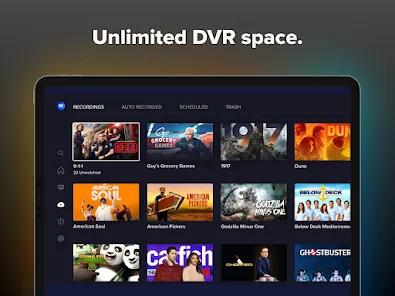
Yes, all plans include a cloud DVR. The base storage is typically 50 hours, but an "Unlimited DVR" add-on is available for an extra fee.
Does Sling offer a free trial?
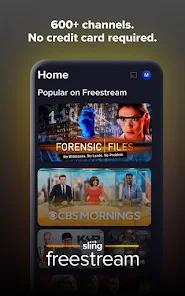
Sling does not typically offer a standard free trial, but the "1 Day Pass" for $4.99 or the "Freestream" service (with limited channels) are available.
How much internet speed do I need?
For consistent streaming on a smart TV, 25 Mbps is recommended. Single mobile streams can function on as little as 3 Mbps.
Can I watch Sling when I'm away from home?
Yes, you can stream your live channels and DVR recordings on the mobile app anywhere in the U.S. with a stable connection.
Hot Reviews
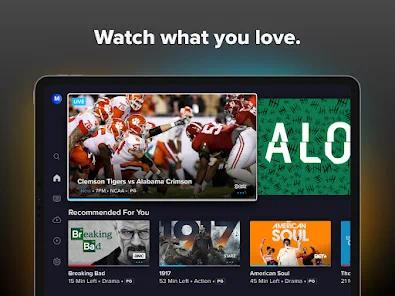
College football and NBA fans frequently highlight Sling as the most affordable way to access ESPN and TNT. Users appreciate being able to subscribe for only the months their favorite sports are in season.
A common complaint involves the split between Orange and Blue. Users often find themselves wanting one channel from each tier (like ESPN and Bravo), forcing them to pay for both and negating the cost advantage.
Critical feedback often centers on the "unhelpful" chatbot and the lack of a refund policy. Users have reported being overcharged for "add-ons" they didn't select with no clear path to resolution.