Photo Lab PRO Picture Editor


Overview
Photo Lab PRO Picture Editor, created by VicMan LLC, represents a template-centric approach to automated visual effects, digital photomontage, and neural style transfer. Unlike traditional pixel editors that require manual masking, layer stacking, and tonal grading, Photo Lab PRO operates as an automated visual synthesis pipeline containing over 640 to 1,000 curated artistic presets.
The platform’s architectural core relies on automated facial landmark detection paired with server-side neural rendering. When a user selects an effect—such as a classical oil painting simulation, a magazine cover composite, a double exposure, or a face-in-hole montage—the system detects the primary subject, extracts an alpha silhouette mask, and harmonizes the image into the target template. The paid PRO license eliminates all third-party advertisements and watermarks, providing an uninterrupted editing environment.
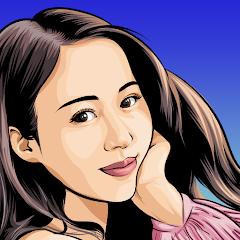
The neural style transfer algorithms analyze the high-level semantic features of an input portrait and reconstruct the scene in the style of classical physical mediums, including watercolor, charcoal, pastel, and pen sketching. Because computationally heavy rendering passes are executed primarily on high-performance cloud servers, the app provides consistent rendering quality across both entry-level and flagship Android hardware. However, this client-server design makes the software heavily dependent on continuous internet connectivity for almost its entire template catalog.
Photo Lab PRO is tailored for users seeking dramatic visual transformations without the learning curve of professional desktop suites. While it offers fast, high-quality artistic outputs, users requiring manual pixel manipulation, selective curves, or custom layer masking will find its automated, template-bound structure restrictive.
Pros & Cons
Paid PRO architecture provides an ad-free workflow with zero output watermarks.
Features an extensive catalog of over 1,000 automated artistic templates, double exposures, and montages.
High-grade neural style transfer models accurately simulate traditional fine-art mediums.
Cloud-assisted rendering offloads processing overhead, enabling smooth operation on entry-level mobile hardware.
Automated facial recognition precisely aligns and composites portraits into complex graphic templates.
- ✕
Requires continuous, stable internet connectivity for server-side neural rendering and template execution.
- ✕
Lacks granular manual editing tools such as brush-based local masking or parametric color curves.
- ✕
Template-bound structure restricts original graphic design flexibility outside pre-established visual styles.
Download
 Get it on Google Play
 Get it on App Store
FAQs
What is the core difference between Photo Lab PRO and the free Photo Lab app?
Photo Lab PRO is a paid version that permanently removes advertisements and watermarks, unlocks the complete catalog of premium artistic templates, and grants faster processing priority on cloud rendering servers.
Can Photo Lab PRO render artistic montages without an active internet connection?
Only a very small set of basic local frames and color filters functions offline; the vast majority of neural art styles and complex montages require cloud processing.
Does the app allow commercial use of generated montage images?
While personal social sharing is fully supported, commercial rights depend on the underlying stock elements and template assets utilized in specific graphic compositions.
Can users adjust the opacity or blending modes of applied templates?
Certain templates offer basic slider adjustments for overall opacity, color temperature, and text addition, but deep manual modification of template vector layers is not supported.
How are user photos handled during cloud rendering passes?
Portraits transmitted to the processing servers are used strictly for rendering the selected visual effect, encrypted in transit, and discarded following output generation.
Hot Reviews
Summarized from Google Play reviews and community discussions.
The upfront purchase model provides an uncluttered editing experience; photos are instantly converted into striking paintings and double-exposure artworks without intrusive ad breaks.
The vast library of creative montages, magazine layouts, and neural art styles offers endless visual variety for social posts and greeting cards.
Attempting to process artistic montages in areas with intermittent internet connectivity frequently leads to failed render attempts and timeout errors due to cloud processing reliance.
While automated montages are visually impressive, the software lacks manual adjustment tools to correct minor algorithmic masking errors around complex hair or edge boundaries.