Whoscall: Caller ID & Block
Whoscall's spam identification, offline lookup and SMS phishing assistant are genuinely useful, but the app has to be your default phone app to block calls in real time — and that integration is where most of the friction lives. It's an easy trade for people fielding robocalls daily, and a harder one for anyone who leans on their native dialer's speed.
- People getting frequent robocalls, spoofed numbers, or SMS phishing texts who want real-time caller ID plus a message scanner, and are willing to make Whoscall their default phone app to get it
- Travelers and users in the supported offline regions — Japan, Taiwan, Hong Kong, South Korea and the US — who want number identification to keep working without a data connection
- Anyone whose daily workflow depends on a fast native dialer: contact search can slow down, the dial pad can raise carrier-charge prompts, and blocked spam often still shows in the native call log
- People who can't risk a false positive — job seekers, patients waiting on a clinic, or small-business owners — since a single mistaken community flag can silently divert a legitimate number
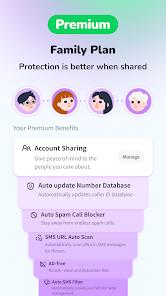


Overview
Most caller-ID apps ask you for a permission or two. Whoscall asks for your phone app. That one requirement separates the users who call this indispensable from the ones who give up on it, and it goes a long way toward explaining why an app with 50 million-plus installs and a serious anti-fraud database sits at 3.8 stars across roughly 790,685 ratings. Taiwanese developer Gogolook has built real substance here; whether it’s worth what it costs you at the dial pad is a personal call.
What it actually does
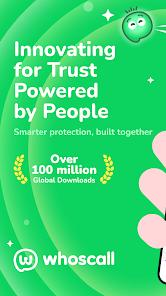
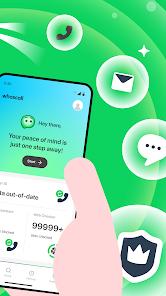
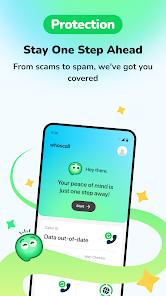
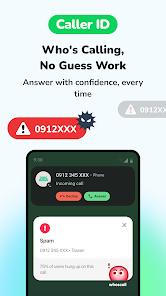
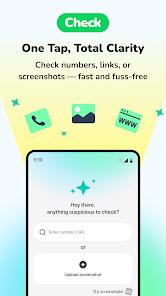
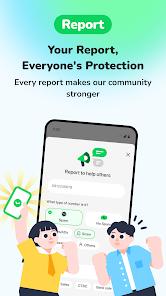
Five things, worth separating. Real-time caller ID names and classifies unknown incoming numbers before you answer; reverse lookup lets you check a number you don’t recognize. A Smart SMS Assistant scans incoming texts for phishing links and smishing patterns. An offline database lets you download a regional number set so identification works without a data connection. A unified search verifies numbers, links and screenshots in one place, and a badge-and-mission system rewards users who report spam — the mechanism keeping the shared database current. Gogolook describes that database as covering several billion numbers, its own figure, which we attribute rather than verify.
The default-dialer requirement, and the friction it causes
This is the part to read twice. Per the app’s own FAQ, Android security policies require Whoscall to be the default phone app before it can intercept calls, identify unknown numbers and block spam in real time — less a Gogolook design preference than a platform constraint, since modern Android doesn’t let a background app do that work. So installing Whoscall means replacing the dialer your phone shipped with, and the store description is unusually candid about what follows.
Three frictions are documented. Contact searching inside the dialer can become sluggish — you type a name and results lag behind your thumb. The dial pad can raise warning prompts about potential carrier charges: confusing the first time, tiresome the twentieth. And blocked spam entries frequently aren’t cleaned out of the native call log, so filtered calls still clutter your history alongside the real ones — protection without the tidiness people assume comes with it. Disruptive dialer behavior is one of the recurring themes in published feedback, alongside praise for the phishing protection.
The listing frames the choice plainly, and we’d echo it: you are often picking between Whoscall’s blocking and the speed of your native dialer. If you place a lot of calls by searching contacts, that’s a real daily tax; if your phone mostly rings at you, it’s close to free.
The SMS assistant is the feature we’d install it for
If one part of this app justifies the trade, it’s the Smart SMS Assistant, which scans incoming messages for known phishing links and smishing patterns and warns you before you interact with them. Recurring feedback credits it specifically with catching fraudulent package-tracking and delivery-scam links — the kind of smishing the listing flags as rapidly rising, and which works precisely because the message lands when you genuinely are expecting a parcel.
We’d credit it as a real protective layer, with one qualifier: it is a layer, not a guarantee. No message filter catches every scam, new templates appear constantly, and the effectiveness described in the listing is the developer’s characterization of its own feature. Treat a clean pass as one signal among several.
The offline database is quietly the best-designed piece
Per the FAQ, users in supported regions — Japan, Taiwan, Hong Kong, South Korea and the US — can download a database and identify numbers with no internet connection. Read that list carefully: it isn’t worldwide offline coverage, and if your country isn’t on it, this feature isn’t yours. Where it does apply, it’s what travelers single out in published feedback: identifying local businesses and delivery drivers without burning roaming data.
Crowdsourcing cuts both ways
The database stays current because users report numbers, which is why the app can flag a new robocall campaign quickly. It’s also the app’s most consequential structural risk, and the store description names it directly: a single mistaken community flag can send a legitimate number — a local business, a medical office, a delivery driver, a clinic, a school — silently to voicemail or block it entirely.
To be fair about what this is: not carelessness on Gogolook’s part, but the inherent cost of any community-driven blocklist. Blocking aggressively catches more spam and misfires more often, filtering gently does the reverse, and there is no version that gets both. The practical takeaway: if you’re waiting on a callback that matters, check periodically what the app has filtered rather than assuming silence means nobody called.
The privacy claims, and how to read them
Gogolook’s position, stated in both the listing and the FAQ, is that Whoscall encrypts collected data in transit and does not upload your personal contacts to make them searchable by the public. That is the developer’s stated position, presented here as such rather than as something we have verified.
The wording is specific rather than sweeping, and worth reading for what it is. It commits to two concrete things — encryption in transit, and not turning your address book into something the public can search — rather than describing everything the service does and doesn’t collect. That is simply how narrowly scoped commitments read, and it’s a meaningful one to make. The rest is structural: a caller-ID and SMS-screening app necessarily processes call and message metadata, because that is the job it was installed to do.
None of that is an allegation. We have seen nothing suggesting Gogolook misuses or mishandles user data, and we are not implying it. Our point is narrower: these are the developer’s own statements, we can’t independently verify them, and with any app in this category it’s worth reading the current Play Data safety section and permission list yourself before installing.
What 3.8 across 790,685 ratings actually means
A 3.8 deserves to be read honestly rather than spun in either direction. Across roughly 790,685 ratings it isn’t noise or a handful of loud complaints — but it also isn’t the score of an app that fails at its job. Set against the rest of the material it lines up almost too neatly: repeated praise for spam identification, phishing protection and offline lookup, against equally repeated frustration with what the app does to the dialer. That pattern describes a polarized app rather than a mediocre one — one substantial group hitting the dialer friction hard enough to rate down, another finding the protection well worth what it costs them. Taken that way, the number is mostly a signal about fit.
How it compares
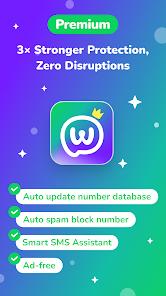
On the spectrum of caller-ID tools, Whoscall sits at the aggressive end — the trade-off described above, taken deliberately. We won’t line it up against named rivals we haven’t assessed on the same terms, but the useful framing is this: the choice in this category is rarely about which app knows more numbers, and mostly about how much collateral blocking you’ll accept to catch more spam. Whoscall’s two clearest differentiators are the downloadable offline database and the SMS side, since a tool that only handles voice calls leaves text-based fraud unaddressed. Our material doesn’t detail pricing or premium tiers, so check monetization in-app.
Who it’s not for
Anyone whose workflow depends on a fast native dialer should think hard — if you dial by searching contacts many times a day, the documented sluggishness will find you. It’s also a poor fit for people who can’t absorb a false positive: job seekers, anyone waiting on a medical callback, a small-business owner whose unknown caller might be a customer. Users outside the five named offline regions lose one of the better features. And anyone hoping for a caller-ID tool that stays out of the way, without changing the default phone app, won’t find it here; the platform doesn’t allow it.
A note on recency
The Play listing shows an update dated April 7, 2026. Active maintenance matters more than usual here — the value lives almost entirely in how current the number database and phishing patterns are.
Our take
Whoscall is a capable, actively maintained anti-fraud tool, and the SMS phishing assistant strikes us as the kind of feature that earns its place on a phone. Why it sits at 3.8 isn’t mysterious: to do its job it has to become your phone app, and that brings slower contact search, carrier-charge prompts, and a call log that still shows the spam it blocked. If you’re getting several robocalls a day, or you’ve nearly tapped a fake delivery link, that trade is easy; if your spam is occasional and your dialer habits ingrained, it isn’t. Take the privacy statements as Gogolook’s stated positions, treat the SMS assistant as a strong layer rather than a guarantee, and watch what the blocklist filters on your behalf. Judged on fit rather than stars, it’s a good app for a specific — and fairly large — group of people.
How We Evaluate
We did not hands-on test this app. This review is a desk assessment grounded in Whoscall: Caller ID & Block's Play Store listing and description, its stated feature set, the pros and cons in our app database, its FAQ, recurring themes across its published user reviews, and its 3.8 aggregate rating from roughly 790,685 ratings alongside 50M+ installs, eight screenshots, an April 7 2026 Play update, and its public reputation as a caller-ID and anti-fraud tool from Taiwanese developer Gogolook. Where we describe a strength or a limit, we trace it to those signals rather than to personal use. We want to be explicit that the app's privacy statements — transit encryption and not uploading a user's personal contacts to make them publicly searchable — and its database claims, including the "several billion numbers" figure and the effectiveness of the AI SMS assistant, are the developer's stated positions, which we attribute to Gogolook rather than assert as verified. The user-sentiment lines we cite reflect documented recurring feedback in the reviews, not personal sessions of our own.
Pros & Cons
Real-Time Caller Identification: Instantly identifies unknown callers, distinguishing legitimate businesses from potential spam threats before you answer.
Offline Database Support: Allows users to download regional databases to identify and block spam calls without an active internet connection.
Proactive Phishing Protection: The Smart SMS Assistant automatically scans incoming text messages and flags suspicious links or verification code scams.
Multi-Input Verification Check: Provides a unified search tool to verify phone numbers, web links, and screenshots in one place.
Community Contribution Rewards: Features an engaging badge and mission system that rewards users for reporting spam and verifying numbers.
Strict Privacy Protocols: Secures user data with transit encryption and does not upload your personal address book to make it searchable.
- ✕
Dialer Integration Friction: Replacing the system’s default phone app can slow down contact searches and trigger carrier charge warnings on the dial pad.
- ✕
Call Log Clutter: Blocked spam calls often remain visible in the native phone logs, complicating call history navigation.
- ✕
Risk of Erroneous Blocking: Community crowdsourcing can lead to legitimate numbers (like clinics or schools) being flagged as spam by mistake.
Download
 Get it on Google Play
  Get it on App Store
 FAQs
Why does Whoscall ask to be my default dialer app?
Android security policies require Whoscall to be set as the default phone app to allow it to intercept calls, identify unknown numbers, and block spam in real-time.
Can I use Whoscall without an internet connection?
Yes, in supported regions (such as Japan, Taiwan, Hong Kong, South Korea, and the US), users can download the database to identify numbers offline.
How does the Smart SMS Assistant protect me?
The assistant automatically scans incoming text messages for known phishing links and smishing patterns, warning you before you interact with them.
Does Whoscall share my personal contact list?
No, Whoscall encrypts all collected data in transit and does not upload your personal contacts to make them searchable by the public.
What is the community badge system?
The badge system encourages users to contribute to the global database by completing tasks like verifying numbers and reporting new spam sources.
Hot Reviews
Users highly value the SMS assistant, noting it successfully identifies and blocks fraudulent package tracking and delivery scam links.
Several reviewers report that setting the app as the default handler makes contact searches sluggish and leaves blocked numbers cluttering their native call history.
Travelers appreciate the offline database downloads, which allow them to identify local businesses and delivery drivers without using expensive roaming data.
Many users note that the real-time caller ID accurately flags robocalls and telemarketers, helping them avoid unwanted interruptions.