PGT: GFX, Launcher & Optimizer
Overview
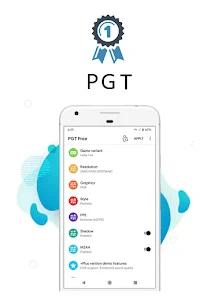
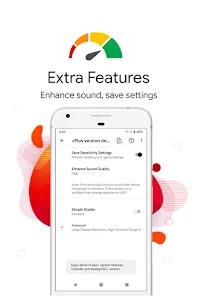
PGT: GFX, Launcher & Optimizer is a high-utility performance optimization tool developed by Trilokia Inc.. In the competitive landscape of mobile battle royale gaming, particularly within the PUBG Mobile ecosystem, the software's ability to manipulate a game's underlying engine parameters is a major draw for enthusiasts. PGT allows users to unlock "Extreme FPS" modes (up to 120 or 165 FPS on flagship phones) and apply "Potato Graphics" on older hardware to ensure a smooth, competitive experience. And users can unlock "Ultra Audio" for better spatial awareness.
From a technical perspective, PGT is noted for its deep integration with the game's configuration files (often Unreal Engine 4 .ini files). It offers "Hardware-Accelerated Rendering" and specialized "GPU Optimization" tweaks that go beyond standard boosters. A unique analytical insight into PGT is its "Zero Lag Mode," which utilizes an optimized frame buffer and rendering distance to prioritize frame rate stability over visual flair. This is critical for competitive players, as it ensures that "frame pacing"—the consistency of time between frames—remains steady during high-action sequences.
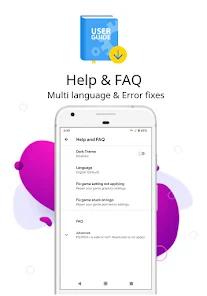
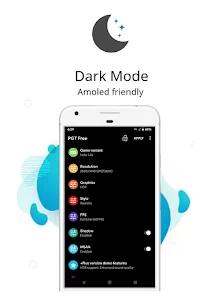
The application has been featured on the XDA Developers Portal, which is a testament to its technical credibility among power users. It supports virtually every global version of the game, including the Global, KR (Korean), VN (Vietnamese), and LITE variants. The January 2026 update (version 0.21.0) introduced a "Material You" user interface and integrated a "Smart Troubleshooting" guide for users on Android 11+ who need to use Shizuku or ADB to grant the app necessary file permissions.
Pros & Cons
Granular Graphic Control: Allows for the individual adjustment of resolution, textures, shadows, and anti-aliasing levels.
Extreme Performance Unlocking: Enables frame rates up to 165 FPS on compatible high-refresh-rate displays.
Stabilized Frame Pacing: "Zero Lag Mode" focuses on maintaining steady frame times to prevent micro-stuttering during combat.
Versatile Version Support: Compatible with all major regional versions of the game, including LITE and Beta builds.
Hardware Acceleration: Leverages advanced GPU rendering paths to maximize the potential of modern mobile chipsets.
Intelligent Troubleshooting: Includes a built-in detection system to help users navigate Android's strict file-access permissions.
- ✕
Learning Curve: The technical depth of the settings can be overwhelming for non-expert users.
- ✕
Anti-Cheat Risks: While designed to be safe, any tool that modifies game files carries a theoretical risk of account warnings.
- ✕
Resource Intensity: Forcing high-end graphics and FPS can lead to significant battery drain and device heat.
Download
 Get it on Google Play
  Get it on App Store
 FAQs
Is PGT safer than other GFX tools?
It is highly regarded by the XDA community and uses a "Zero Lag" methodology that focuses on engine efficiency rather than illegal hacks.
Can I use this for Call of Duty Mobile?
While it has some general booster features, the specialized GFX settings are specifically engineered for the PUBG engine.
Do I need root access?
No, but on Android 11 and above, you will likely need to follow the Shizuku or ADB guide included in the app to grant permission to the game folders.
What is "Potato Graphics"?
It is a mode that reduces game textures to the absolute minimum, allowing the game to run on phones with very little RAM or weak GPUs.
How do I get 90 FPS to work?
You must select the "90 FPS" tier in PGT, apply the settings, and ensure your phone's screen refresh rate is set to 90Hz or higher in your system settings.
Hot Reviews
Professional mobile players often cite PGT as their "must-have" tool, noting that it is the only app that truly stabilizes frame-drops in the late game.
Users who have spent time "tweaking" the settings report that the game feels significantly more responsive, with some noting that the "Ultra Audio" feature was a game-changer.
A small percentage of critical reviews mention receiving 10-minute bans, advising others to start with conservative settings and avoid "Anti-aliasing" if they are worried.