
Kahoot! Play & Create Quizzes
Kahoot! is really two products in one download: for students it is a near-frictionless join-by-PIN game that needs no account, and for teachers it is an authoring and hosting tool whose more advanced question types and larger group sizes are tied to a paid plan. The engagement it generates is genuine and well earned — the two things a host should weigh first are the speed-based scoring, which the listing itself notes can rush reflective learners, and a live mode that depends on a stable connection in rooms where dozens of devices share one router.
- Teachers, university instructors, and corporate trainers who want high-energy formative assessment — live leaderboards, a mobile quiz editor, an AI drafting assistant, and a large public library — and are comfortable checking which capabilities their plan tier includes
- Students and casual players, who arguably get the better end of the deal: joining a live game takes a room PIN and a nickname with no registration or email, and the self-paced challenges, flashcards, and practice modes work as independent revision tools
- Hosts who need the advanced question formats — open-ended typing, puzzles, sliding scales — or who plan to run large groups: our database notes these sit on paid plans, and the FAQ states participant limits are set by the host's subscription with free accounts on basic limits. Current pricing and limits should be confirmed with Kahoot! directly
- Classrooms with unreliable Wi-Fi, where live gameplay lag can cause missed inputs, and educators whose goal is a calm, formal, untimed assessment such as an exit ticket — the timers, music, and animations are the design intent of the live mode, not an accident



Overview
The most useful thing we can tell you about Kahoot! is that you are probably evaluating one of two quite different products, and which one you are settles most of the answer. For a student it is close to a frictionless arcade game: open the app, type a PIN, pick a nickname, tap colored shapes while the questions appear on a screen at the front of the room. For a teacher or trainer it is an authoring and hosting platform — a library, an editor, an AI drafting assistant, and a set of capabilities shaped by which subscription plan the account sits on. That 4.7 average across roughly 790,743 ratings is, we suspect, largely the player’s experience talking. The friction, the planning, and the cost land on the host.
What Kahoot! actually is
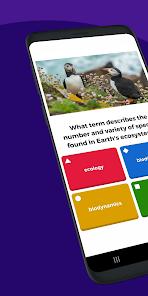
Strip away the music and this is formative assessment wearing a game-show costume — a quick, low-stakes check on whether a room understood the last twenty minutes, dressed up enough that students want to take part. The defining mechanic is the shared-screen model: questions and answer options display on one big screen while each player’s device shows only the matching colored shapes. Everyone looks up to read, looks down to tap. That split is the design, not a limitation. It pulls a group’s attention to a common point instead of letting a roomful of students disappear into private screens, and it is why Kahoot! works as a classroom event rather than a solitary quiz app.
The player’s side: a PIN and nothing else
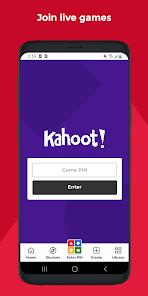
Joining is where Kahoot! is strongest, and it gets less credit than it deserves. Per the FAQ, a student opens the app, taps “Enter PIN”, types the host’s six-to-eight-digit code, enters a nickname, and is in — no registration, no email, no account to create. In our view that quietly removes one of the most common reasons classroom tools stall on first contact. Answers travel over persistent WebSocket connections, so the leaderboard updates immediately between questions. For the player, there is essentially no product to learn.
The host’s side: the creator and the library
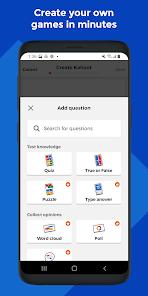
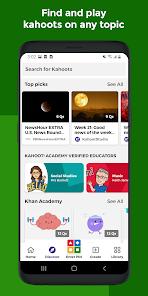
Hosting is a different job. A host logs in, picks a quiz from their library, taps “Host Live”, and presents the game screen via a cast device or connected display. The editor is genuinely mobile-friendly by our database’s account — write questions, set per-question timers, search license-free images, all from a phone — which matters more than it sounds when you are drafting a review game the night before. The public library is the other lever, credited with millions of pre-made quizzes — though a shared public repository is user-contributed, so quality varies, and we would read any borrowed quiz through before putting it in front of a class.
The AI generator, and how to read it
Kahoot! states that an integrated AI generator drafts structured quizzes from a topic description or an uploaded text file, and our database lists saved preparation time as the benefit. We can report what the feature is stated to do; we have no basis to judge the quality or pedagogical fit of what it produces. Treat it as a drafting aid — generated questions arrive as a first pass a host reads, trims, and fits to their own curriculum before a class sees them.
Self-paced challenges and study modes
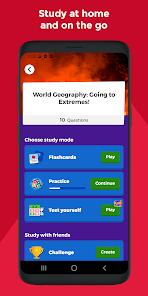
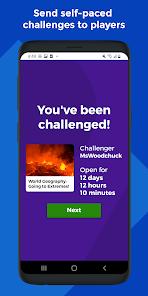
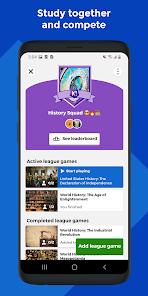
The live game gets the attention, but the asynchronous half is what earns Kahoot! a place beyond a single lesson. Per the FAQ, a challenge is a self-paced link a teacher assigns, with students answering on their own devices before a deadline — homework in the same format. Alongside it sit structured flashcards, practice tests, and study leagues for independent revision. A recurring theme in published feedback is that these modes are useful for drilling vocabulary and key terms before exams and make revision feel less tedious. The same content works as a live event and as private study without being rebuilt.
The pacing trade-off worth thinking about
Here is the design tension a host should sit with, and the listing raises it rather than hiding it. Points are speed-based — answer faster, score higher — and the listing acknowledges that educators must balance the competitive format against reflective learners who may feel rushed by quick response times. Our database records the same point as a con. We have no basis for a claim about learning outcomes either way, and this is not a flaw in students who think before answering. It is a genuine trade-off: the speed pressure that produces the energy is the same pressure our database says can frustrate students who need longer to process a question. The listing names its own mitigation — untimed practice modes cover the same material without the clock — which makes this a call to settle per class rather than in the abstract. The listing also asserts that music, timers, and rewards aid concentration and retention; we report that as the vendor’s claim.
The free-versus-premium split
This is where the two audiences diverge sharply. The tiering lands on the host rather than the player, in two places. Our database notes that advanced question types — open-ended typing, puzzles, sliding scales — require a paid subscription plan and describes the cost as high, and recurring published feedback echoes that individual teacher subscriptions can be expensive and the free version limited in format variety. Separately, the FAQ states the maximum number of live participants is determined by the host’s subscription plan, with free accounts on basic limits and premium tiers allowing larger groups and more game modes. We quote no figures: our source material contains no pricing and no participant caps. Confirm both with Kahoot! directly. The summary is that the free tier hosts a real game with standard multiple-choice questions, and richer formats plus bigger rooms are a purchase decision.
Network dependency is a planning problem
This is the caveat most likely to affect a real lesson. Smooth live gameplay needs a fast, stable connection, and our database is direct that lag causes missed inputs and disrupts the competitive flow — a recurring theme in published feedback, where a brief Wi-Fi dip means an answer registers too late. The listing raises the scenario itself: school environments where dozens of devices connect through a single router. That deserves a dry run on the actual classroom network, not the staffroom Wi-Fi. Offline capability is narrow and precise: per the FAQ you can draft quizzes offline in the editor, but an active connection is required to save to the cloud library or to search public images and video clips.
How it compares
The store description draws the contrast itself; it is the vendor’s framing, but a usable one. Tools such as Socrative Student are built for clean, formal quizzes — exit tickets and the like — without playful visual distractions, while Kahoot! deliberately leans into animations, customizable avatars, and high-energy music to hold attention. Neither is better in the abstract — they suit different moments. If you want an unobtrusive comprehension check that does not change the temperature of the room, the quieter tool fits. If you want a class awake and competing at the end of a long afternoon, the noise is the feature you are buying. We will not characterize classroom tools we have not assessed.
A note on recency
Kahoot! is actively maintained: Google Play lists an update dated April 2, 2026, recent as of this review. Combined with 50M+ installs and eight current screenshots, the maintenance signals are healthy — this is not a listing coasting on an old build. For a school committing to a tool for a full year, a visible update cadence is a reasonable input to the decision.
Who it’s not for
Kahoot! is not the right fit for every room. Hosts who need the advanced question formats, or who routinely run large groups, will meet the plan tiers early and should price that before designing a term around it. Classrooms on congested or unreliable Wi-Fi should test live play on the real network first. Educators whose goal is a calm, untimed, formal assessment will find the live experience works against them by design, though the practice modes are a reasonable middle path. And anyone hoping to work offline should note the narrow reality: drafting only, with saving and media search needing a connection.
Our take
Kahoot! is very good at the specific thing it set out to do. We recommend it comfortably for teachers and trainers who want engagement they can feel in the room, with three expectations set correctly: the free tier hosts standard multiple-choice games while richer formats and larger rooms are a paid decision whose terms you should confirm with Kahoot!; the speed-based scoring is a real trade-off; and live play is only as reliable as the network under it. For students the calculation is simpler — a PIN, a nickname, and a study library that keeps working after the lesson ends.
How We Evaluate
We did not hands-on test this app: we did not install it, host a live game, join a session with a PIN, build a quiz in the editor, or run the AI question generator. This is a desk assessment grounded in Kahoot!'s Google Play listing and store description, its stated feature set (live hosted games over persistent WebSocket connections, the mobile quiz creator with timers and license-free image search, self-paced challenges, flashcard and practice study modes, and an AI generator that drafts questions from a topic description or uploaded text), the pros and cons recorded in our app database, the listing's FAQ, and recurring themes in published user feedback. We also weighed the store signals — a 4.7 average across roughly 790,743 ratings, 50M+ installs, eight screenshots, a Play update dated April 2, 2026, and developer Kahoot!. Where we describe user sentiment — the praise for classroom energy and self-study value, alongside the recurring notes about paid-plan formats and network sensitivity — we are reflecting documented recurring themes in the store material rather than personal sessions, and we do not attach star ratings to them. We deliberately quote no prices or participant numbers: our source material contains none, and we will not estimate them.
Pros & Cons
High Classroom Engagement: Captures and holds student attention through vibrant visuals, energetic lobby music, and instant leaderboard feedback.
Intuitive Quiz Creator: The mobile-friendly editor makes it easy for teachers and students to build custom trivia games, set timers, and add media on the go.
Massive Public Library: Provides access to a shared repository of millions of pre-made quizzes across various academic subjects and educational themes.
Simple, Registration-Free Entry: Students can join live games quickly by entering a room PIN, with no registration or email account required.
Structured Self-Study Modes: Offers comprehensive flashcards, practice tests, and study leagues, enabling students to review concepts independently.
Saves Preparation Time: The integrated AI generator helps teachers quickly draft structured quizzes from a simple topic description or uploaded text.
- ✕
Fast Pacing Can Stress Some Learners: The speed-based point system can occasionally frustrate students who need more time to process questions.
- ✕
Premium Features Behind Paywalls: Access to advanced question types (like open-ended typing, puzzles, and sliding scales) requires an expensive subscription plan.
- ✕
High Dependency on Network Speed: Smooth live gameplay requires a fast, stable internet connection; lag can cause missed inputs and disrupt the competitive flow.
Download


FAQs
Do students need an account to join a Kahoot! session?
No, students do not need to register. They simply open the app, tap the "Enter PIN" button, type the host's 6-to-8 digit code, enter a nickname, and begin playing.
Can a live game be hosted directly from an Android device?
Yes. After logging into the app, hosts can select any quiz from their library, tap "Host Live," and present the game screen using cast devices or connected screens.
What is the main difference between a live game and a challenge?
A live game is hosted in real time for a synchronous group. A challenge is a self-paced link assigned by a teacher, allowing students to read questions and select answers on their own devices before a set deadline.
Can quizzes be created in the app when offline?
Yes, users can write questions and draft quizzes offline within the app's editor. However, an active internet connection is required to save progress to the cloud library or search for public images and video clips.
Is there a player limit for hosted live games?
Yes, the maximum number of participants is determined by the host's subscription plan. Free accounts have basic limits, while premium tiers allow hosting larger groups and accessing more game modes.
Hot Reviews
Using this tool for exam reviews in high school biology has significantly increased student participation. The competitive format and live leaderboards keep students focused on the material, and the dynamic energy turns standard test prep into an active classroom event.
Creating custom Kahoots on a phone is quick and straightforward. The flashcards and practice modes are highly beneficial for studying vocabulary and key terms before exams. It makes study sessions feel less tedious and helps track progress.
While the core app is highly engaging, many advanced formats—like typed answers and multi-stage puzzles—are locked behind premium plans. The cost of individual teacher subscriptions can be high, making the free version feel somewhat limited.
The app's design is excellent, but performance depends heavily on internet speed. A slight drop in Wi-Fi signal can cause input delays, meaning answers are submitted too late, which can be frustrating for competitive students.