Torque Pro (OBD 2 & Car)
Overview
Torque Pro is a sophisticated engine diagnostics and performance monitoring application that interfaces with a vehicle’s On-Board Diagnostics (OBD II) system. By utilizing a Bluetooth or Wi-Fi OBD II adapter, the software provides real-time access to the Engine Control Unit (ECU), effectively transforming an Android device into a comprehensive automotive scan tool. This application is highly regarded in both the enthusiast and professional mechanic communities for its ability to decode complex sensor data and provide actionable insights into vehicle health.
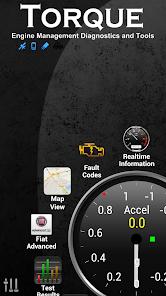
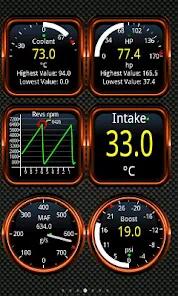
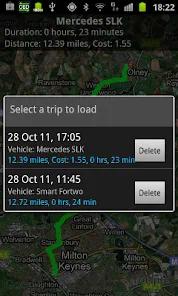
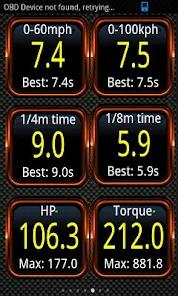
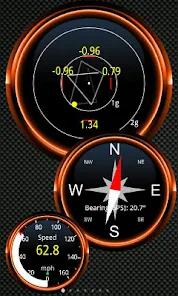
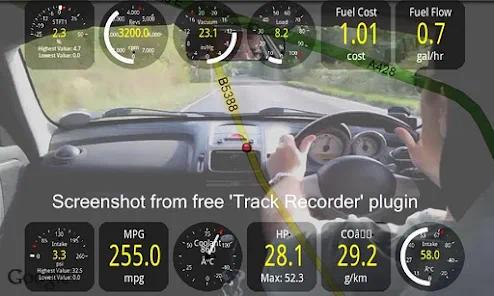
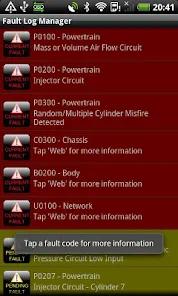
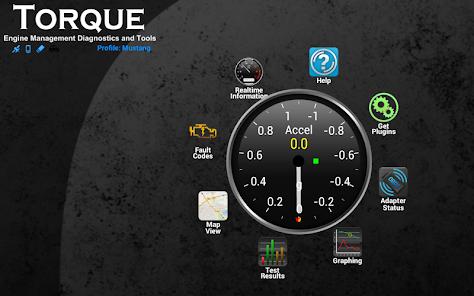
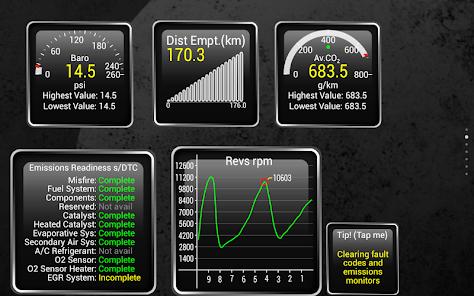
The technical prowess of Torque Pro lies in its exhaustive sensor support and customization. It can read and clear Diagnostic Trouble Codes (DTCs), perform "dynomometer" tests to estimate horsepower and torque, and monitor precision timings for 0-60 mph runs. One of the most insightful observations of Torque is its dashboard modularity; users can create custom layouts with a variety of dial styles, digital readouts, and graphing widgets to monitor specific parameters like coolant temperature, transmission fluid heat, or turbo boost pressure. Furthermore, the app includes a "Track Recorder" plugin that overlays OBD II data on top of a video recording, providing a "black box" capability that is invaluable for track-day analysis.
Technically, Torque Pro supports a vast array of vehicles built since 1996 and interfaces with diverse adapter hardware, from budget ELM327 clones to high-end devices like the Scantool.net OBDLink series. The software allows for data logging in CSV or KML formats, which can be exported for detailed analysis in spreadsheets or visualized on Google Earth. While the user interface remains somewhat dated in its aesthetic, the underlying engine remains the gold standard for mobile diagnostics, offering a depth of data access that often exceeds that of standalone hand scanners costing ten times as much.
Pros & Cons
Exhaustive Sensor Access: Provides real-time readouts for almost every sensor supported by a vehicle's ECU.
Comprehensive Error Clearing: Efficiently reads and resets Check Engine lights and manufacturer-specific fault codes.
Advanced Performance Testing: Features built-in dyno simulation and 0-60 timing tools that utilize both GPS and OBD data.
Vast Plugin Library: A community of developers has created plugins for track recording, specialized fuel economy tracking, and more.
Professional Data Logging: Supports automatic upload of logs to web servers or export as CSV for analysis in Excel.
Exceptional Customization: Every gauge, dial, and theme can be modified to create a bespoke dashboard.
- ✕
Dated Visual Interface: The UI design has not been modernized in years, leading to a clunky experience for new users.
- ✕
Adapter Sensitivity: Performance is heavily dependent on the quality of the Bluetooth OBD II hardware used.
- ✕
Battery Drain Issues: If an OBD adapter is left plugged in, it can continue to draw power and communicate with the app even when the car is off.
Download


FAQs
Do I need special hardware to use Torque Pro?
Yes, you must have a compatible OBD II Bluetooth or Wi-Fi adapter. This device plugs into the diagnostic port of your car, which is typically found under the steering wheel.
Will Torque Pro work on my electric vehicle?
Torque Pro is primarily designed for internal combustion engines (OBD II standard). While it can read some basic data on EVs, specialized apps are often preferred for electric platforms.
Can Torque Pro help me pass an emissions test?
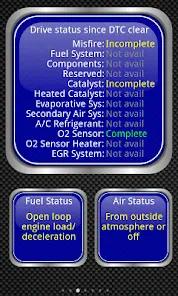
While it cannot fix mechanical issues, it can read your emissions "readiness monitors" to tell you if your car is likely to pass or fail before you visit a testing station.
What is the difference between Torque Lite and Torque Pro?
The Lite version is a free demo with limited sensors and no custom themes or data logging. The Pro version is a one-time purchase ($4.99) that unlocks the full feature set.
Can I use Torque Pro to code my car (e.g., turn off seatbelt chimes)?
Torque is primarily a diagnostics and monitoring tool. For coding or modifying vehicle behavior, specialized apps are required.
Hot Reviews
Many professional technicians use Torque Pro alongside their shop tools, noting that the ability to log data to a smartphone while on a test drive is significantly more convenient than using a bulky hand scanner.
Enthusiasts frequently praise the dashboard customization, noting that they can create a secondary display for their car that shows engine parameters not included in the factory gauge cluster.
A common point of frustration in reviews is "laggy" data. Long-term users emphasize that this is almost always due to using a cheap, low-quality Bluetooth adapter rather than a fault with the app itself.