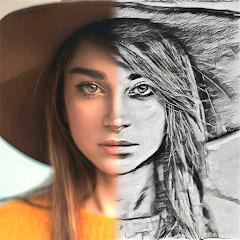
Drawify - Photo to Sketch


Overview
Drawify, developed by Yawai, is an image processing application designed for non-photorealistic rendering (NPR) and artistic stroke synthesis. With an install base exceeding 2.8 million downloads and a 4.43 rating across 52,000 user reviews, the application serves visual artists, illustrators, hobbyists, and educators who need to convert standard raster photography into simulated hand-drawn media.
The computational methodology behind Drawify relies on multi-pass edge-detection operators, gradient vector analysis, and procedural texture mapping. Rather than applying uniform color lookup tables (LUTs), Drawify extracts high-frequency spatial luminance gradients to define structural contour paths. These paths are then processed through synthetic medium shaders that simulate physical drawing materials, such as graphite pencil grading, cross-hatching density, charcoal smudging, and ink line-work.
The software provides an expansive catalog of over 50 artistic presets grouped into distinct structural profiles. These include monochrome graphite sketches, multi-layered colored pencil renderings, wet-on-wet watercolor washes, and high-contrast comic book inkings. A notable feature within the system is the integrated Stencil Maker. This utility converts photographs into high-contrast line drawings optimized for physical transfer tracing, providing a functional tool for tattoo artists, woodworkers, and mixed-media crafters.
Because rendering operates directly on local device hardware, Drawify processes images with low latency and without cloud server dependencies. The application allows users to balance fine line extraction against shadow depth, retaining the subject's identifiable structural geometry while delivering an authentic hand-drawn appearance.
Pros & Cons
Broad Artistic Emulation Palette: Implements more than 50 discrete media profiles spanning graphite, charcoal, watercolor, gouache, and comic book illustration.
Dedicated Stencil Extraction Engine: Generates high-contrast outline artwork suitable for tattoo preparation, stencil crafting, and line-tracing guides.
Local Offline Processing Execution: Executes edge extraction and stroke rendering locally on the device without requiring cloud connectivity for standard filters.
Dual-Mode Chromatic Processing: Provides separate pipelines for black-and-white tonal sketching and multi-layered color pencil cross-hatching.
Lightweight Application Footprint: Maintains an optimized package distribution size (~61 MB), resulting in low device storage consumption.
- ✕
Limited Parametric Adjustment Post-Render: Lacks fine-grained manual controls over individual stroke thickness, shadow threshold curves, and paper grain depth.
- ✕
Ad Frequency on Free Tier: The unpaid version features regular full-screen interstitial advertisements between processing steps.
- ✕
Occasional Color Blending Artifacts: Certain watercolor and colored pencil presets can superimpose sketch lines over raw color channels without fully converting the underlying image data.
Download


FAQs
Can Drawify generate outline files for physical coloring books?
Yes, selecting the low-density monochrome sketch or stencil filter isolates clear structural outlines while removing mid-tone fills, making images easy to print and color.
Does Drawify export native vector graphics such as SVG?
Drawify processes and outputs high-resolution raster formats (JPEG and PNG) rather than scalable vector graphics.
Is an internet connection required to convert photos into sketches?
No, the core non-photorealistic rendering pipelines and shader effects are executed locally on the device's processor.
How does Drawify differ from conventional photo filter apps?
Unlike standard apps that only adjust color and lighting, Drawify uses structural edge detection and directional hatching algorithms to rebuild the image as simulated drawing media.
Can users eliminate in-app advertisements permanently?
Yes, the developer offers a one-time lifetime license purchase that removes all advertisements and unlocks the full preset library.
Hot Reviews
Summarized from Google Play reviews and community discussions.
The app serves as an effective reference utility for fine art students and illustrators by breaking complex real-world light distributions down into readable graphite planes and contour lines.
Recent updates have overhauled the algorithmic line engine, producing clear differentiations between fine-point graphite, rough charcoal, and smooth wash presets.
The frequency of promotional modals encouraging upgrades to the lifetime license can interrupt rapid testing of different artistic styles.
Certain color sketch filters place pencil-style hatching directly over raw photo data rather than generating an authentic, stylized color palette from scratch.