AI Video Maker With Music
Overview
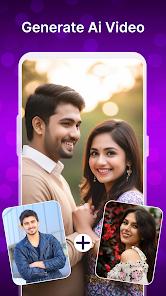
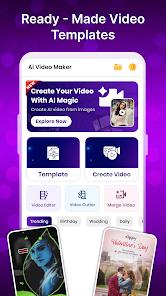
The proliferation of short-form video content on platforms like WhatsApp, Instagram, and TikTok has generated a massive demand for accessible editing tools. AI Video Maker With Music is a high-utility multimedia application designed to bridge the gap between static photo galleries and engaging video stories. Unlike professional non-linear editors (NLEs), this app focuses on "template-driven" creativity, allowing users to produce high-quality slideshows and "status" videos with minimal effort.
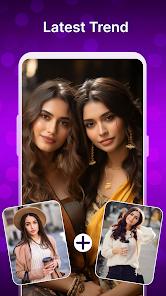
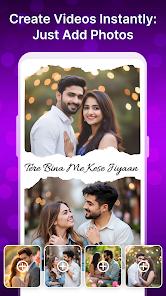
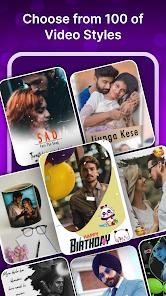
A feature breakdown of the application reveals a focus on the visual trends of social media. The "Lyrical Photo Status" tool is particularly popular, allowing users to overlay synced song lyrics and stylized text onto their photos—a staple of modern vertical video storytelling. The app also includes a robust library of "hot transitions," such as fades, glitches, and zooms, which provide a cinematic flow to basic photo sequences. Furthermore, it offers a "resolution transformer" and file compression tools, enabling users to optimize their videos for quick uploading on bandwidth-constrained networks.
AI Video Maker With Music prioritizes speed and ease of use over complex manual control. While other apps might offer advanced keyframing or color grading, this utility excels at the "photo-to-video" pipeline. It includes a voice changer and a library of license-free music, making it a "one-stop shop" for amateur content creators who want to avoid copyright issues on social platforms. Insightful observations suggest that its success is rooted in its "democratization of the edit"—by providing stylized templates and auto-syncing features, it allows users without technical training to produce content that rivals professional work in the "Status" and "Stories" format.
Pros & Cons
Specifically designed for the "Status" and "Stories" format, providing the perfect aspect ratios and durations for platforms like WhatsApp and Instagram.
The "Lyrical Photo Status" feature makes it exceptionally easy to create high-engagement videos with synchronized song lyrics.
Includes built-in compression and resolution tools that allow for high-quality video creation even on devices with limited storage.
The application offers an intuitive "one-tap" editing mode where users can select photos and let the app handle the timing and transitions.
Features a diverse and trendy library of transition effects, including glitches and cinematic fades, giving videos a polished look.
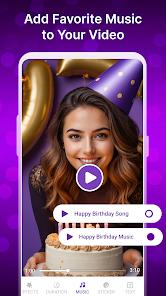
Integrated license-free music library ensures that users can share their creations without being flagged for copyright violations.
Highly accessible interface that requires zero learning curve, making it ideal for casual users and social media enthusiasts.
- ✕
The free version of the app attaches a watermark to exported videos, which can only be removed through a subscription or by watching ads.
- ✕
Some of the more advanced effects and trending templates are locked behind a premium paywall.
- ✕
High-resolution rendering can be slow on older or less powerful Android devices, occasionally leading to lag.
Download
 Get it on Google Play
  Get it on App Store
 FAQs
How do I add my own music to the slideshow?
You can select the "Music" tab in the editor and choose "Local Storage" to upload any MP3 file from your device to use as a background track.
Can I remove the watermark for free?
The app typically requires a premium purchase to remove watermarks permanently. However, some versions allow for a single-use removal in exchange for watching a long rewarded ad.
What is the maximum number of photos I can include?
The standard version allows for up to 30 photos. Premium subscriptions often unlock the ability to create much longer videos with hundreds of images.
Does the app support vertical video?
Yes. The app is optimized for 9:16 vertical video, which is the standard format for TikTok, Reels, and WhatsApp Status.
Can I cut out parts of a video clip?
Yes. The app includes a "Trim" and "Cut" feature that allows you to remove the beginning, end, or middle sections of your video clips before merging them.
Hot Reviews
I love this app for making my WhatsApp statuses. It’s so much more professional than just posting a picture. The lyrical templates are my favorite—it only takes a minute to make something that looks like it took an hour to edit.
I was worried the video would be blurry after I compressed it, but it still looks great on my phone. The transitions are very smooth, and I really like the variety of music they provide for free.
The app is five stars in terms of features, but the watermark is quite large in the corner. I wish they would let us watch an extra ad to get rid of it for free. Otherwise, it's the best video maker I've tried.