Air Play: Cast to TV
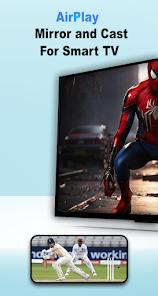

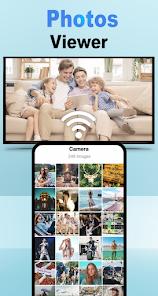
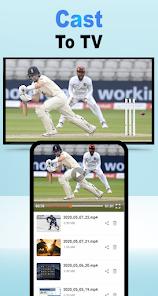
Overview
Air Play: Cast to TV, developed by Shadow soft, represents a significant bridge in the cross-platform ecosystem by enabling Android devices to act as receivers for Apple's proprietary AirPlay protocol. Traditionally, AirPlay was restricted to the Apple ecosystem (Apple TV, Mac, iPhone), but this application leverages reverse-engineered protocol implementations to allow an Android-powered smart TV, tablet, or smartphone to function as an "AirPlay Receiver". This is particularly insightful for households or businesses that use a mix of Android and iOS hardware, as it eliminates the need for expensive additional dongles like the Apple TV 4K.
From a technical standpoint, the application supports mirroring for iOS versions ranging from 9 to 15 and beyond, using a combination of AirPlay 2 protocols, DLNA, and Chromecast standards. One of the app's most powerful professional features is its ability to handle simultaneous mirroring from up to four different Apple devices. This capability transforms an Android TV into a collaborative workspace, suitable for business meetings where multiple stakeholders need to present content at once, or for multi-screen gaming sessions.
Furthermore, the app provides a "Passcode" feature, which is a critical security layer in hospitality or educational environments. It prevents unauthorized users on the same WiFi network from hijacking the screen. While it excels at mirroring photos, music, and local videos, it is important to note a fundamental limitation: due to digital rights management (DRM) restrictions, the app cannot mirror protected content from services like Netflix, Hulu, or iTunes movies. The March 2026 update (version 34.0) brought improved audio-video synchronization and support for the latest Android 14/15 media APIs.
Pros & Cons
Collaborative Multi-Casting: Supports simultaneous screen mirroring from up to four different Apple devices.
Ecosystem Bridge: Allows Android hardware to fully integrate into an Apple-dominated media environment without extra cost.
Enterprise Security: Includes a passcode-lock feature to prevent unauthorized screen takeovers in public or professional settings.
Versatile Media Support: Handles photos, music, and YouTube links with high-fidelity audio transmission.
Flexible Interface: Users can resize and reposition the mirroring window within the Android UI for multitasking.
No Hardware Dongle Needed: Successfully turns any Android TV box or tablet into an AirPlay-compatible receiver.
- ✕
DRM Limitations: Encrypted content from apps like Netflix or Disney+ cannot be mirrored due to copyright protections.
- ✕
Network Sensitivity: Performance is highly dependent on a high-bandwidth, stable 5GHz WiFi connection.
- ✕
Input Latency: Users may experience a slight delay between the source device and the display, which can impact fast-paced gaming.
Download
 Get it on Google Play
  Get it on App Store
 FAQs
Can I use this app to watch Netflix on my TV?
No, DRM-protected content from streaming giants is generally blocked from third-party AirPlay receivers due to legal restrictions.
Do I need an Apple TV for this app to work?
No, the primary purpose of this app is to make your Android device act like an Apple TV so you don't have to buy one.
Why can't my iPhone find the Android device?
Ensure both devices are on the exact same WiFi network and that "AirMirroring Discovery" is toggled ON in the app settings.
Is it possible to mirror my MacBook screen?
Yes, the app supports mirroring from MacBook Pro, iMac, and Mac Mini devices running modern versions of macOS.
Does the app support AirPlay 2?
The app uses protocols compatible with AirPlay 2 for better synchronization and audio streaming to multiple speakers.
Hot Reviews
Users traveling for business have found the app invaluable for turning an Android tablet into a secondary monitor for their MacBooks, noting the ease of setup.
Many reviews highlight how seamlessly the app handles YouTube casting, with users praising the ability to control playback directly from their iPhones.
A common point of confusion for casual users is the inability to mirror Netflix, with many reviews suggesting that this limitation should be more clearly stated.