Blood Pressure
Overview
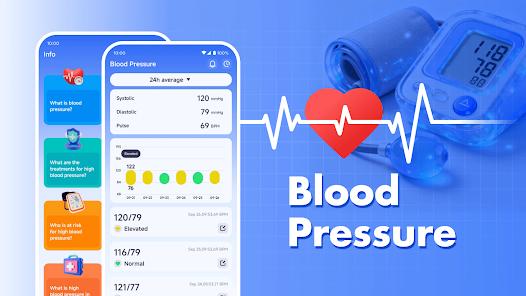
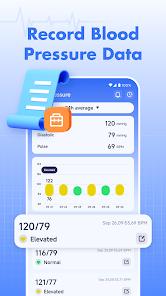
Blood Pressure Health is a specialized utility designed for individuals managing hypertension or those proactive about cardiovascular wellness. Unlike medical devices, this app doesn't measure blood pressure (which requires hardware like a cuff), but serves as a 'digital health diary' that transforms raw data into actionable insights. It organizes systolic, diastolic, and pulse readings into color-coded charts based on AHA (American Heart Association) guidelines.
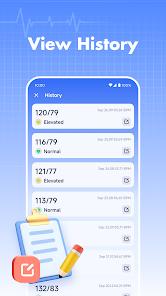
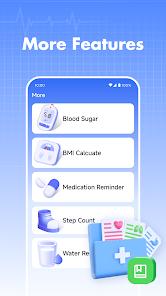
The app's functional breakdown includes a smart logging system, a heart rate analyzer via the camera lens, and a robust reporting engine. The logging system is particularly noteworthy for its 'Notes' feature, allowing users to tag readings with contexts like 'after exercise' or 'pre-medication.' The heart rate monitor uses PPG (Photoplethysmography) technology—the same found in pulse oximeters—to detect blood flow changes in the fingertip. Deep Insights: The real value of the BP app is not in the single reading, but in the 'Trend Analysis.' By visualizing data over weeks or months, users can identify patterns that are often missed in quarterly doctor visits. It acts as a bridge between the patient and the physician, providing a comprehensive PDF report that can be exported in seconds.
Pros & Cons
Clean, medical-grade UI that is easy for older adults to navigate.
Comprehensive PDF/CSV export for sharing with healthcare providers.
Instant heart rate measurement using the smartphone's camera.
Color-coded status indicators (Normal, Stage 1, etc.) for quick assessment.
Automatic backup of data to ensure history is never lost.
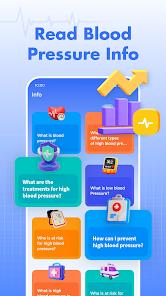
Detailed educational articles on heart health and diet tips.
- ✕
Cannot actually measure blood pressure without an external cuff.
- ✕
Subscription model for premium features like advanced analytics.
- ✕
Heart rate measurements can be inconsistent depending on lighting.
Download
 Get it on Google Play
  Get it on App Store
 FAQs
Can this app measure blood pressure?
No, you must use a physical BP monitor and enter the results manually.
Is my data private?
Yes, the app typically offers local storage and optional cloud encryption.
How do I share data with my doctor?
Use the 'Export' feature to generate a PDF summary of your trends.
What do the colors mean?
Green is normal, yellow is elevated, and red indicates hypertension stages.
Hot Reviews
My doctor was very impressed with the PDF charts I brought to my last appointment.
Easy to use and the reminders help me stay consistent with my logs.
It's surprisingly accurate compared to my smartwatch.