
Duo Mobile
Overview
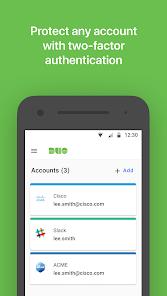
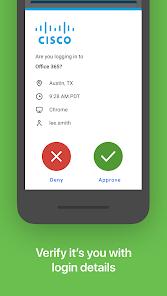
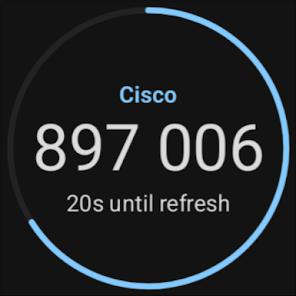
Duo Mobile, developed by Cisco, is a cornerstone of modern cybersecurity, specifically designed for two-factor authentication (2FA) and zero-trust access management. The application's architecture is centered on "Duo Push"—a proprietary, encrypted notification that allows users to approve login attempts with a single tap. For environments where internet connectivity is intermittent, the app also generates six-digit time-based one-time passcodes (TOTP) that work entirely offline.
Technically, Duo Mobile is an "all-in-one" authenticator. While it is primarily used for enterprise accounts, it supports the standard TOTP protocol, allowing users to manage 2FA for third-party services like Instagram, Google, and Amazon within the same interface. A major functional update is "Duo Restore," which uses an encrypted backup on Google Drive to allow for the seamless transfer of account data to a new smartphone—eliminating one of the most frustrating aspects of 2FA management.
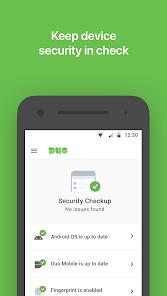
For IT administrators, Duo Mobile provides "Device Health" telemetry. When a user authenticates, the app can report on whether the phone's OS is up-to-date, if biometrics are enabled, and if the device has been rooted or jailbroken. This allows organizations to implement "Adaptive MFA," where access is only granted if the device meets specific security standards, thus preventing compromised hardware from accessing sensitive corporate data.
Pros & Cons
One-Tap Push Convenience: The fastest and most user-friendly way to authenticate without typing codes.
Seamless Account Migration: "Duo Restore" makes switching phones painless compared to most competitors.
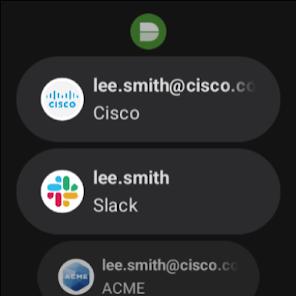
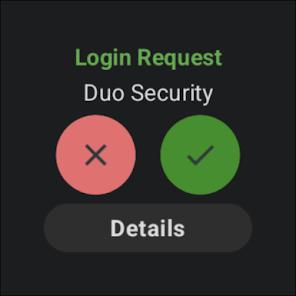
Wear OS Support: Allows users to approve logins directly from their smartwatch.
No Personal Data Collection: Cisco does not share or sell user data, making it a privacy-conscious choice.
Extensive Integration Ecosystem: Works with almost every major VPN, cloud app, and local server environment.
Clean, Minimalist UI: Focuses strictly on security without any unnecessary marketing or bloat.
- ✕
Rigid Enrollment Process: If the initial activation QR code fails, it often requires manual intervention from an IT admin.
- ✕
Internet Reliance for Push: While codes work offline, the more convenient Push feature requires an active data connection.
- ✕
Notification Reliability: Some Android users report that power-saving modes can occasionally suppress push alerts.
Download


FAQs
Can I use Duo Mobile for my personal Gmail?
Yes, any account that uses standard QR-code-based 2FA can be added to Duo Mobile.
What if I lose my phone and didn't backup?
For work accounts, you must contact your IT administrator. For personal accounts, you'll need the recovery codes provided by the service during setup.
Does Duo Mobile see my password?
No, it only manages the second factor of authentication; it has no access to your primary login credentials.
Why does the app need camera access?
It only uses the camera to scan the QR code required to link a new account to your device.
Is the "Duo Push" secure?
Yes, the push notification is encrypted end-to-end and is resistant to many types of phishing that target SMS-based codes.
Hot Reviews
Reviewers consistently describe Duo as the "least annoying" part of their corporate security, praising the one-tap push as a massive time-saver.
Many users have left positive feedback specifically for the Google Drive backup, noting it made their transition to the "Pixel 8" or "Samsung S24" completely effortless.
Some users express frustration when the app "stops working" because their work admin required an OS update they weren't ready to install yet.