
My Boy! - GBA Emulator
Overview
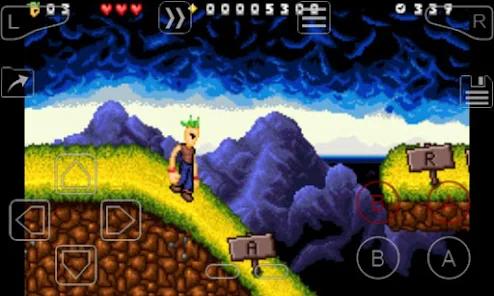
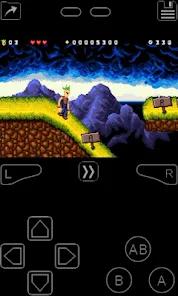
Emulating legacy console systems on modern mobile platforms requires high execution efficiency and precise hardware timing. My Boy! - GBA Emulator, developed by Pixel Respawn LLC., is a highly optimized commercial emulator designed to run Game Boy Advance games on Android. It features a dynamic Just-In-Time (JIT) recompiler that has high performance with low battery consumption. This approach guarantees a consistent even on low-end hardware, while keeping battery drain and thermal output to a minimum.
The app emulates the entirety of the Game Boy Advance hardware, including cartridge coprocessors like gyroscopes, tilt sensors, solar sensors, and rumble feedback packs. It also supports multiplayer link cable emulation, allowing multiple emulation instances to connect on a single device or across separate phones via low-latency Bluetooth or Wi-Fi. It supports hardware shaders and custom video filters. And the secure Google Drive Integration ensures automatic cross-device save synchronization.
Recent updates to meet Android’s Scoped Storage guidelines have created some friction for retro-gaming enthusiasts. My Boy! now saves files directly into secure, system-protected application folders, which blocks users from accessing, backing up, or transferring their raw .sav files manually. Additionally, the emulator's fast-forward engine lacks pitch decoupling, causing severe audio distortion and screeching during accelerated gameplay. Some players also report internal battery save issues in specific RPGs, where games fail to write data correctly during mandatory saving sequences.
Pros & Cons
Highly Optimized JIT Engine: Delivers full-speed emulation with minimal battery drain, even on budget hardware.
Accurate Sensor Emulation: Maps physical cartridge features like rumble, gyroscope, and solar sensors directly to the host device's hardware.
Low-Latency Link Emulation: Allows multiplayer play on the same device or across separate devices via Bluetooth and Wi-Fi.
High-Level BIOS Support: Boots games cleanly without forcing users to source and dump physical console BIOS files.
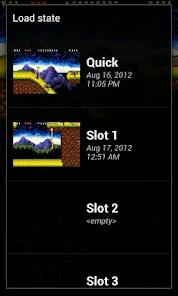
Automatic Cloud Backups: Built-in Google Drive support safely syncs save states across multiple devices.
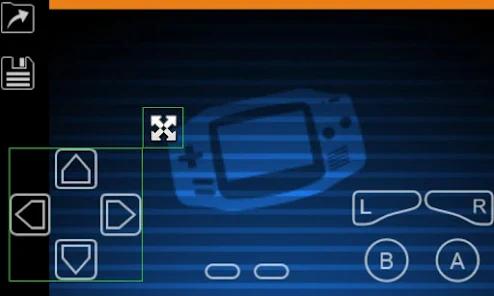
Highly Customizable Virtual Pads: Features an editor to easily resize, reposition, and remap every on-screen control.
- ✕
Restricted Save File Directory: Stores save data in protected system folders, making manual file access or PC transfers impossible.
- ✕
Screeching Fast-Forward Audio: Speeds up game audio alongside the video, resulting in severe sound distortion at high speeds.
- ✕
Battery Save Discrepancies: Occasional engine failures prevent in-game saves from writing properly, risking lost progress.
- ✕
Upfront Purchase Fee: A $4.99 purchase fee may deter users, given the availability of free, open-source alternatives.
Download
 Get it on Google Play
  Get it on App Store
 FAQs
Does My Boy! include any GBA games?
No, the app is an emulator only; users must legally acquire and dump their own physical cartridges into digital ROM files.
How do I backup save files given the storage restrictions?
Since direct folder access is blocked, users must link their Google Drive accounts within the app to backup and sync saves.
Does the emulator support external Bluetooth controllers?
Yes, the app supports standard Bluetooth gamepads, including Xbox, PlayStation, and MOGA controllers.
Can I run Game Boy Color (GBC) games on this app?
No, the emulator's engine is designed strictly for 32-bit GBA software; GBC emulation requires a separate application.
Does the emulator support cheat codes?
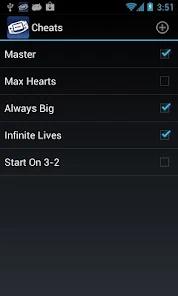
Yes, it supports multi-line GameShark, ActionReplay, and CodeBreaker cheat codes that can be toggled on the fly.
Hot Reviews
Users note that the shift to secure directories blocks direct access to save files, making manual backups and PC transfers very difficult.
Players criticize the fast-forward option's lack of audio pitch-correction, noting that it causes painful audio screeching unless silenced.
Many players praise the local link-cable emulation, highlighting how easy it is to trade creatures and play multiplayer matches over Wi-Fi.