iControl: Easy Widgets Themes

Overview
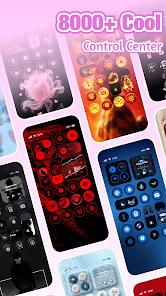
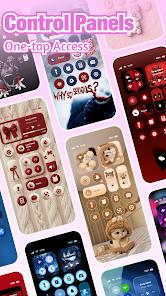
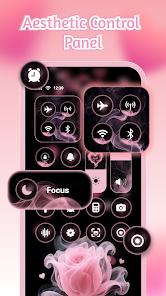
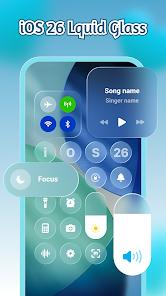
iControl: Easy Widgets Themes is a high-utility personalization application that focuses on enhancing the Android user experience through a "Control Center" overlay and a highly customizable keyboard. The functional decomposition of the app highlights its primary purpose: providing an iOS-inspired settings panel that can be accessed via a swipe, allowing for one-tap adjustments to brightness, volume, Wi-Fi, and screen recording. This is achieved through the creative use of the Android AccessibilityService API, which allows the app to draw its interface over other active applications.
Deep insight into the keyboard functionality reveals a "SuperTheme" system where keyboard aesthetics are unified with the phone’s overall theme. For example, a "Galaxy" keyboard might feature starry keys that leave celestial trails as you type. Technically, the keyboard is quite advanced, offering swipe-to-type gestures, a multi-copy clipboard, and "Cloud Prediction" to improve autocorrect accuracy based on trending vocabulary. The app supports over 150 languages, making it a viable tool for a global user base seeking to personalize their primary input method.
Comparatively, iControl struggles with its monetization strategy. Many core functional elements, such as specific control panel icons or unique keyboard fonts, are gated behind advertisements. While the "Zero-Skill DIY" tools are powerful—allowing users to reshape keys and add touch effects using AI-generated art—the frequency of ads can lead to "interaction fatigue" for casual users. Furthermore, technical reviews have noted that some system toggles within the panel act as simple redirects to the main Android settings menu rather than executing the command directly, which slightly diminishes the "quick access" promise.
Pros & Cons
Broad language support for over 150 different dialects ensures accessibility for a wide variety of global users.
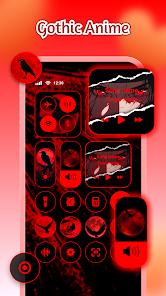
The "Aesthetic Collections" are updated daily, providing a constant stream of new themes based on K-Pop, Anime, and minimalist trends.
The integrated Control Center provides a sleek, modern interface for managing essential system settings without leaving your current app.
Highly advanced keyboard features like swipe-to-type, cloud prediction, and a robust multi-copy clipboard significantly enhance typing efficiency.
DIY tools allow for extreme personalization of the keyboard, including transparency adjustments, unique tap sounds, and AI-generated backgrounds.
- ✕
Aggressive ad-integration gates almost every customization option, requiring multiple video views just to unlock basic icons or themes.
- ✕
The application’s use of Accessibility Services can occasionally lead to slow response times or lag during high-intensity multitasking.
- ✕
Some control panel buttons do not toggle settings directly but instead redirect the user to the native Android settings menu.
Download
 Get it on Google Play
  Get it on App Store
 FAQs
Why does the app ask for "Accessibility Service" permissions?
This is required to display the Control Center panel on top of other apps and to allow the app to adjust system-level settings like volume and brightness.
Is my typing data secure with the custom keyboard?
The developer states that personal information and photos used as backgrounds are never collected, and typed words are used only locally to improve prediction accuracy.
How do I switch back to my original keyboard?
You can change your input method at any time through the "Language & Input" section of your phone’s system settings.
Can I use the Control Center to record my screen?
Yes, the iControl panel includes built-in screen recording and screenshot tools for quick access.
What should I do if the Control Center doesn't appear?
Ensure that "Accessibility Services" and "Draw Over Other Apps" are enabled for iControl in your device's settings menu.
Hot Reviews
The iOS-style control center is a game changer for me. Being able to swipe down and change my brightness or music while I’m in another app is so convenient.
I spent an hour just tweaking my keyboard sounds and touch effects. Using my own photos as the background makes my phone feel so personal.
The themes are beautiful, but having to watch two ads for a single wallpaper or an ad for every icon in a theme pack is very annoying.