Emoji Font Keyboard & Themes
Overview
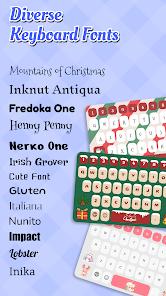
Emoji Font Keyboard & Themes is a creative powerhouse in the Android personalization market, designed for users who view their digital communications as an extension of their personal brand. In 2026, social media platforms like Instagram and TikTok are highly competitive 'attention economies,' and something as simple as a unique font in a bio or a comment can be the difference between a new follower and a quick scroll-past. This app enables users to type in over 100+ 'stylized' fonts that are instantly visible on all devices, because they are mapped to the international Unicode standard.
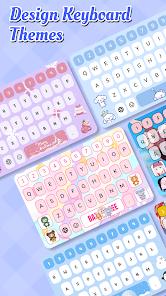
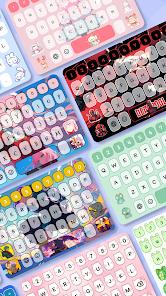
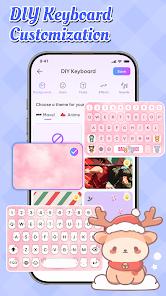
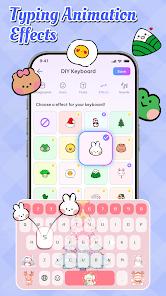
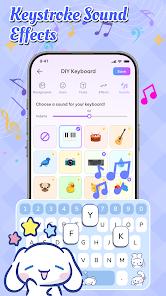
Technically, the app is a replacement 'Soft Keyboard' that hooks into the Android Input Method Framework (IMF). Unlike other font apps that require you to 'Copy and Paste' from an external website, this keyboard lets you change your font 'On-the-Fly' as you type. A key 2026 update introduced 'Dynamic DIY Themes,' which allows users to create a keyboard that isn't just a static color, but a live, animated interface. You can use your own videos as a keyboard background and customize the 'tap sound' and 'vibration feedback' for every keypress.
Emoji Font Keyboard is a master of 'Self-Expression.' It is the 'Custom Car' of keyboards—full of lights, sounds, and unique styles that make typing fun. However, there is a serious technical insight regarding 'Unicode Obfuscation.' Because these 'fancy' fonts are actually mathematical symbols or characters from other alphabets used as visual replacements, they are 'invisible' to accessibility tools. A visually impaired person using a screen reader will only hear 'Mathematical Bold G' instead of the word 'Good.' This is a significant consideration for inclusive communication. Furthermore, the app's request for 'Full Access' can be daunting; while necessary to provide custom themes, it does theoretically allow the app to see keystrokes. For the style-conscious youth and social media creators, however, these risks are often outweighed by the sheer creative freedom the app provides.
Pros & Cons
Huge variety of fonts that work in any app.
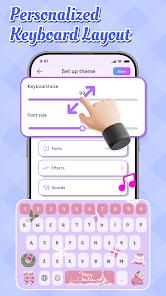
Extensive DIY keyboard customization options.
Includes a massive library of Kaomoji and symbols.
- ✕
Lacks the advanced autocorrect/prediction found in Gboard.
- ✕
Accessibility issues: 'Fancy' fonts are unreadable by screen readers.
- ✕
Requires 'Full Access' which can be a privacy concern for some.
Download
 Get it on Google Play
  Get it on App Store
 FAQs
Can other people see the fonts if they don't have the app?
Yes, because the app uses standard Unicode characters, they are visible to everyone.
Is it safe to use for banking?
It is generally recommended to switch back to your system keyboard for sensitive tasks like passwords.
Does it support multiple languages?
Yes, it supports most major languages, though font styles are most varied for the Latin alphabet.
Hot Reviews
Used this to spruce up my Instagram bio and it looks so much better than the plain text.
I love the DIY theme feature. I put a photo of my cat as the background!
It's fun to use, but I make more typos with this than with my old keyboard.