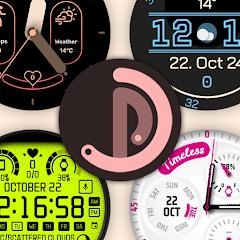
Pujie Watch Faces - Wear OS 6


Overview
Pujie Watch Faces serves as an enterprise-grade design environment and interactive engine engineered specifically for Wear OS smartwatches. While mainstream watch face applications offer static pre-rendered skins with minimal toggles, Pujie functions as an integrated development platform that operates across both mobile companion devices and modern wearable runtimes. The application allows users to manipulate foundational dial geometries, tick marks, hand kinematics, digital typography, and interactive touch triggers with vector precision.
Pujie relies on its standalone Watch Part Designer. Rather than depending on pre-rendered raster bitmaps that degrade when scaled across varying smartwatch display diameters and resolutions, Pujie renders visual elements via mathematical vector geometry. This operational mechanism guarantees crisp visual rendering across round, square, and rectangular displays spanning multiple hardware generations. Advanced creators can implement custom JavaScript automation within the mobile designer, enabling programmatic manipulation of element rotation, dynamic color shifts driven by temporal or battery triggers, and complex algorithmic time expressions.
The evolution of the Wear OS platform prompted a major architectural shift within the Pujie suite. The app has been built to comply directly with Google’s declarative Watch Face Format (WFF) for Wear OS 6 and Android Wear API Level 33+ architectures. This declarative framework delegates rendering logic directly to the operating system’s hardware-accelerated execution pipelines, significantly lowering background CPU cycles and extending battery longevity during active and Always-On Display (AOD) cycles. For interactions, Pujie features an extensible Tap Drawer that houses six customizable shortcut slots alongside four mini tap zones. These interactive targets can execute local smartwatch applications, toggle comprehensive display views (such as Calendar, Weather, or Fitness dashboards), or send remote execution intents to Tasker on a connected smartphone. Furthermore, the platform bridges wearable personalization with mobile home screen customization by allowing users to export any designed chronograph dial as a native Android desktop clock widget.
Pros & Cons
Provides an advanced vector-based watch part editor with comprehensive visual styling controls on mobile devices.
Built to comply with modern Wear OS 6 Watch Face Format standards for reduced ambient battery consumption.
Features an interactive operational tap drawer and target matrix supporting deep Tasker automation integration.
Features dual battery complication telemetry, displaying connected phone and smartwatch levels simultaneously.
Grants access to a comprehensive cloud repository containing thousands of community-crafted and premium watch faces.
Exports watch face designs directly to the Android home screen as interactive desktop clock widgets.
- ✕
Features a steep learning curve for mastering procedural vector manipulation and custom JavaScript scripting.
- ✕
Porting complex legacy presets originally built on older Wear OS versions can require manual component adjustments.
- ✕
Accessing the complete cloud repository requires a premium subscription on top of the base editor application.
Download
 Get it on Google Play
 Get it on App Store
FAQs
What separates Pujie Watch Faces - Wear OS 6 from the legacy Pujie Watch Faces - Wear OS 4- build?
Pujie Watch Faces - Wear OS 6 is rebuilt specifically to adhere to modern Wear OS 6 and Watch Face Format specifications, whereas the legacy package maintains backward compatibility for older Wear OS 2.x, 3.x, and 4.x runtimes.
Can Pujie display real-time connected phone battery levels on the smartwatch?
Yes. Pujie includes a dedicated background data provider that transmits real-time smartphone battery telemetry directly to assigned complication slots on the wearable dial.
Is programming experience required to construct custom watch faces in Pujie?
No. The application provides an intuitive visual designer with drag-and-drop layers, pre-built typography, and customizable tick marks, while keeping JavaScript optional for advanced scripting.
Does Pujie support Android home screen widgets?
Yes. Any watch face designed within the companion application can be exported and placed on the smartphone desktop as an interactive clock widget.
Can tap actions trigger automated smart home or device workflows?
Yes. Pujie supports direct integration with Tasker, enabling single-tap triggers on the watch face to run complex automation routines on the connected smartphone.
Hot Reviews
Summarized from Google Play reviews and community discussions.
The application provides complete creative freedom, giving users precise control over every sub-element, tick mark, and complication layer without requiring external desktop software.
Users highlight the fluidity and responsiveness achieved under the rebuilt Watch Face Format engine, noting significant improvements in battery efficiency across modern hardware.
Some long-term users report that intricate presets developed under earlier engine iterations require manual reconfiguration when ported to the updated Wear OS 6 architecture.