
Update Software App: Updates
Overview
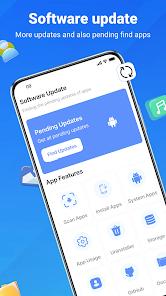
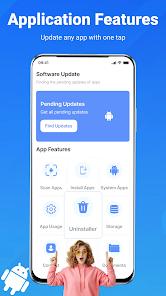
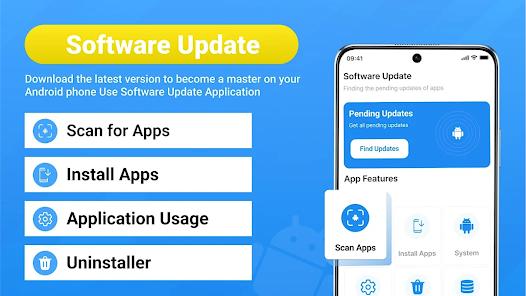
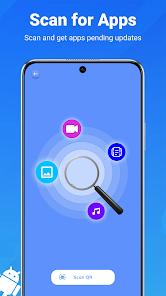
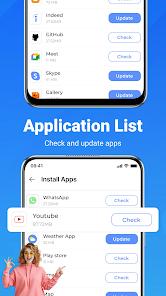
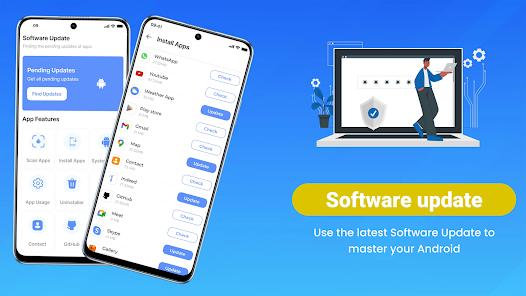
The Update Software App: Updates is a critical system utility designed to address the challenges of Android fragmentation and software security. By employing a sophisticated "Real-Time Scanning" engine, the application identifies pending updates for both user-installed applications and system-level software packages. A key functional highlight is the "One-Tap Update All" feature, which streamlines the maintenance process by allowing users to refresh their entire software library in a single action, thereby ensuring the device remains protected against the latest security vulnerabilities.
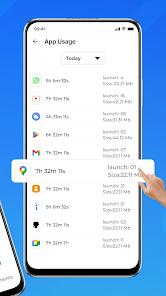
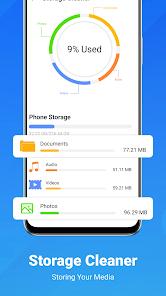
Beyond simple updating, the application functions as a comprehensive phone management hub. It provides detailed "Device Insights," allowing users to view hardware specifications, model numbers, and internal storage distributions before initiating any updates. It also includes a "Risk Level" analyzer that evaluates the privacy settings and potential risks of installed apps, helping users maintain digital hygiene. Furthermore, the "Apps Usage" tracker monitors daily screen time, identifying unused applications that can be uninstalled to optimize memory and battery life.
Operationally, the app is designed to be proactive. It utilizes smart notifications to alert users the moment an update becomes available for their favorite games or tools. This is particularly useful for users who prefer manual control over their device's behavior but want to stay informed about critical software versions. By centralizing update management, hardware diagnostics, and privacy auditing into a single interface, the Update Software App serves as a powerful alternative to the native Android settings menu.
Pros & Cons
Uses real-time scanning to surface app and system updates faster than standard background checks.
The "Update All" functionality provides significant time savings for users with large application libraries.
Integrated privacy tools analyze the "Risk Level" of installed apps to ensure better data security.
Detailed hardware and storage insights help users understand their device's physical and technical status.
A built-in "Apps Usage" tracker identifies unused software to help users free up storage space.
Smart notifications allow for scheduled updates, specifically alerting users when Wi-Fi is available.
A user-friendly interface categorizes updates into System, Downloaded, and Pending groups for better clarity.
- ✕
The core functionality overlaps significantly with the native Google Play Store’s "Manage apps & device" section.
- ✕
Bulk updates can lead to temporary device slowdown and high data consumption if not managed properly.
- ✕
The application contains internal advertisements, which can be seen as intrusive for a basic system utility.
Download
 Get it on Google Play
  Get it on App Store
 FAQs
Can this app update my phone's actual Operating System?
It can check for OS updates and link you to the system settings; however, the final OS installation is handled by the manufacturer's native software.
Is it safe to use "Update All" on mobile data?
While possible, it is highly recommended to use the app over Wi-Fi to avoid exceeding your monthly mobile data limit.
How does the "Risk State" analysis work?
The app evaluates the permissions requested by other apps (like camera or location) and assigns a risk level based on standard privacy benchmarks.
Can I uninstall apps directly from this tool?
Yes, the app includes cleanup tools designed specifically to remove unused or space-consuming applications.
What is the "Screen Time" tracker used for?
It helps users manage their digital well-being by showing how much time is spent on specific apps throughout the day.
Hot Reviews
Keeping my device smooth has never been easier. The real-time scanning catches things my Play Store misses, and the "Update All" button is a major time-saver.
In an age of frequent security patches, this app is an invaluable asset. It identifies outdated software that could be a risk and helps me keep my phone optimized and secure.
The hardware and usage details are very helpful for managing my storage. My only gripe is the occasional ad, but given that the app is free, it’s understandable.