tvQuickActions Pro
Overview
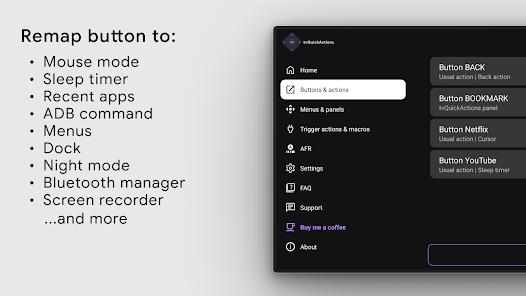
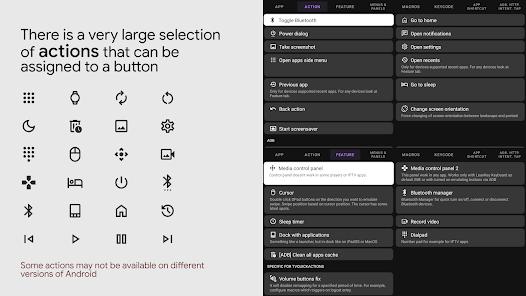
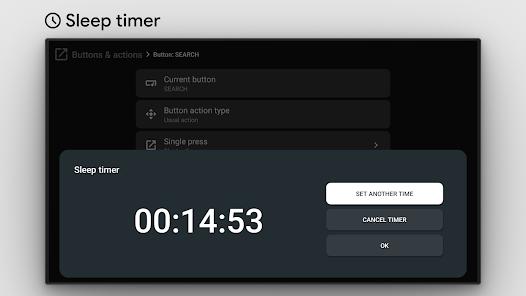
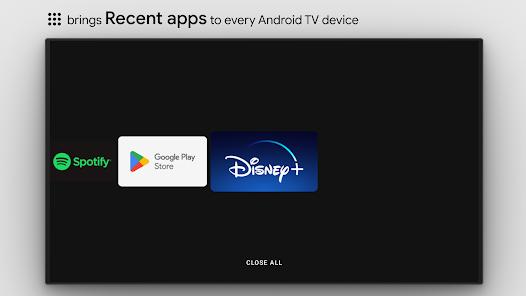
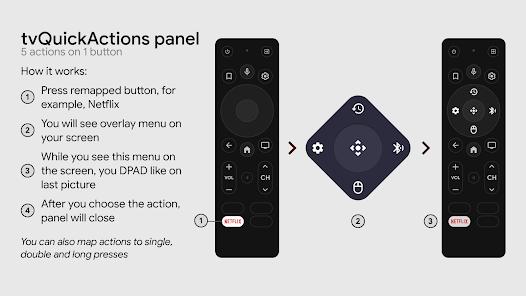
Android TV and Google TV devices often arrive with minimalist remotes that lack dedicated buttons for critical functions like media control, app switching, or brightness adjustment. "tvQuickActions," developed by tvDev, is a specialized utility that addresses this fragmentation by allowing users to remap existing remote buttons to a virtually unlimited set of actions. By utilizing the Android AccessibilityService API, the application can intercept and modify key events, enabling a single button to perform up to five different actions based on interaction types: single tap, double tap, long press, and various combinations.
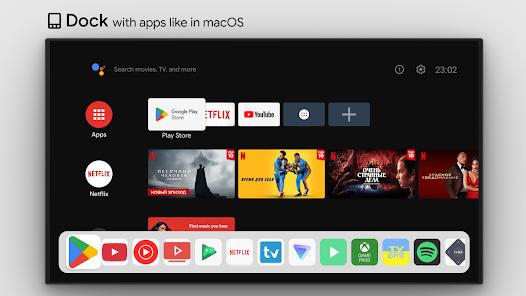
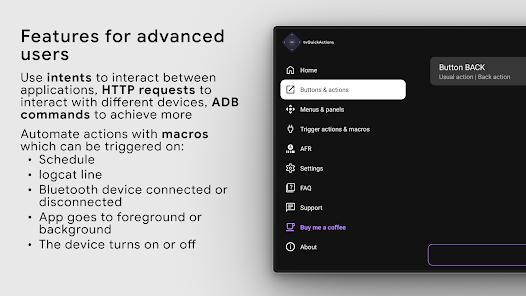
The application's technical depth is particularly appealing to power users. It supports custom ADB (Android Debug Bridge) commands, which allows for advanced system-level automations like force-closing all background apps or changing the screen's refresh rate. Furthermore, it includes a "Mouse Toggle" feature that can be mapped to a button, allowing users to navigate touch-focused mobile apps that were never intended for a D-pad interface. One of its most unique features is the creation of custom "dock" menus, which provide a macOS-style app bar at the bottom of the screen for rapid switching without returning to the main launcher. Despite its power, the application faces challenges with manufacturer-specific firmware; for instance, HiSense and TCL devices often implement aggressive energy optimization that can kill the background accessibility service, requiring manual ADB intervention to ensure stability.
Pros & Cons
Allows a single button to trigger five distinct actions, effectively multiplying the functional capacity of any simple remote.
Support for user-defined ADB commands allows for deep system-level control and advanced home automation.
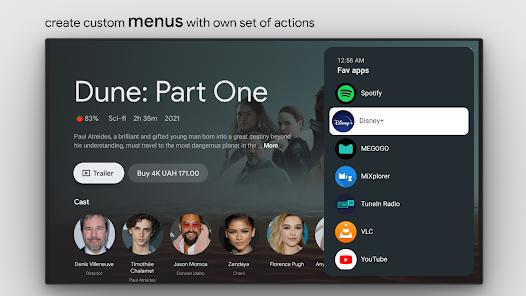
The ability to create personalized menus and app docks significantly speeds up navigation and multitasking.
The integrated mouse toggle is essential for using non-TV-optimized applications (sideloaded apps) with a standard remote.
Provides a unique screen-dimming "Night Mode" that is not natively available on many Android TV firmwares.
- ✕
The initial configuration, particularly enabling USB debugging and ADB permissions, can be daunting for non-technical users.
- ✕
Aggressive background process management on certain TV brands (e.g., HiSense) can disable the app’s remapping functionality.
- ✕
The free version is extremely limited, acting more as a compatibility test than a functional utility for daily use.
Download
 Get it on Google Play
  Get it on App Store
 FAQs
Can I remap the Netflix button?
On most devices, yes, though some manufacturers hard-code these buttons at the hardware level, making them more difficult to intercept.
Is it safe for my device?
Yes, it does not require root access, though it does need Accessibility and ADB permissions to function correctly.
Does it work on the Fire TV?
While it works on many AOSP devices, Fire OS's restrictive nature may limit the effectiveness of certain background remapping.
Why does it stop working after a reboot?
Android TV often optimizes "idle" services. You may need to use an ADB command to allow APP_AUTO_START for the app.
Can I use it to launch URLs?
Yes, you can map a button to open a specific website or launch a smart home intent via a browser.
Hot Reviews
Users with devices like the Nvidia Shield or Onn 4K report that this app is "mandatory" for adding the media buttons that the hardware lacks.
Reviews often note a "learning curve," with users recommending that beginners follow online tutorials to enable all advanced features.
Some users use the app’s dock feature as their primary way to navigate, bypassing the ad-heavy Google TV home screen entirely.