USB Connector Cast Phone to TV
Overview
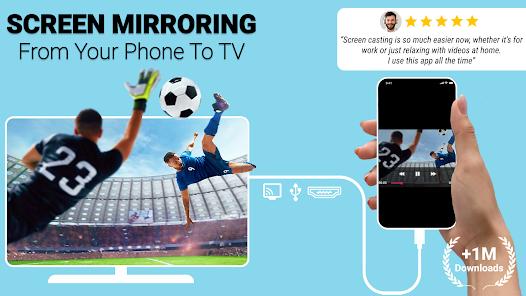
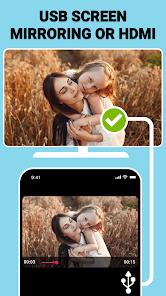
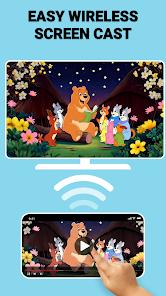
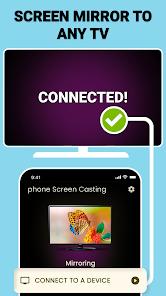
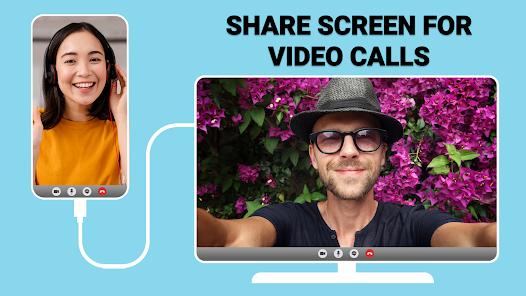
USB Connector Cast Phone to TV, developed by Vidmark Inc., addresses one of the most persistent challenges in the mobile-to-display interface: the requirement for stable, high-fidelity mirroring in environments where wireless protocols fail. While the industry has largely pivoted toward wireless standards such as Miracast and Google Cast, a significant segment of the professional and enthusiast market remains dependent on wired stability. This application functions as a software-defined bridge that facilitates both WiFi-based wireless casting and, more critically, TV USB connector mirroring for direct, wired connections.
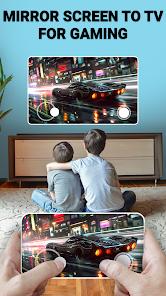
Technically, the application leverages the USB On-The-Go (OTG) protocol and supports the Mobile High-Definition Link (MHL) standard to establish a handshake between the Android device and external displays. The software's primary value proposition lies in its ability to manage high-definition video and audio transmission with significantly lower latency than its wireless counterparts, making it an essential tool for latency-sensitive tasks such as gaming or real-time document presentation in corporate settings.
An insightful observation regarding the application's design is its dual-purpose interface. It serves as both a functional casting tool and a diagnostic suite. Before a user invests in expensive proprietary cables, the app includes a compatibility checker to verify if the smartphone hardware supports HDMI output via USB-C (DisplayPort Alt Mode) or MHL. This proactive diagnostic capability reduces user frustration and hardware mismatch errors. Market data indicates that the application has achieved a significant footprint, with over 3.4 million downloads and a consistent ranking within the libraries and demo category in major markets such as the United States, Mexico, and Sweden.
The December 2025 update (version 2.0.4) introduced enhanced encryption for data in transit, reflecting a maturation in the developer's approach to security. As mobile devices increasingly replace traditional laptops as primary presentation tools, the role of USB Connector Cast Phone to TV as a reliable connectivity layer becomes more pronounced.
Pros & Cons
Hybrid Connectivity Suite: Seamlessly transitions between wireless WiFi casting and stable wired USB/HDMI mirroring modes.
Resolution Optimization: Includes internal settings to scale output resolution up to 4K @30Hz for compatible hardware.
Hardware Diagnostics: Provides a built-in MHL and HDMI compatibility checker to prevent unnecessary hardware purchases.
Zero-Network Utility: Enables full screen sharing in remote environments without an active internet or router connection via wired USB mode.
Cross-Brand Support: Compatible with a diverse range of smart TV manufacturers, including Samsung, LG, Sony, and Vizio.
Audio-Visual Synchronization: Transmits both high-quality audio and video through the HDMI link, ensuring zero-lag media consumption.
- ✕
Aggressive Monetization: The free version is heavily supported by advertisements that can interrupt the initial connection process.
- ✕
Hardware Requirements: Requires specific external hardware, such as MHL adapters or USB-C to HDMI cables, which are not included.
- ✕
Legacy OS Limitations: Certain advanced wired features are restricted on older Android versions due to kernel-level limitations.
Download
 Get it on Google Play
  Get it on App Store
 FAQs
What hardware is required for a wired connection?
Users typically require a USB-C to HDMI adapter or an MHL-certified cable, depending on whether their device supports DisplayPort Alt Mode or the older MHL standard.
Can the app work without a WiFi connection?
Yes, one of the core features is the ability to mirror via a physical USB-to-TV connection, which operates independently of wireless networks.
Does the app support 4K resolution?
The app supports 4K HDR ultra-high definition, provided the smartphone's hardware and the connected display both support the necessary bandwidth.
How do I check if my phone is compatible?
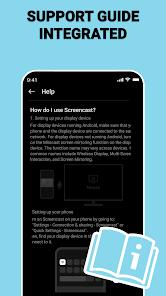
The application includes a built-in "HDMI Compatibility Checker" that analyzes the device's hardware specifications to confirm support for MHL or USB-C video output.
Is it possible to share specific files rather than the whole screen?
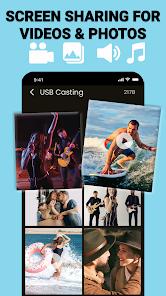
Yes, the app allows for "Screen Sharing on Demand," where users can select specific photos, videos, or documents to cast rather than mirroring the entire UI.
Hot Reviews
Professional users have noted that the app provides the high-speed stability required for business presentations, particularly when relying on the USB screen sharer feature to avoid latency.
A recurring critique among casual users is the frequency of advertisements, which some feel can disrupt the "plug-and-play" experience expected from a utility app.
Reviews frequently highlight the "crystal-clear quality" of the mirroring sessions, particularly when using a stable wired connection compared to standard wireless options.