
Clip Studio Paint
Overview
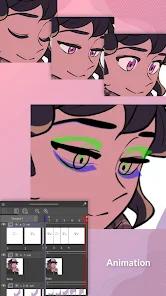
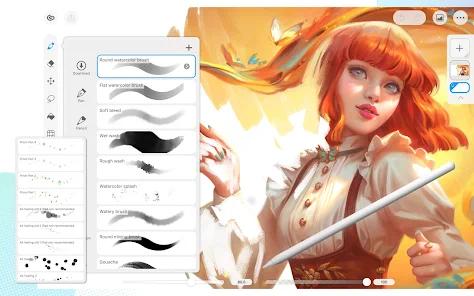
Clip Studio Paint (CSP) has successfully transitioned from a desktop-dominant software to the premier mobile illustration engine for professional artists. By maintaining feature parity between its PC and Android versions, Celsys has effectively turned high-end tablets into full-service animation and comic production studios.
Technical Mechanism and Feature Breakdown
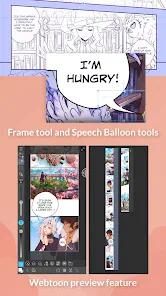
The application's core strength lies in its specialized toolset for comic and manga creation, a niche it has dominated for over a decade. Unlike general-purpose painting apps, CSP includes native support for panel frames, speech balloons, and perspective rulers that automatically snap brush strokes to complex architectural vanishing points. The software utilizes a sophisticated hybrid raster-vector engine. This allows artists to draw on vector layers where lines can be manipulated—reshaped, resized, or erased at intersections—without any loss in image quality.
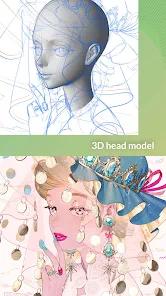
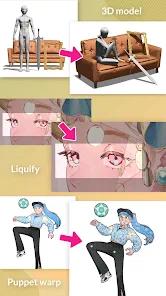
A standout feature in the 2026 version is the advanced integration of 3D assets. Users can import 3D human models and pose them as drawing references. Recent updates have added a "Hand Scanner" that uses the device's camera to capture the user's hand poses in real-time and apply them to the 3D model. Additionally, the "Shading Assist" tool uses AI to suggest lighting and shadow placement based on a user-defined light source, significantly reducing the time required for flat-coloring workflows.
The application offers two distinct interfaces: "Simple Mode" for quick sketches on smartphones and "Studio Mode" for full-scale professional work on tablets. CSP also provides a robust cloud ecosystem, offering 10 GB of storage for synchronizing projects across Android, iPad, and desktop devices, ensuring that an artist's workflow is never tethered to a single location.
Pros & Cons
Cloud synchronization allows for a seamless transition between mobile tablets and professional desktop workstations.
Comprehensive comic and manga production tools, including specialized screen tones, paneling, and action lines.
The most advanced 3D reference system in the industry, featuring customizable body proportions and AI-powered hand scanning.
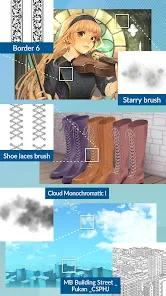
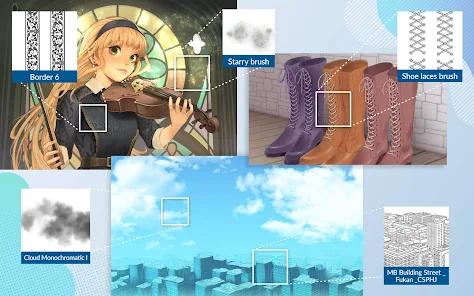
A massive "Assets" store with over 270,000 community-created brushes, 3D models, and textures available for download.
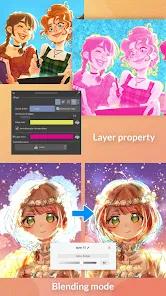
Hybrid vector-raster engine allows for infinitely scalable line art and professional-grade non-destructive editing.
Flexible mobile usage plans, including 30 free hours of monthly use specifically for smartphone users.
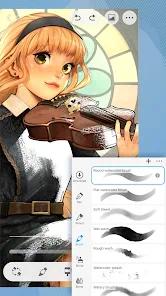
High-fidelity brush engine that simulates traditional media with "buttery smooth" performance.
- ✕
The software follows a subscription model on mobile devices, which can be a deterrent for users who prefer one-time purchases.
- ✕
The "Studio Mode" interface is exceptionally complex and may be overwhelming for casual users or those without a professional background.
- ✕
High system requirements; advanced 3D features and large canvases require modern devices with significant RAM and GPU power.
Download


FAQs
Can I use Clip Studio Paint for free on my Android phone?
Yes, smartphone users get 30 hours of free usage each month with all features enabled. After 30 hours, you must wait for the monthly refresh or subscribe.
Does CSP support Photoshop brushes?
Yes, the app allows for the direct import of.abr files, enabling you to use your existing Photoshop brush library.
What is the difference between PRO and EX versions?
PRO is designed for single-page illustrations and short comics, while EX adds management tools for multi-page manga and professional-length animation.
How does the 3D Hand Scanner work?
It uses your phone's camera to track your real hand movements and instantly poses the 3D model's hand to match, saving hours of reference hunting.
Is an internet connection required to draw?
An internet connection is occasionally needed to verify your subscription status, but the drawing tools themselves work offline.
Hot Reviews
The brush engine is "buttery smooth" and far superior to simpler mobile apps. The ability to manage 10,000 layers and use 3D models for posing makes it a true desktop replacement on tablets.
Features like speech bubbles, paneling, and perspective rulers save hours of work. The vector layers are a game-changer for clean inking and non-destructive resizing.
While powerful, the UI is very cluttered compared to simpler drawing apps. It takes several days of intensive tutorial study to understand the full potential of the tools.