Best Phone Personalization Apps in 2026: What Each One Asks For
Six ways to make an Android phone feel like yours, ordered by how deep each one reaches — from a ringtone you can undo in a tap to an app that replaces your home screen. Four of the six are free but ad-funded, with premium content behind in-app currency.

Zedge™ Wallpapers & Ringtones
The widest library here, and the only pick that changes what your phone sounds like, with favorites that sync to your next phone through one login. Our database flags a heavy load of interstitial and video ads, and premium content plus AI generation run on Zedge Credits you buy or earn by watching more.
Read review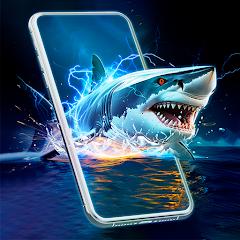
3D Live Wallpapers - 4K & 4D
Layered wallpapers that shift with the gyroscope as you tilt the phone, plus AMOLED themes reviewers credit with avoiding the usual live-wallpaper battery drain. Our database notes many higher-tier "4D" downloads require a video ad or a subscription, and that setting the lock screen on its own often isn't possible.
Read review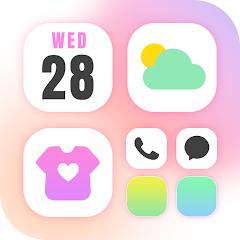
Themepack - App Icons, Widgets
One pass applies an icon set and matching widgets, and the DIY tools build icons from your own photos and fonts. It works through Android shortcuts, which can leave a small watermark on replaced icons, and the Control Center overlay asks for Accessibility Service.
Read review
Facemoji AI Emoji Keyboard
Keyboard skins built from your own photos or a short video clip, plus a prediction engine that reviewers learning Japanese rate above Gboard. It is still a third-party keyboard that sees everything you type, and our database flags the newer AI suggestions as clutter for anyone who wants a plain keyboard.
Read our in-depth review
Live Anime Shimeji Pets
Animated characters walk and climb over whatever app you're in, up to six at once, from a large community-made library. Most unlock only after a video ad, and drawing over the system interface requires Accessibility Service.
Read our in-depth review
Big Keyboard: Easy Homescreen
Oversized high-contrast keys and a stripped-back home screen that reviewers credit with keeping a parent or grandparent on a smartphone. It's a full launcher replacement, so the change is jarring at first and setup usually needs a more technical helper.
Read our in-depth reviewMaking a phone yours can mean two different things. A ringtone or wallpaper is cosmetic, undone in one tap. Icons, a keyboard, or a whole home screen is not — those reach into how the phone works, and Android says as much when you turn them on. So this list runs by depth. Read the permission screen before installing; the deeper an app reaches, the more it should have to earn. And four of the six run on ads and in-app currency, where ad density is a recurring complaint.
Best for Ringtones and Notification Sounds: Zedge
Zedge is the only pick that changes what your phone sounds like — plenty of people re-skin a home screen and never touch the default notification sound behind it. At 4.7 stars across roughly 16.8 million ratings and 500M+ installs, it’s the most-proven app here. Wallpapers and an AI text-to-wallpaper generator come too, but sound is the reason it’s here: our database notes ringtones can be assigned per contact, and favorites sync through one login, so a setup survives a new phone. The cost is attention: our database flags a high density of interstitial and video ads, and premium content and AI generation run on Zedge Credits, bought or earned by watching more — the listing itself calls that ad load a primary friction point.
Best for a Wallpaper That Moves: 3D Live Wallpapers
Still cosmetic, but a bigger effect: layers shift at different speeds as you tilt the phone, and reviewers describe a window-like illusion. Our database credits the AMOLED-specific themes for holding contrast while cutting power use, and reviewers single them out for avoiding the drain live backgrounds usually bring. It sits at 4.5 stars across roughly 123,000 ratings and 10M+ installs. Two caveats from our database: many higher-tier “4D” wallpapers need a video ad or a subscription to download, sometimes even to preview, and the app tends to set home and lock screens together rather than the lock screen alone. Without a gyroscope, the effect degrades to a less fluid gravity-based movement.
Best for a Matched Icon-and-Widget Theme: Themepack
Here the list stops being purely cosmetic. At 4.6 stars across roughly 1.17 million ratings and 100M+ installs, this is the most popular way to do the job: one pass applies an icon set with matching widgets — our database counts over 10,000 items — and DIY tools build icons from your photos. The costs: Android doesn’t let third-party apps rewrite system icons, so, the listing explains, Themepack places shortcuts pointing at the originals; our database notes that can leave a small watermark and breaks if the original app is deleted. The Control Center overlay also asks for Accessibility Service, and our database records the developer’s position that this data is not collected or stored — a stated position, not an audit. Premium packs run on coins from check-ins and rewarded ads; our database counts up to ten ads for one set.
Best Keyboard Makeover: Facemoji
We’ve reviewed Facemoji in full. It’s the most thorough makeover here, on the surface you touch most: skins from your own photos or a video clip, plus a two-million-entry cloud dictionary predicting kanji and slang reviewers learning Japanese say Gboard misses. At 4.7 stars across roughly 1.38 million ratings and 100M+ installs, it also packs a Genmoji-style creator. But a keyboard sees everything you type. Our database’s FAQ notes that Android shows a standard warning for any third-party keyboard, and that Facemoji states it encrypts data in transit and allows deletion requests; our database also flags the privacy implications of its cloud dictionary collecting input. A vocal group of reviewers criticizes the newer AI features as “AI slop” and questions emoji art that may draw on uncredited sources.
Best for a Character on Your Screen: Live Anime Shimeji Pets
We’ve reviewed Live Anime Shimeji Pets in full. It’s the narrowest taste here — 4.7 stars across roughly 22,900 ratings and 1M+ installs, the smallest audience on the list — but nothing else does the job: animated characters that walk, climb, and get dragged around on top of whatever app you’re in, up to six at once, from a large community-made library. It reaches deep to do that: the overlay runs through Android’s Accessibility Service, and the developer states the permission is used only for drawing, not data collection — again, a stated position. Our database’s costs: most characters unlock only after a video ad — the listing says that unlock lasts for the session; menu ads are frequent enough that “uninstalled after 10 minutes” appears in critical review themes; and a pet over a button can interfere with typing.
Best for Legibility Over Looks: Big Keyboard
We’ve reviewed Big Keyboard in full. It’s the deepest reach here: a launcher replacing the home screen with oversized high-contrast buttons for phone, messaging, camera, and emergency contacts, plus enlarged keyboard keys. At 4.5 stars across roughly 30,900 ratings and 1M+ installs, its review themes are unlike anything else here: a parent texting again, a grandparent set up from across town. Our database notes high-contrast themes, AI voice feedback, and caregiver remote management. Treat two features as the app’s claims, not our findings: a “Shielded Mode” the listing says hides suspicious links, and “Haptic Buffer Zones” extending a key’s touch area past its visual border. Our database’s tradeoffs: the switch is jarring at first, advanced settings are out of reach by design, and setup usually needs a technical helper.
How we chose
Every pick is live on Google Play with at least 3.5 stars, 20,000-plus ratings, and three screenshots. We read listing copy and recurring review themes alongside our database’s pros, cons, and FAQ notes; three picks are apps we’ve reviewed in full: Facemoji, Live Anime Shimeji Pets, and Big Keyboard. Where listing figures disagreed with our catalog, we used ours. Themebox (4.8 across roughly 112,000 ratings) does Themepack’s icon-and-widget job with far less reach, so it would have chased the same award. Easy Homescreen (4.0 across roughly 238,000 ratings), the other simplified launcher, would have chased Big Keyboard’s; our database flags that it switches the default search engine to Yahoo, and that a notable number of reviewers report difficulty uninstalling it. We also passed on a second emoji keyboard, and a rewards app filed under Personalization that isn’t one.
The bottom line
Pick by whatever actually bothers you: the notification sound is Zedge, a wallpaper that just sits there is 3D Live Wallpapers, mismatched icons are Themepack, the keyboard itself is Facemoji, and a phone a parent can’t read is Big Keyboard. Most people want one or two of these, not six — stacking them means running several ad-funded apps at once. If you take one, take Zedge: the widest reach here, and the only pick that changes what the phone sounds like — the change you notice most often for the least commitment. Then slow down on the three that reach deepest: Themepack and Shimeji Pets want Accessibility Service to draw over your system interface, and Big Keyboard replaces your home screen. All are reversible — launchers switch back in Android settings — but not in one tap.