
PSX2



Overview
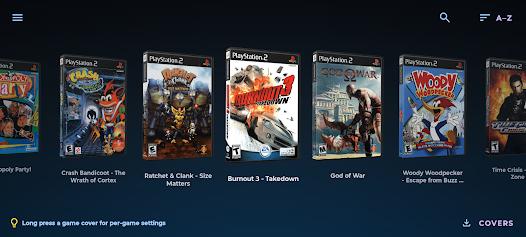
PSX2 is a high-performance PlayStation 2 (PS2) emulator designed for the Android operating system. Based on the PCSX2 source code, the emulator aims to translate the complex multi-processor architecture of the original PS2 console into instructions that run efficiently on modern 64-bit ARM processors.
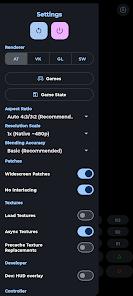
From a technical perspective, the application translates MIPS instruction sets into ARM64 assembly instructions on the fly. This re-compilation process requires a modern, high-performance CPU to maintain stable frame rates. Graphics rendering is handled via modern Vulkan and OpenGL ES 3.2 APIs. Vulkan is highly recommended for modern chipsets, as it offers lower driver overhead and better multi-threaded rendering compared to older APIs. Disc image formats like ISO, CHD, CSO, ZSO, BIN/CUE are supported. And it supports compressed formats to save storage space on mobile.
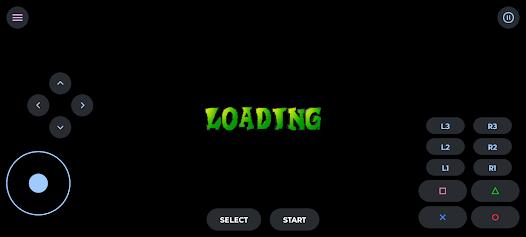
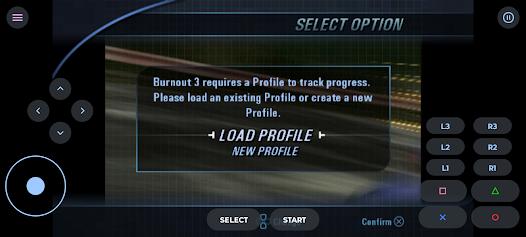
Setting up the emulator requires some manual configuration, which may be challenging for less technical users. Players must provide their own legally dumped PlayStation 2 BIOS file and mount it in the app's system folder before games can be loaded. While the emulator features a customizable touch-screen button overlay, it also offers plug-and-play support for Bluetooth and USB gamepads.
The app's pricing model has generated some discussion in the emulation community. Because the emulator uses open-source code from the GPL-licensed PCSX2 project, distributing a paid version on the Google Play Store (priced at $4.99) while maintaining a free version on GitHub has led to ongoing debates regarding licensing and community contributions.
Pros & Cons
Outstanding performance and high frame rate stability on ARM64 processors.
High compatibility, supporting nearly the entire PlayStation 2 game library.
Upscaling support from 1x to 8x native resolution, making classic games look sharp.
Support for compressed game formats like CHD to save local storage space.
Full support for external Bluetooth controllers with low-latency button mapping.
- ✕
Complex setup process requiring manual configuration of BIOS files.
- ✕
Can cause rapid battery drain and thermal throttling during long gameplay sessions.
- ✕
Prone to performance drops and visual glitches on Mali and MediaTek GPUs.
- ✕
Distribution model has drawn criticism regarding the commercialization of open-source code.
Download
 Get it on Google Play
  Get it on App Store
 FAQs
Does the PSX2 emulator include any pre-installed game files?
No, due to copyright laws, the application contains no BIOS files or games; users must supply their own legally dumped files.
What are the minimum system specifications required to run this app?
The system requires Android 8.0 or higher, an ARM64 processor, and a minimum of 4GB of RAM.
How do players set up their BIOS file inside the app?
Users can map their BIOS folder during the initial launch setup wizard or update the path in the system settings menu.
Which graphics renderer offers the most stable performance?
The Vulkan API is generally recommended, as it delivers higher frame rates and runs cooler than OpenGL on most devices.
Does the app support quick save and load functions?
Yes, the emulator supports quick save states, allowing players to instantly save and resume their progress.
Hot Reviews
On high-end phones, the emulator runs games beautifully at 60 FPS, with the resolution upscaling making classic titles look modern.
Configuring the required folders for BIOS files and game files can be confusing for players who are unfamiliar with file management.
Some users experience crashes on devices with Pixel or MediaTek processors, highlighting the need for continued hardware optimization.
Several reviews criticize the developer for charging a fee on the Play Store for a project that is based on free open-source code.