
Lyft Driver
The strongest thing about Lyft's driver app is that it tries not to make you guess: Upfront Pay shows the fare, pickup, and drop-off before you accept, and you keep every tip. The honest cost is a now-mandatory in-app navigation engine that drivers report can route inefficiently, plus a request-and-wait matching flow that adds idle time between fares.
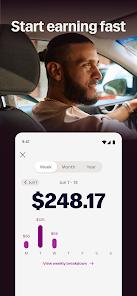
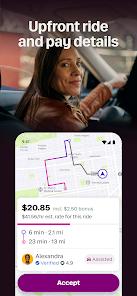
- Drivers who want to see the full fare, pickup, and drop-off before accepting a ride, keep 100% of their tips, and choose between instant, daily, or weekly payouts
- Drivers who run Android Auto and want scheduling, trip earnings, navigation, and custom pickup-zone filters managed from one maintained app
- Drivers who rely on Google Maps or Waze and won't accept a mandatory in-app navigation engine
- Drivers doing heavy long-haul work where pay may not cover fuel, anyone on an older phone or limited data plan without a car charger, and drivers who want proximity-based auto-dispatch instead of manual request-and-wait


Overview
The verdict up front
If you drive for Lyft, this is the app you live inside for an entire shift — and its single best idea is that it tries not to make you guess. Lyft Driver’s headline feature, “Upfront Pay,” shows you the fare, the pickup, and the drop-off before you tap accept, which is exactly what a driver needs to judge whether a trip is worth the gas and time. Pair that with 100% tip retention and payouts you can take instantly, daily, or weekly, and the app gets the trust-and-economics part right in a way that matters to people earning one ride at a time. What we can’t wave away is the friction that dominates its own driver feedback: Lyft has made its proprietary navigation effectively mandatory, and drivers report it can suggest inefficient detours — even the occasional illegal turn — with limited room to switch back to Google Maps or Waze. Add a request-and-wait matching flow that lengthens idle time between fares, and you have a genuinely useful tool carrying a couple of real thorns. On balance we’d still recommend it, because the transparency and payout flexibility are worth a lot on a working day, but the caveats are not small.
What Lyft Driver actually is
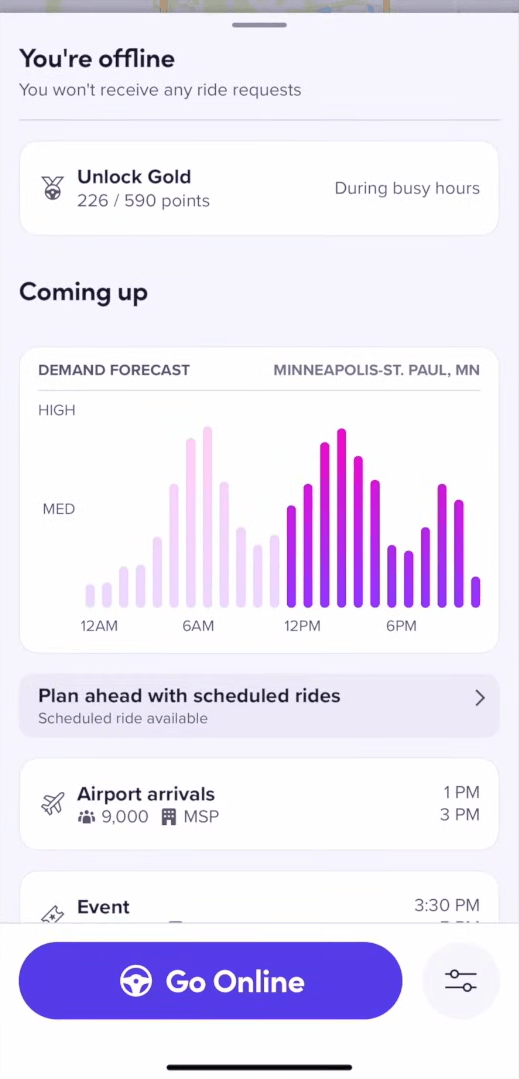
Lyft Driver (package com.lyft.android.driver, developer Lyft, Inc.) is the driver-side companion to the passenger Lyft app — not the app riders use, but the control center the person behind the wheel manages a shift from. It’s where an independent contractor sets their hours, sees trip earnings, navigates routes, and processes payments, all backed by real-time location mapping. The framing that matters here is that Lyft’s drivers are independent contractors who customize their own schedules, so the app is less a passenger-hailing screen and more a small business dashboard: when to work, where to work, what each job pays, and how fast the money lands.
That small-business-dashboard lens is the right one for judging it: the features that stand out give a driver more information and control, and the frictions quietly take control away.
Upfront Pay is the real headline
The feature we’d point a prospective Lyft driver to first is Upfront Pay. Before you accept a ride, the app calculates and displays the fare, the pickup location, and the drop-off — so you’re deciding with the facts in front of you rather than committing blind and hoping the trip pencils out. In a job where a bad long trip can eat your evening, seeing the destination and the pay up front is a real transparency win, and it’s the kind of thing drivers have wanted from rideshare platforms for years.
There’s an important, honest caveat baked right into it. Regulatory requirements in Seattle, Portland, and New York restrict Upfront Pay’s use, and in those places the app falls back to per-minute and per-mile fares instead of showing the full amount ahead of time. Lyft’s own material is upfront about this reversion, and we’d flag it plainly: if you drive in one of those three markets, the single best feature here works differently for you, and you should expect the per-minute/per-mile model rather than the up-front number.
The rest of the driver-friendly toolkit
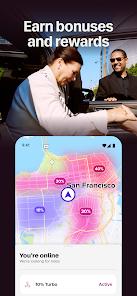
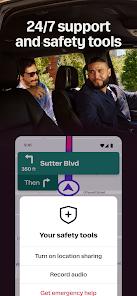
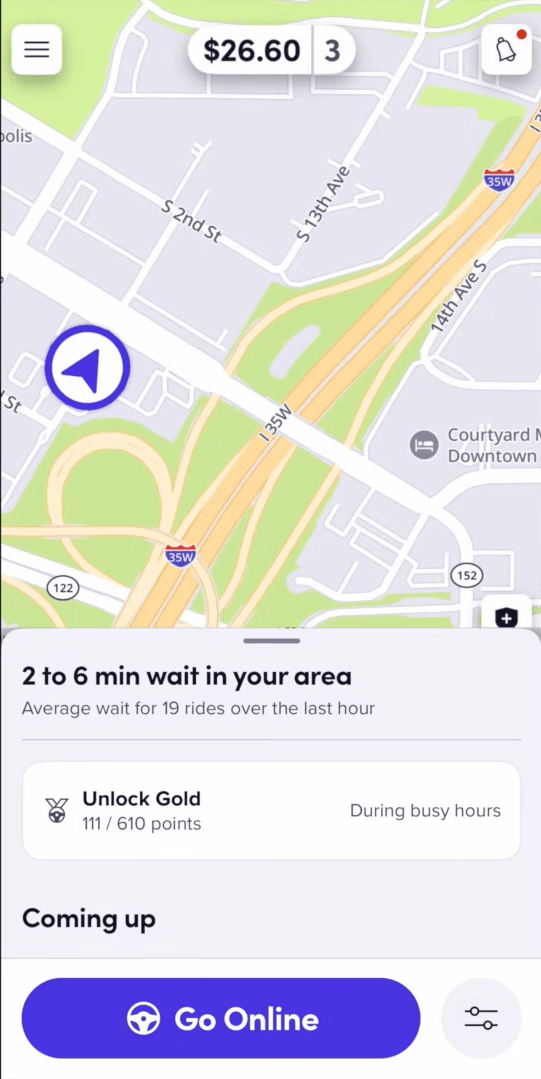
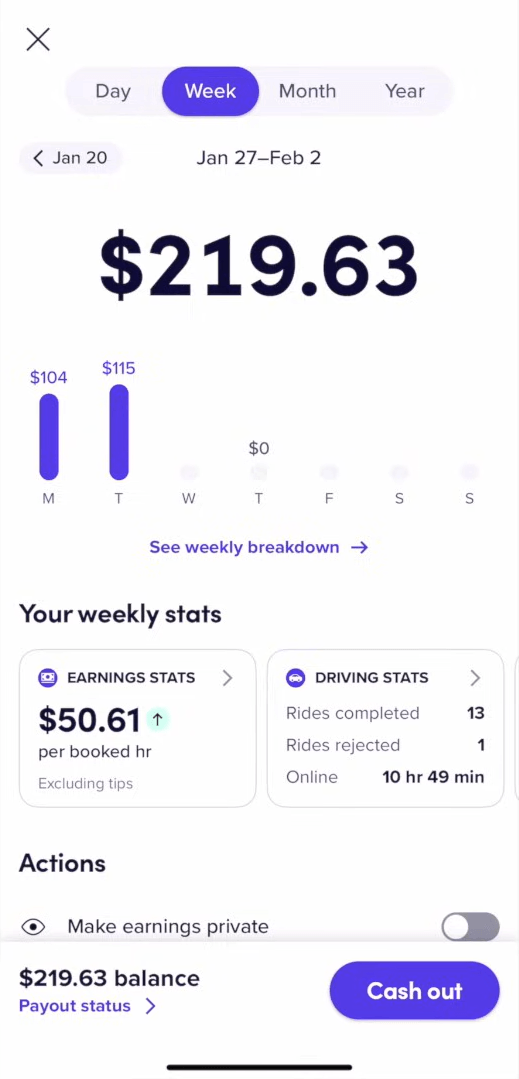
Around that headline sits a set of features that consistently favor the driver. Payout flexibility is genuine: you can take earnings on a weekly cadence, daily, or via an instant payout to a debit card when you need the cash now rather than at week’s end. Tip retention is a clean 100% — the tips a rider leaves are yours to keep. Custom location filters let you set geographic boundaries on pickup requests, so you can restrict trips to preferred zones or keep your routes near home, which is quietly one of the most practical tools in the app for anyone fitting driving around a fixed schedule. And Lyft folds in round-the-clock safety and assistance for support during a shift.
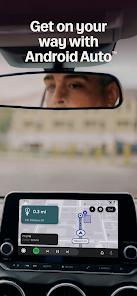
The standout convenience is Android Auto integration. On a compatible head unit, the dashboard shows navigation, trip information, and media on the vehicle’s screen, which keeps a driver’s eyes on the road instead of on a phone propped in a vent mount. Drivers single this out as a daily-operations improvement, and it’s easy to see why — for a job that is literally driving, moving the essential glances onto the dash is a meaningful safety and focus gain.
The navigation problem, stated plainly
Here’s the friction that dominates the app’s driver reviews, and the reason we can’t hand it an unqualified rave. Lyft has made its proprietary navigation engine effectively mandatory, and the reports that follow are consistent: routing errors, inefficient paths, and — in the sharper accounts — occasional illegal turns suggested by the in-app directions. A third-party navigation app can technically still run on the phone, but Lyft has made its own in-app nav mandatory, so the practical ability to lean on Google Maps or Waze is shrinking.
We’ll be fair about why a platform might want one integrated nav experience — consistent ETAs and tighter dispatch. But navigation is the load-bearing tool of the entire job, and a recurring wish across driver feedback is simply to switch back to the maps they trust. When the mandated engine sends you down a slower path or toward a turn you shouldn’t take, the cost lands directly on the driver’s time and record, and the limited ability to override it is a legitimate mark against the app.
Matching, idle time, and the cost of driving
Two more caveats round out the honest picture. The first is the matching system: Lyft Driver uses an interactive, manual flow where you request a trip and wait for approval, rather than the proximity-based auto-dispatch some drivers expect. The recurring complaint is that this increases idle time and dispatch delays — minutes spent not earning — and drivers reasonably argue a proximity-based model would connect them to nearby riders faster. It’s a design choice with real trade-offs, and the idle-time frustration is a consistent theme rather than a one-off.
The second is the plain economics of the equipment. Continuous GPS plus live map rendering is heavy on both battery and mobile data, and drivers say a dedicated in-car charger is basically required to get through a shift — a small but real cost to factor in, along with the data draw on a limited plan. Separately, the listing acknowledges that long-distance compensation can fall short: long-haul pay sometimes fails to cover fuel and operating costs — exactly the scenario Upfront Pay is meant to help you dodge by showing the destination before you accept. We won’t invent numbers Lyft doesn’t publish, but the caution stands: not every long trip is a good trip.
Recency, scale, and how it compares
On recency, the signals are healthy. The Play Store listing was updated March 27, 2026, carries 5M+ installs and 6 screenshots, and holds a 4.8 rating across roughly 210,000 ratings — a high average on a large volume, pointing to a well-maintained, heavily used product despite the frictions in the reviews. Set against the general expectation of a gig-driver app, Lyft Driver’s differentiators are its transparency and its treatment of tips: seeing pay and route before you accept, and keeping every tip, are genuine strengths that not every driver tool offers. The counterweights are equally specific — the forced in-app navigation and the request-and-wait matching are where it gives ground. Remember, too, that this is the driver app; a rider comparing experiences is using an entirely different product, so judgments about the passenger side don’t transfer here.
Our take
Lyft Driver earns a recommendation because the things it does for a working driver are the right things: Upfront Pay puts the fare, pickup, and drop-off in front of you before you commit, tips are yours in full, payouts are flexible down to an instant cash-out, location filters keep you near home, and Android Auto moves the essential glances onto the dash. We’re holding back a higher score for reasons that are just as concrete: the proprietary navigation is now effectively mandatory and drivers report inefficient — occasionally illegal — routing with little ability to switch to Google Maps or Waze; the manual request-and-wait matching adds idle time a proximity-based system might not; long-haul pay doesn’t always cover costs; and the continuous GPS and map rendering demand a car charger and a forgiving data plan. If you depend on external navigation, do a lot of long-distance trips, or drive on an older phone without a charger, weigh those carefully. For most drivers, though, it’s a capable, transparent, actively maintained tool — a small-business dashboard for your shifts, with a couple of frictions to plan around rather than be surprised by.
How We Evaluate
We did not hands-on test this app, and we did not drive with it. This review is built from Lyft Driver's own Play Store listing and description, its stated feature set (Upfront Pay, Android Auto integration, flexible payouts, custom location filters, tip retention, round-the-clock assistance), the developer's stated details on pay calculation and navigation, the current store signals (a 4.8 rating across roughly 210,000 ratings and 5M+ installs, last updated March 27, 2026), the recurring themes in published user reviews, and Lyft's long-established public reputation as one of North America's two major rideshare platforms. Where we cite driver sentiment, we're reflecting documented recurring feedback in the store material rather than personal shifts behind the wheel, and we don't quote specific pay rates or earnings figures the listing doesn't state.
Pros & Cons
Upfront Fare Transparency: Displays precise pay rates and route directions before a driver accepts a passenger.
Flexible Payout Options: Allows drivers to transfer their earnings instantly, daily, or weekly.
Integrated Android Auto Support: Displays navigation maps, passenger profiles, and media players directly on in-vehicle dashboard screens.
Custom Location Filters: Lets drivers restrict passenger pickups to specific geographical zones to keep routes closer to home.
100% Tip Retention: Guarantees that drivers receive 100% of tips provided by passenger accounts.
Round-the-Clock Safety and Assistance: Provides access to real-time safety monitoring and support.
- ✕
Inflexible Navigation Requirements: Restricts drivers to the proprietary Lyft navigation system, which can occasionally suggest inefficient or incorrect routes.
- ✕
Inefficient Ride Matching: The interactive matching system often increases idle times and dispatch delays compared to direct proximity-based routing.
- ✕
Low Long-Distance Compensation: Long-haul trip pay sometimes fails to cover high fuel and operational expenses.
- ✕
Heavy Battery and Data Demands: Continuous real-time GPS tracking and map rendering significantly increase battery consumption and mobile data usage.
Download


FAQs
How does "Upfront Pay" calculate driver compensation?
The fare is calculated based on traffic patterns, estimated travel times, and distance before the ride begins. If upfront pay is unavailable in a specific market, compensation reverts to traditional per-minute and per-mile rates.
What are the requirements for using Android Auto with the driver app?
Drivers need an Android smartphone running Android 8 or higher, an active data connection, and the Android Auto application installed on their device.
How quickly can drivers access their earned funds?
Drivers can access earnings through the standard weekly payout schedule or use premium instant payout options to transfer funds directly to their debit cards.
Can drivers use Google Maps or Waze during trips?
While third-party navigation apps can be run on mobile devices, Lyft increasingly encourages or requires drivers to use its proprietary, in-app navigation system.
How do location filters help drivers manage their workday?
Location filters let drivers set specific geographical boundaries, ensuring they only receive pickup requests within their preferred areas.
Hot Reviews
The integration of Android Auto has significantly improved daily operations. Having directions and trip details displayed on the dashboard screen helps drivers stay focused on the road.
The mandatory in-app navigation occasionally suggests inefficient detours or illegal turns. Allowing drivers to switch back to external navigation apps like Google Maps would be a welcome improvement.
The manual ride matching system can increase vehicle idle times. Proximity-based dispatching is generally faster and more efficient for managing trips.
Continuous real-time GPS tracking and map rendering significantly drain device batteries and consume large amounts of mobile data, requiring dedicated in-car chargers.