
Okta Verify
Overview
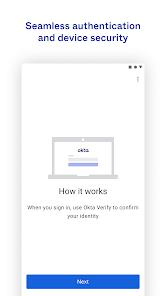
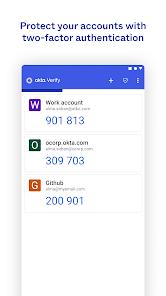
In modern enterprise security, identity is the new perimeter. Okta Verify is more than a simple code generator; it is the mobile extension of the Okta Identity Cloud ecosystem. Its functionality centers on multi-layered authentication mechanisms: Time-based One-Time Passwords (TOTP), responsive push notifications, and the biometrically-backed Okta FastPass.
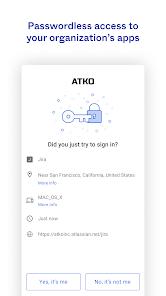
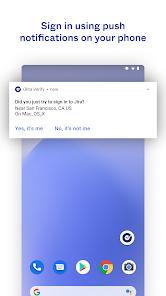
A technical comparison with traditional tools reveals Okta’s "context-aware" advantage. When a push notification arrives, the app displays geographic location, browser type, and device information. This transparency increases security and works with the Okta Risk Scoring Engine to trigger dynamic responses. If a login attempt is flagged as high-risk, the system automatically escalates to higher-level biometric verification.
Insights into its trajectory suggest a pivot toward "passwordless" experiences. By leveraging WebAuthn standards and FIDO2 protocols, Okta Verify utilizes the hardware-level security modules of Android devices (fingerprint/face recognition) to eliminate reliance on weak passwords. This architecture not only mitigates credential-related data breaches but also significantly enhances employee productivity by removing the friction of manual code entry.
Pros & Cons
Diverse Authentication Paths: Offers everything from offline TOTP codes to seamless, secure push notifications.
FastPass Technology: Facilitates a true passwordless login experience across enterprise resources.
Contextual Security Intelligence: Notifications include detailed metadata (location, device) to help users spot fraudulent attempts.
Hardware-Bound Integrity: Mandatory device binding ensures that authentication tokens cannot be easily cloned.
Universal Integration: Works as a standardized authenticator for third-party platforms like GitHub or Google.
Dynamic Risk Response: Integrates with backend risk engines to adjust verification strength based on real-time behavior.
- ✕
Single-Device Limitation: Accounts are typically tied to one primary device, making recovery cumbersome if lost without a backup.
- ✕
IT Dependency for Recovery: Most account reset operations require intervention from corporate IT administrators.
- ✕
Notification Redundancy: Occasional self-promotional notifications can lead to user alert fatigue.
Download


FAQs
Does Okta Verify track my precise location?
It primarily collects coarse location data to verify login legitimacy; all transmissions are encrypted.
How do I migrate to a new phone?
Due to security protocols, you usually need your old device for migration or must scan a new QR code from your company’s IT portal.
Why does the app need camera access?
The camera is strictly used to scan organization-provided QR codes during the initial setup phase.
Can I use this for my personal social media?
Yes, it supports the standard TOTP protocol and can serve as a 2FA tool for apps like Facebook or Google.
Hot Reviews
The responsiveness of the push notifications is impressive; the phone rings almost the instant you click "Sign In" on your computer. This "one-tap" experience is vital for employees moving between multiple systems throughout the day.
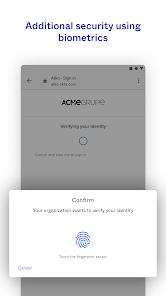
The requirement for a fingerprint scan before approving a push notification is a critical feature. It ensures that even if a phone is unlocked and falls into the wrong hands, the corporate data remains protected.
While secure, the process of switching phones is a headache. Relying on IT support for a device swap can cause significant downtime for remote or mobile workers.