
Permission Guard
Overview
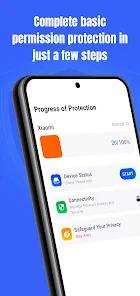
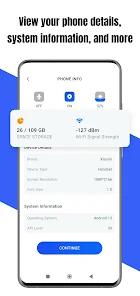
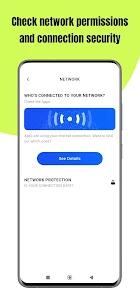
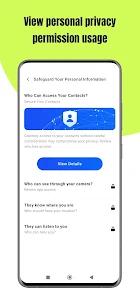
In the current era of heightened data surveillance, Permission Guard, developed by VY Technology Services, serves as a critical utility for users seeking to reclaim control over their device’s privacy landscape. The application’s primary function is to serve as a "Permission Master," auditing every installed application to identify which ones are accessing sensitive hardware components like the camera, microphone, or location sensors without explicit necessity. By visualizing risk levels for each app, Permission Guard provides a layer of transparency that standard Android system settings often obfuscate.
The technical value of Permission Guard lies in its "Bulk Management" capabilities. Instead of forcing users to navigate through the individual settings of dozens of apps—a process that is both tedious and prone to oversight—Permission Guard aggregates these controls into a single dashboard. This allows for the rapid revocation of permissions or the uninstallation of suspicious software that may be acting as "adware" or data-harvesting "bloatware". User reports indicate the app is particularly effective at identifying and neutralizing "PDF updates" or fake "money-making" games that trick users into granting excessive permissions.
Furthermore, the application addresses the "Cyber Hygiene" needs of non-technical demographics. It is designed with a user-friendly interface that simplifies complex security concepts, making it accessible for senior citizens—noted in reviews as "helpful at 80 years young"—and those who are not digitally native. By offering clear choices between permission modification and total uninstallation, Permission Guard empowers users to maintain a "Zero Trust" posture regarding third-party software, significantly reducing the attack surface of the mobile device.
Pros & Cons
Provides a centralized, color-coded dashboard that immediately flags apps with high-risk permission requests.
The "Bulk Management" feature saves significant time by allowing users to revoke permissions or uninstall multiple apps simultaneously.
Features a streamlined interface that is accessible and easy to navigate for users of all technical skill levels.
Acts as a secondary security layer by identifying "zombie" apps that continue to run background processes and collect data.
Includes educational insights that explain the risks associated with specific permissions, helping users make informed privacy decisions.
- ✕
The presence of advertisements within a security-focused application can be perceived as counterintuitive by privacy-conscious users.
- ✕
Some users have reported difficulties with the premium payment structure, specifically regarding the acceptance of prepaid cards for subscriptions.
- ✕
While it audits permissions, it cannot actively block an app's core functionality if that app is hardcoded to fail without those permissions.
Download
 Get it on Google Play
  Get it on App Store
 FAQs
Can Permission Guard remove viruses from my phone?
While primarily a permission auditor, it helps identify and uninstall apps that exhibit malware-like behaviors, such as excessive pop-ups or hidden background tasks.
Is this app better than the default Android settings?
Yes, because it aggregates all permissions into one view and provides a risk analysis that the default settings lack.
Does the app collect my personal information?
The app declares the collection of "App activity" and "Personal info" for functionality, though all data is encrypted during transmission.
How often should I run a permission scan?
It is recommended to run a scan after installing any new third-party applications or at least once a month to ensure no settings have been reset.
Can I use it to manage system apps?
It can view permissions for system apps, but revoking them may cause device instability; the app typically warns users before such actions.
Hot Reviews
At 80 years old, I found this app incredibly easy to use. It showed me exactly which games were snooping on my location and let me stop them with one tap.
I had several "earn money" games that were flooding my phone with ads. This app found them and showed me they were accessing my contacts. I deleted them all immediately.
It’s a great tool, but I wish there wasn't a 30-second ad for another game every time I try to check my security. It feels a bit ironic.