SmartLife - Smart Living
Smart Life is the closest thing the fragmented smart-home world has to a universal remote — one free app that controls a claimed 500,000+ devices across brands and protocols, backed by a genuinely powerful automation engine and no subscription, and a 4.6 average across roughly 1.2 million ratings says most users are satisfied. Two things to weigh before you lean on it: it's a cloud-dependent platform that ends up holding the keys to sensitive devices like cameras and locks, and its updates have a track record of occasionally knocking third-party integrations offline.
- Smart-home users — especially owners of the budget, generic devices sold on Amazon and AliExpress that are built for Tuya — who want one free dashboard to control many brands and protocols (Wi-Fi, Zigbee, Bluetooth, Matter) instead of juggling a separate app per gadget
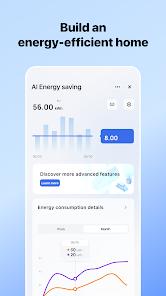
- Anyone who wants powerful automation for free: 'Scenes' and 'Routines' that trigger on time of day, local weather, or another device's state, plus Energy Insights power tracking and Family Planner sharing with granular permissions
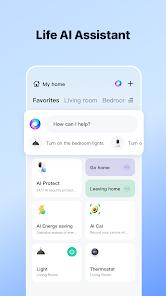
- Households that want hands-free control through Amazon Alexa, Google Assistant, or Siri Shortcuts across a mixed-brand device collection
- Anyone uncomfortable with a cloud-dependent platform controlling cameras, smart locks, and sensors, or who specifically wants fully local, offline control that keeps working when the internet doesn't
- People who want a polished, minimal interface — the dashboard gets cluttered and harder to navigate as the device count grows
- Users who can't tolerate an update occasionally breaking a third-party integration (Google Home sync, devices showing offline), or who don't want to work through a pairing learning curve for some devices


Overview
The pitch, and why it matters
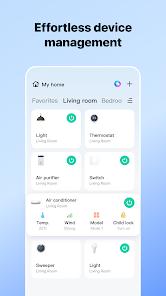
Buy a cheap smart plug, an LED strip, and a Wi-Fi thermostat from three different sellers, and you’d normally end up with three separate apps that never talk to each other. Smart Life exists to collapse that mess into a single dashboard — and that’s the reason it’s worth taking seriously. It’s the flagship consumer app for Tuya, the IoT platform that quietly supplies the backend for thousands of manufacturers, which is why one free download can control a claimed 500,000+ products across more than 100 categories: lighting, power strips, thermostats, security cameras, smart locks, and sensors among them. We didn’t test it on our own hardware, but its store signals match its reputation as the default app for the enormous budget-device ecosystem built on Tuya.
The core value: compatibility almost nothing else matches
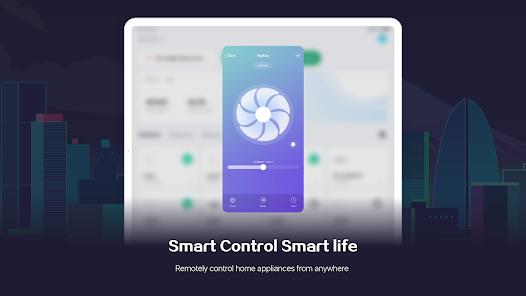
The headline strength is breadth, and it’s not a marginal edge. Most smart-home apps are walled gardens: a brand ships an app that controls only its own hardware, so a house of mixed gadgets becomes a home screen full of icons. Smart Life is deliberately the opposite — a neutral, cross-brand hub where devices from manufacturers that have never heard of each other all surface in one place. It’s also protocol-agnostic in a way that matters as homes get more varied: Wi-Fi and Bluetooth devices connect directly, Zigbee devices work through a compatible gateway, and the app supports the emerging Matter standard — the industry’s own attempt to solve exactly this fragmentation problem. For anyone assembling a system out of whatever was affordable rather than committing to one premium brand, that reach is the entire point.
The buyer’s-guide detail worth knowing
One practical detail is worth knowing before you spend a dollar. A large share of the inexpensive smart devices you’ll scroll past on Amazon and AliExpress — the no-name plugs, bulbs, and strips — are Tuya-based and explicitly designed to pair with this app; “works with Smart Life” is often the real spec hiding behind a dozen different logos. So checking for Smart Life or Tuya compatibility is a reliable way to keep a bargain device from stranding you in yet another one-off app — the fragmentation problem solved at the point of purchase.
The automation engine, for free
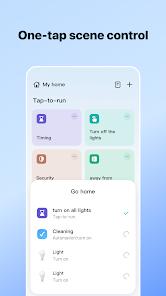
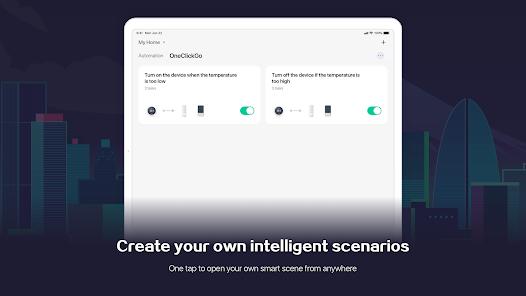
Where Smart Life earns real enthusiasm, the one reviewers keep returning to, is automation — offered with no subscription attached. The engine is built around “Scenes” and “Routines,” an if-this-then-that system with flexible triggers: fire an action on time of day, on local weather, or on another device’s state. The textbook example is switching on a smart heater automatically when a temperature sensor drops below 65°F, but the same logic covers lights that follow sunset or a routine that reacts to a door sensor. Plenty of ecosystems gate this kind of conditional automation behind a paid tier or a proprietary hub; getting it for free is a large part of why one hot review praises it as a huge free utility, with a breadth of lighting and signal types that beats some paid alternatives.
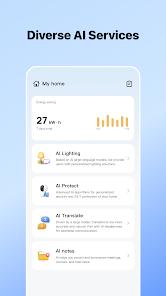
Two more modules round out the value. Energy Insights offers historical power-usage tracking on compatible smart plugs and appliances — a rough monitor for what’s actually drawing power at home — and Family Planner shares device control with family or roommates using granular permissions, so no one person holds all the access. Layer voice control on top (Alexa, Google Assistant, and Siri Shortcuts are all supported) and the free package is more complete than the price suggests.
The security question, stated plainly
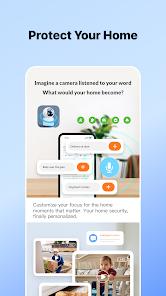
This is the part every prospective user should sit with, stated factually rather than as alarm. Smart Life is a cloud-dependent platform: controlling your devices while you’re away relies on them being internet-connected and reachable through Tuya’s cloud, not on a purely local connection. That’s normal for the category, but worth internalizing alongside what this app controls — security cameras, smart locks, and motion sensors are all in scope. A single account that can unlock your door and view your camera feeds concentrates a lot of sensitive access in one place, and that combination deserves a clear-eyed note rather than a shrug.
To be even-handed about what’s documented: the app states that data is encrypted in transit, and the developer provides options to request deletion of your personal information. We’re not aware of, and are not alleging, any breach or misuse — none appears in the material we reviewed. As public-reputation context, Tuya is a large, established IoT platform, but the general truth about any cloud-connected camera-and-lock ecosystem holds here: because it centralizes sensitive access, the account protecting it should be treated seriously. Use a strong, unique password and turn on two-factor authentication if you enable cameras or locks — practical hygiene, not an accusation. And if the idea of a cloud platform between you and your locks is itself a dealbreaker, this is the wrong model for you — a legitimate preference rather than a knock on the app.
The reliability caveats, attributed
The rough edges are consistent enough across user feedback to name plainly. The most common structural complaint is the UI: as your device count grows, the dashboard gets cluttered and harder to navigate — ironic for an app whose job is to reduce clutter, since the more devices it absorbs, the busier it becomes. Second, update reliability is a recurring theme; reviewers report that updates have occasionally broken third-party integrations, with Google Home sync singled out, devices showing as offline in external apps, and manual restarts needed to bring them back — one frequent piece of feedback describes a “functionality plummet” after updates. Third, there are documented scheduling bugs: the “Timing” feature used to schedule device actions can reportedly freeze the app. And finally, there’s a pairing learning curve — initial setup of some LED strips and smart plugs can be fiddly, including interpreting “odd” flashing-pattern instructions, though users consistently add that once a device is paired, control is generally rock-solid. None is a dealbreaker alone, but together they’re the honest texture of living with the app.
How it compares
Against a brand-specific smart-home app, Smart Life’s advantage is exactly what those apps can’t offer: cross-brand, cross-protocol breadth from one dashboard, for free. A single-brand app is usually more polished and tightly integrated with its own hardware, so if you’ve committed to one premium ecosystem, that focus can be the better experience. Smart Life makes the opposite trade, accepting a busier interface and the occasional integration hiccup in exchange for controlling a sprawling, mixed-brand collection no single-vendor app would ever touch — usually the right call for the home that grew one affordable device at a time.
A note on recency
We’ll be straight about one gap: Google Play does not display a “last updated” date on this listing, so we won’t invent one. What we can ground recency in is substantial — 10M+ installs, a 4.6 average across roughly 1,234,269 ratings, and 10 screenshots, from developer Volcano Technology Limited, the Tuya consumer app. A 4.6 sustained across more than 1.2 million votes is a strong satisfaction signal; approval at that scale is hard to manufacture, and it squares with the app’s status as the front door to a huge slice of the affordable smart-home market.
Who it’s not for
Skip Smart Life if you’re uncomfortable with a cloud-dependent platform sitting between you and sensitive devices like cameras and locks, or if you want fully local, offline control that survives an internet outage. It’s also the wrong fit if a polished, minimal interface is a priority — the dashboard clutters as you add devices — if you can’t tolerate an update occasionally breaking an integration like Google Home sync, or if you have no patience for a pairing learning curve on some devices.
Our take
We’d recommend it, and the 4.3 reflects both the reach and the caveats. The core value is unusually generous for a free app: compatibility with a claimed 500,000+ devices across brands and protocols including Matter, a capable automation engine with weather-, time-, and device-state triggers, Energy Insights, Family Planner sharing, and Alexa/Google/Siri voice control — a real answer to the app-fragmentation problem, and the natural home for the budget Tuya-based gear that fills online marketplaces. We hold back the last few tenths for what a prospective user should weigh with open eyes: it’s cloud-dependent while holding access to cameras and locks, so account security is on you; the UI clutters as it succeeds; updates have a history of disturbing third-party integrations; and some devices ask for patience to pair. For a smart-home owner with a mixed, affordable collection who wants one free dashboard and powerful automation across all of it, Smart Life is one of the strongest options there is — provided you understand the cloud model it’s built on.
How We Evaluate
We did not conduct hands-on testing of this app on our own hardware. This assessment is grounded in Smart Life's Google Play listing and description, its stated feature set (the cross-brand device compatibility, protocol support including Matter, the Scenes/Routines automation engine, Energy Insights, Family Planner, and voice-assistant integrations), its listed pros, cons, and FAQ, the recurring themes in published user reviews, its store signals (a 4.6 average across roughly 1,234,269 ratings, 10M+ installs, and 10 screenshots from developer Volcano Technology Limited), and the app's public reputation as the neutral consumer front-end for the Tuya IoT platform. Google Play does not show a "last updated" date for this listing, so we don't cite one. Compatibility and device-count figures are Tuya's own. Where we cite user sentiment, we're reflecting documented recurring feedback rather than personal sessions.
Pros & Cons
Offers unparalleled device compatibility, supporting over 500,000 products from thousands of diverse manufacturers.
The "protocol-agnostic" design ensures it can control Wi-Fi, Zigbee, Bluetooth, and Matter-enabled devices from a single hub.
Advanced automation capabilities allow for complex "If-This-Then-That" logic using environmental, time-based, or device-state triggers.
Integrated "Energy Insights" provide detailed tracking and historical data for power consumption on smart plugs and appliances.
Device sharing features allow for granular control permissions to be assigned to family members or roommates.
Completely free to download and use, with no subscription required for basic device control and automation.
Real-time monitoring and instant security alerts keep users updated on the status of their home security sensors 24/7.
- ✕
The user interface can become cluttered and difficult to navigate when a large number of disparate devices are added.
- ✕
Frequent app updates have been reported to occasionally break third-party integrations, such as Google Home synchronization.
- ✕
Technical bugs in the "Timing" or scheduling features can cause the app to freeze when attempting to configure multiple actions for a single device.
Download


FAQs
Do I need a hub to use Smart Life?
For Wi-Fi devices, no hub is needed; however, Zigbee or Bluetooth Mesh devices require a compatible gateway to bridge them to your network.
Can I control my devices when I am not at home?
Yes, as long as your smart devices are connected to the internet, you can control them from anywhere via the mobile app.
Does Smart Life support voice control?
Yes, the app integrates seamlessly with Amazon Alexa, Google Assistant, and Siri Shortcuts for hands-free operation.
Is my data secure in the app?
Data is encrypted in transit and the developer provides options for users to request the deletion of their personal information.
What is the difference between Tuya Smart and Smart Life?
Smart Life is the neutral consumer-facing app, while Tuya Smart is the developer-branded version; functionally, they are identical.
Hot Reviews
This app manages to squeeze an incredible amount of utility out of its open-source foundations. The breadth of colors available for lighting and the variety of supported signal types make it better than most paid alternatives.
While the app is powerful, every new update seems to introduce a "functionality plummet." Devices frequently show as offline in external apps like Google Home, requiring manual restarts to fix.
The initial setup of certain LED strips or smart plugs can be tricky, often requiring the user to interpret "odd" instructions like specific flashing patterns. Once paired, however, the control is generally rock-solid.