USB Tv Connector
Overview
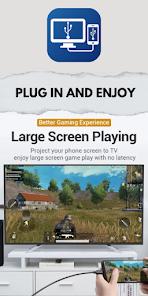
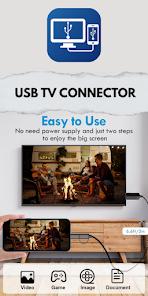
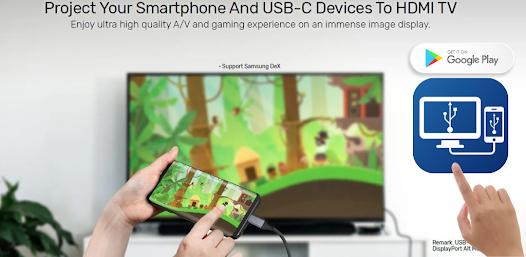
The bridge between mobile mobility and large-screen display remains a significant technical challenge, particularly for devices lacking native video output capabilities. The USB TV Connector application aims to solve this through a multi-modal approach that includes HDMI MHL support, wireless casting, and an integrated On-The-Go (OTG) checker. This utility is developed by Syscraft Labs and targets users who wish to project media directly from their handsets to a television.
A profound technical observation regarding this app is its reliance on the MHL (Mobile High-Definition Link) protocol. While MHL was once a standard for high-fidelity wired output, its presence in modern flagship smartphones has diminished in favor of DisplayPort Alt Mode over USB-C or wireless Miracast/Chromecast protocols. Consequently, the app acts as a diagnostic and facilitation tool, helping users determine if their hardware can sustain a wired connection before attempting a screen mirror. However, the application has faced significant criticism regarding its user interaction model, specifically the use of "rating walls" to gate features.
Pros & Cons
Built-in OTG checker allows users to verify hardware compatibility immediately.
Includes support for HDMI MHL, enabling HD quality casting on compatible hardware.
Facilitates the casting of local photos, videos, and audio files without cloud dependency.
Allows the smartphone to operate as a basic remote control for connected TVs.
Offers settings to modify resolution to optimize image quality during streaming.
- ✕
Many modern devices lack the physical MHL hardware required for the "USB cable" connection to function.
- ✕
The user experience is heavily interrupted by frequent and sometimes misleading advertisements.
- ✕
User reports indicate the app requires a 5-star rating to unlock "full access," which often yields no functional change.
Download
 Get it on Google Play
  Get it on App Store
 FAQs
Can I connect any phone to any TV with a USB cable?
No, the phone must support MHL or DisplayPort Alt Mode, and the TV must have a compatible HDMI input.
Why does the app say my device is not OTG supported?
This indicates that your phone's USB port cannot act as a host for external peripherals, making wired mirroring impossible.
Is a WiFi connection required?
WiFi is only required for the "Wireless Connection" mode; the USB mode theoretically works offline if hardware permits.
Does the app support 4K resolution?
It is primarily optimized for 1080p HD quality via HDMI MHL.
Why am I seeing so many ads?
As a free utility, the app relies on ad revenue, though users find the frequency excessive.
Hot Reviews
Reviewers have expressed significant frustration, claiming that the "wired" option is non-functional on many modern devices and that the app serves primarily as an ad-delivery platform.
Multiple users have identified a pattern where the app requests a 5-star rating in exchange for feature access, which is widely described by the community as a "scam" or "trap".
Some tech-savvy users find the OTG checker and compatibility information useful for troubleshooting why their physical adapters are not working.