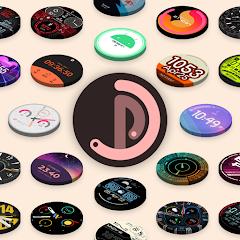
Pujie Watch Faces - Wear OS 4-


Overview
Pujie Watch Faces - Wear OS 4- represents an advanced, dynamic watch face creation suite and interactive launcher architecture engineered for Google's Wear OS ecosystem. Operating at the intersection of a standalone graphical runtime on smartwatches and an expansive vector-based development environment on companion Android smartphones, the application provides an open-ended canvas where every visual and functional element can be designed, parameterized, and manipulated programmatically.
The foundational technical architecture of Pujie Watch Faces relies on real-time 2D vector geometry rendering, procedural watch hand mathematics, and dynamic Bezier curve calculations. Unlike conventional watch face applications that depend on pre-rendered raster bitmapped assets, Pujie renders its visual primitives on the fly. This procedural pipeline guarantees crisp graphical fidelity across circular, square, and rectangular display geometries, seamlessly accommodating varying pixel densities and display diameters on Samsung Galaxy Watch hardware, Google Pixel Watch generations, and legacy Wear OS devices running versions 2.x, 3.x, and 4.x.
Functionally, the platform extends beyond passive timekeeping into an interactive wrist launcher. Central to this experience is the proprietary "Tap Drawer," a slide-out drawer housing up to six assignable touch targets alongside unlimited custom-mapped complication zones. These targets can trigger native wearable applications, dispatch remote execution intents to the host smartphone, or interact directly with automation frameworks like Tasker. Through bidirectional Tasker variable synchronization, Pujie transforms the smartwatch into an IoT control panel capable of rendering live smart-home states, server health statistics, or custom contextual sensor data. The app also incorporates standalone multi-day calendar views, integrated fitness telemetry, interactive weather forecasts, and dual-battery monitoring engines that visualize watch and phone battery reserves simultaneously.
Within the broader Wear OS landscape, this legacy package occupies a distinct niche. While newer operating system requirements have driven the platform toward the declarative Watch Face Format (WFF), Pujie Watch Faces remains an indispensable environment for users who require unrestrained vector scripting, deep Tasker data streaming, and full operational support on older Wear OS runtimes.
Pros & Cons
Provides a vector graphic design environment for crafting custom hands, dials, and dynamic complication layouts.
Features bidirectional Tasker integration for real-time automation variables and remote execution triggers.
Incorporates an expandable Tap Drawer launcher to maximize application shortcut capacity on compact displays.
Displays synchronized dual-device battery telemetry for both the smartwatch and the host phone.
Grants access to an extensive cloud repository containing tens of thousands of community-shared presets.
Ensures operational backward compatibility across legacy Wear OS 2.x, 3.x, and 4.x smartwatches.
- ✕
Presents a complex learning curve that can challenge users unfamiliar with vector layering and parameter binding.
- ✕
Operates outside Google's declarative Watch Face Format, limiting access to certain platform-level optimizations.
- ✕
Unoptimized user scripts and intricate vector animations can increase battery consumption relative to static dials.
Download
 Get it on Google Play
 Get it on App Store
FAQs
How does this package differ from the newer Pujie Watch Faces application?
The com.pujie.wristwear.pujieblack package represents the legacy programmable runtime supporting custom vector math and background services, whereas com.pujie.watchfaces is built on Google's declarative Watch Face Format.
Can Tasker automation tasks be executed directly from dial interactions?
Yes. Users can assign specific touch zones or Tap Drawer slots to dispatch direct intent triggers to Tasker on the paired phone.
Does the application accommodate non-circular smartwatch screens?
Yes. The vector engine dynamically calculates layout coordinates and adapts typography and dial elements to square, rectangular, and round screens.
Why is a companion application required on the connected smartphone?
The mobile application houses the primary graphical design studio, manages cloud synchronization, and relays phone-side battery and weather data to the watch.
Can user-created presets be backed up and shared externally?
Yes. Custom presets can be exported as shareable text strings, stored locally, or published directly to the online Pujie library.
Hot Reviews
Summarized from Google Play reviews and community discussions.
Technical users consistently commend the editor's parametric control, highlighting the ability to fine-tune sub-dials, tick marks, and custom Bezier hands down to fractional coordinate values.
Power users praise the responsive Tasker integration, noting that having live home-automation status indicators directly on the watch face transforms the wearable into a reliable remote terminal.
Feedback indicates that the multi-tiered phone editor and dense parameter hierarchy require considerable experimentation before new users can comfortably build custom dials.
Community discussions emphasize that while this package remains fully operational on older Wear OS branches, transitioning to newer Wear OS formats requires understanding the architectural differences between runtime models.