TIMEFLIK Watch Faces


Overview
The market for wearable personalization includes both individual watch faces and large-scale digital repositories. Developed by Apposter Inc., TIMEFLIK Watch Faces is a marketplace and design studio for smartwatches. The software combines a mobile graphic design suite with a Wear OS runtime engine, granting users access to a library of over 2 million community and commercial watch face designs.
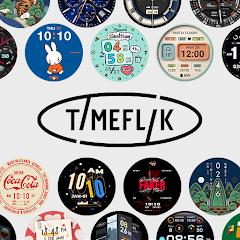
TIMEFLIK operates as a two-part platform consisting of an asset discovery marketplace and an in-app creation studio. The marketplace offers watch faces created by independent artists alongside licensed brand collaborations with properties such as Coca-Cola, Sesame Street, and esports teams like T1. Users can browse these designs on their mobile device and transfer them to their smartwatch via a one-tap Bluetooth synchronization system.
The built-in creation studio enables users to design custom watch faces directly within the mobile application without writing code. The editor provides a modular layered workspace where users can combine custom watch hands, sub-dials, background photos, battery status gauges, and weather indicators. Additionally, TIMEFLIK integrates with the Android Health Connect API, enabling watch faces to dynamically alter colors, update complication bars, and trigger progress animations based on real-time step counts and active cadence metrics.
Historically, watch face aggregator platforms faced battery drain issues when running heavy background interpreters on smartwatches. In recent versions, TIMEFLIK has updated its runtime engine to adopt Google's Watch Face Format standards. By compiling custom visual layers into declarative formats executed natively by the smartwatch OS, the platform significantly reduces CPU overhead, resulting in improved battery longevity across Wear OS devices.
Pros & Cons
Vast Design Catalog: Provides access to over 2 million community, designer, and licensed brand watch faces.
No-Code Creation Studio: An intuitive mobile editor allows users to assemble custom dials using layered visual assets and templates.
Health Connect Compatibility: Uses the Android Health Connect API to drive dynamic step and fitness progress complications.
Official Brand Collaborations: Features licensed digital faces and matching physical watch straps from major global brands.
One-Tap Watch Synchronization: Quickly pushes completed designs from the mobile companion app to paired smartwatches via Bluetooth.
- ✕
Free-Tier Video Advertisements: The free version requires watching video ads before exporting edits or transferring designs to the watch.
- ✕
Subscription-Gated Premium Designs: Access to the top-tier designer catalog requires an active FLIK PASS VIP subscription.
- ✕
Proprietary OS Incompatibility: Does not support non-Wear OS platforms such as Garmin, Huawei OS, or modern Fitbit devices.
Download
 Get it on Google Play
 Get it on App Store
FAQs
Which smartwatches are supported by TIMEFLIK?
The application officially supports the Samsung Galaxy Watch series (Watch 4 through Watch 8, Ultra), Google Pixel Watch lines, and devices running Wear OS 2.0 through Wear OS 6+.
Why does the app use the current package name?
The app was originally released under the name Mr. Time Maker by Apposter Inc. before rebranding to TIMEFLIK; the package identifier is retained to maintain seamless update paths.
Does designing custom watch faces require programming experience?
No. The mobile creation suite uses a visual drag-and-drop layer interface, allowing users to customize watch hands, graphics, and complications without writing scripts.
What data permissions are requested for Health Connect?
TIMEFLIK requests read-only permission for step counts and cadence data, using this information exclusively to update on-screen complications and fitness progress bars.
Hot Reviews
Summarized from Google Play reviews and community discussions.
Users frequently praise the mobile design interface, noting that assembling custom watch faces with personal photos, hands, and health metrics is straightforward and accessible.
Reviews regularly commend the broad catalog of community-contributed watch faces, which makes finding designs for different occasions easy.
Some user feedback points out friction in the free tier, where video ads during the design export and watch sync workflow can slow down the setup process.
Smartwatch enthusiasts appreciate the platform's support for modern Wear OS versions, highlighting reliable step counting and responsive Always-On Display handling.